

Authentication
Every request to the Netzilo API carries a token in the Authorization header. For scripts
and automation, use a personal access token of an Agent: a non-login user that
belongs to no specific person. You can also use your own access token, or an OIDC access
token from the identity provider.
Base URL
| Server | Base URL |
|---|---|
| Netzilo Cloud | https://srv.netzilo.com/api |
| Self-hosted Netzilo Server | https://<your domain>/api, for example https://go.example.com/api |
A request without a token answers 401, which proves you reached a live server:
curl -sS -o /dev/null -w '%{http_code}\n' https://srv.netzilo.com/api/users
Create a token for automation
Agents keep working when an employee leaves, cannot sign in, and are not counted as billed users. Their role decides what their tokens may do: User can only read, Admin can read and write.
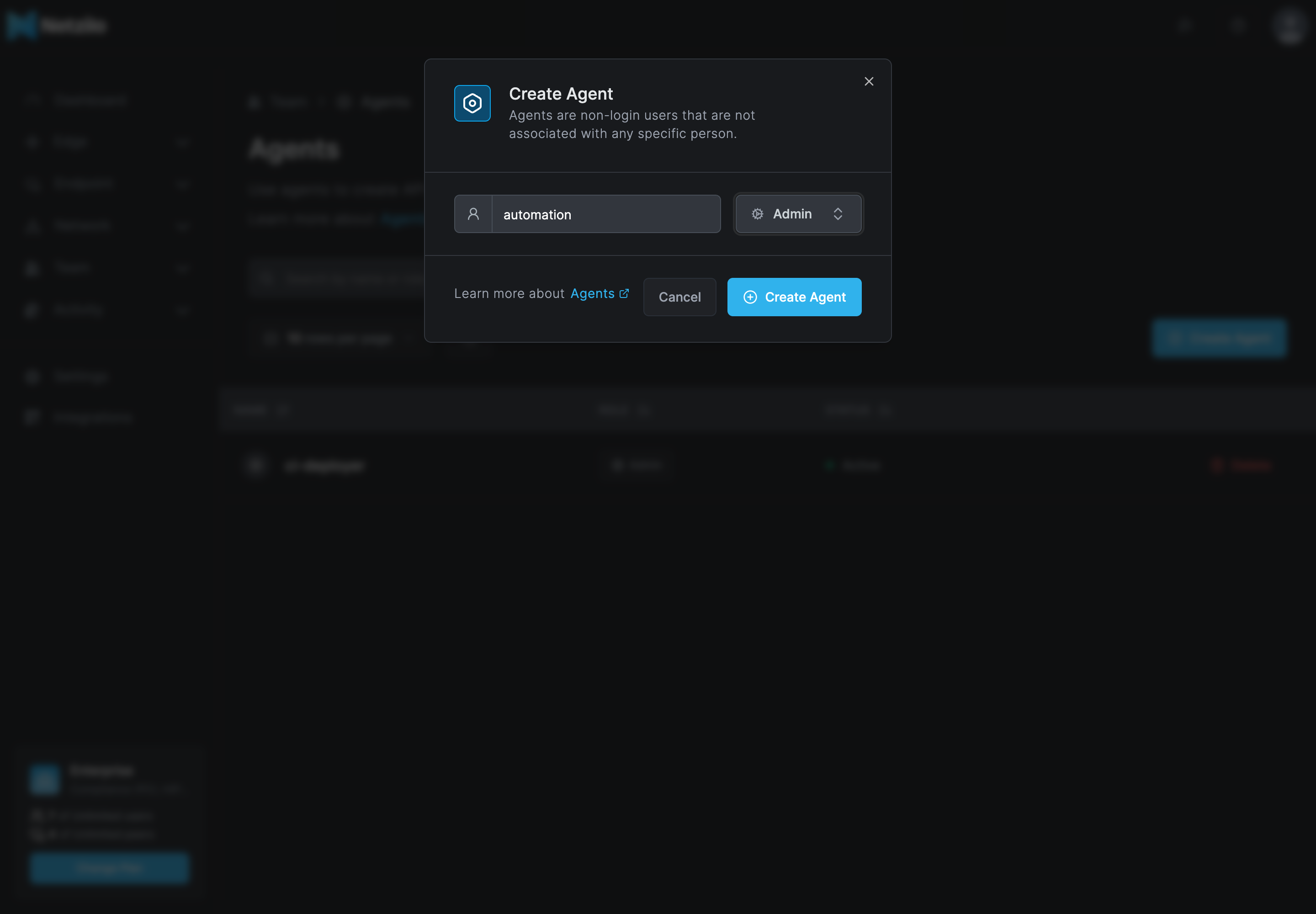
- In the dashboard, go to Team > Agents and click Create Agent.
- Enter a name, for example
automation, choose the role, and click Create Agent.
- Open the Agent, and under Access Tokens click Create Access Token.
- Enter a name and an expiry between 1 and 365 days, and click Create Token.
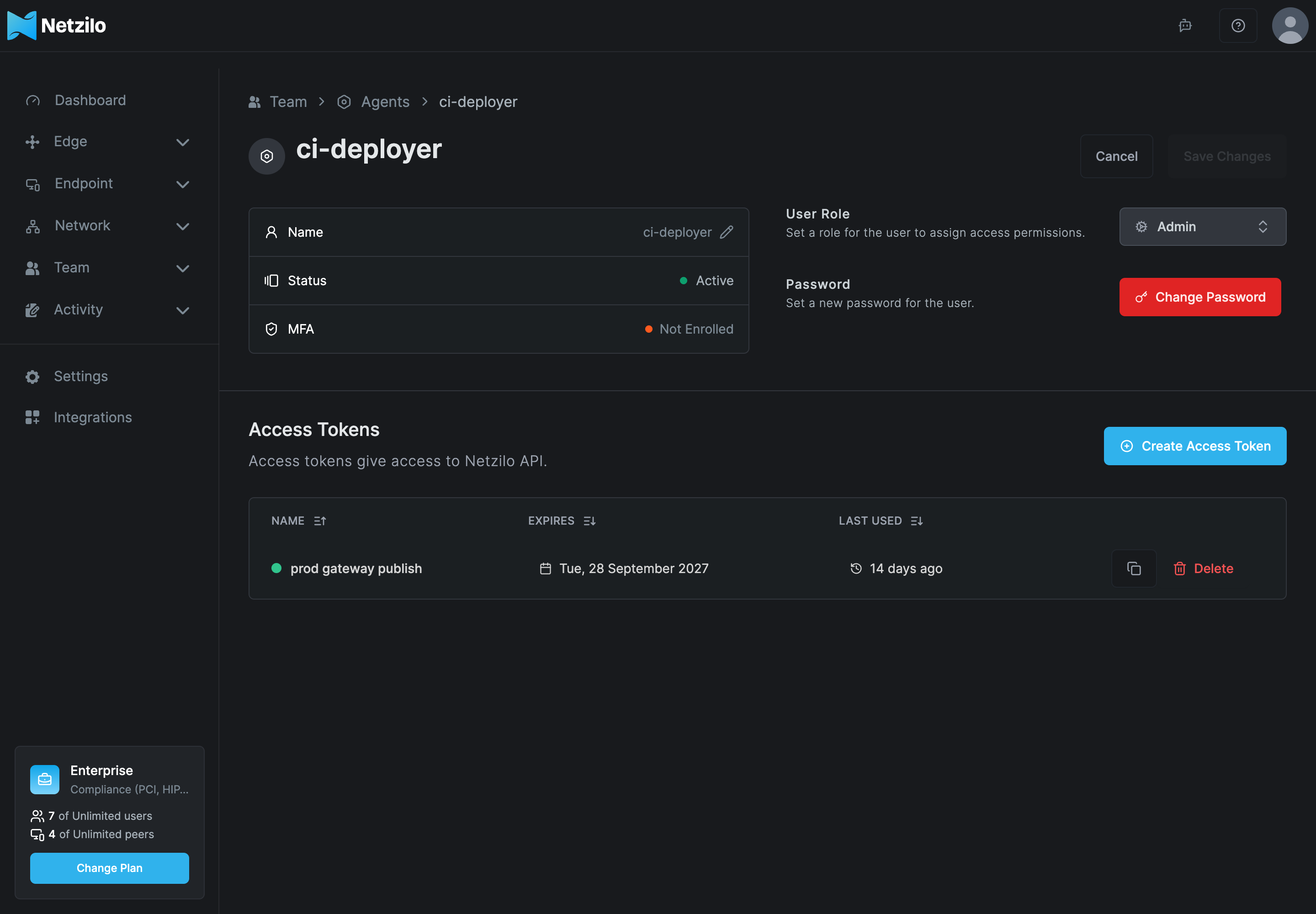
- Copy the token. It is shown only once.
Tokens start with nzl_. Keep them in a secret store or an environment variable, never in
a script or a ticket.
Using personal access tokens
Send the token with the Token scheme:
curl -sS https://srv.netzilo.com/api/peers \
  -H 'Accept: application/json' \
  -H 'Authorization: Token nzl_...'
Authorization: Bearer nzl_... is accepted too. On a self-hosted server, use your own base
URL.
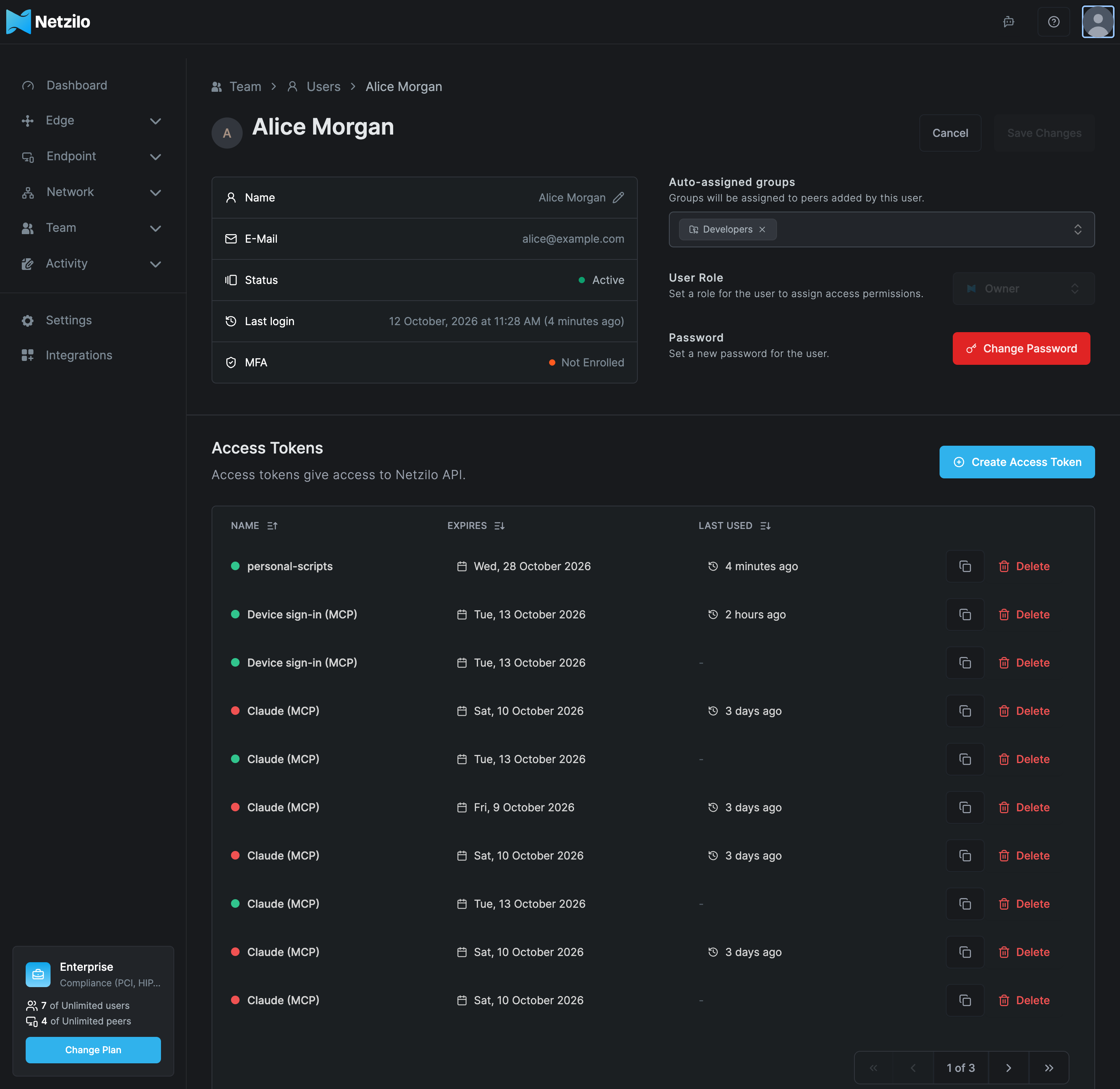
Your own token. Every user, including regular users, can create tokens for themselves: open the user menu, choose Profile Settings, and use Create Access Token under Access Tokens. A token acts with your role and everything you can reach, and its use is recorded as you.
An OIDC access token. A script that already signs in to your identity provider can send
its access token as Authorization: Bearer <JWT>, as the dashboard does.
What a token may do
- A token carries its owner's role. Regular users can read and manage their own tokens; admins, owners and Admin Agents can also write.
- Some paths are for admins only, also for reading: for example groups, posture checks, DNS, events, reports, Edge and the account's integrations.
- Some paths answer every user with that user's own view, for example
GET /api/users/current/published-apps. - The AI Gateway token that the Workplace creates for Agentic Access only identifies its user to AI gateways. It cannot be used for scripts; create an ordinary token for those.
There is no other way to narrow a token. Least privilege means choosing the owner's role.
Revoke a token
Delete the token on its owner's page, under Access Tokens. Tokens expire on the date you set, between 1 and 365 days after creation, and nothing warns you before. Plan rotation: create the new token, switch your scripts to it, then delete the old one.
When authentication fails
| Answer | Meaning |
|---|---|
401 with token invalid | The token is wrong, expired or deleted. All three look the same |
401 with no valid authentication provided | The Authorization header is missing or unreadable |
| A message that the user has no access to the API or is blocked | The token's owner is blocked |
403 | The token is valid, but its owner's role does not allow this request |
See Errors for all status codes.
Treat a token like a password. Anyone with it acts as its owner until it expires or is deleted.