

Introduction to Netzilo
Netzilo secures both of your workforces: the people in your organization and the AI agents that work alongside them.
- AI agents are governed by AI Detection & Response (AIDR). On devices, the Netzilo client and the browser extension inspect what coding agents, desktop AI apps, custom agents and web AI chats send and receive. The Netzilo AI Gateway governs agents that call your LLM providers and MCP servers through it. One set of guardrails, limits and filters applies everywhere.
- People get a Secure Workplace: a zero-trust network that replaces the VPN, an Enterprise Workspace and Enterprise Browser for data protection on any device, and clientless access to internal applications from a plain browser.
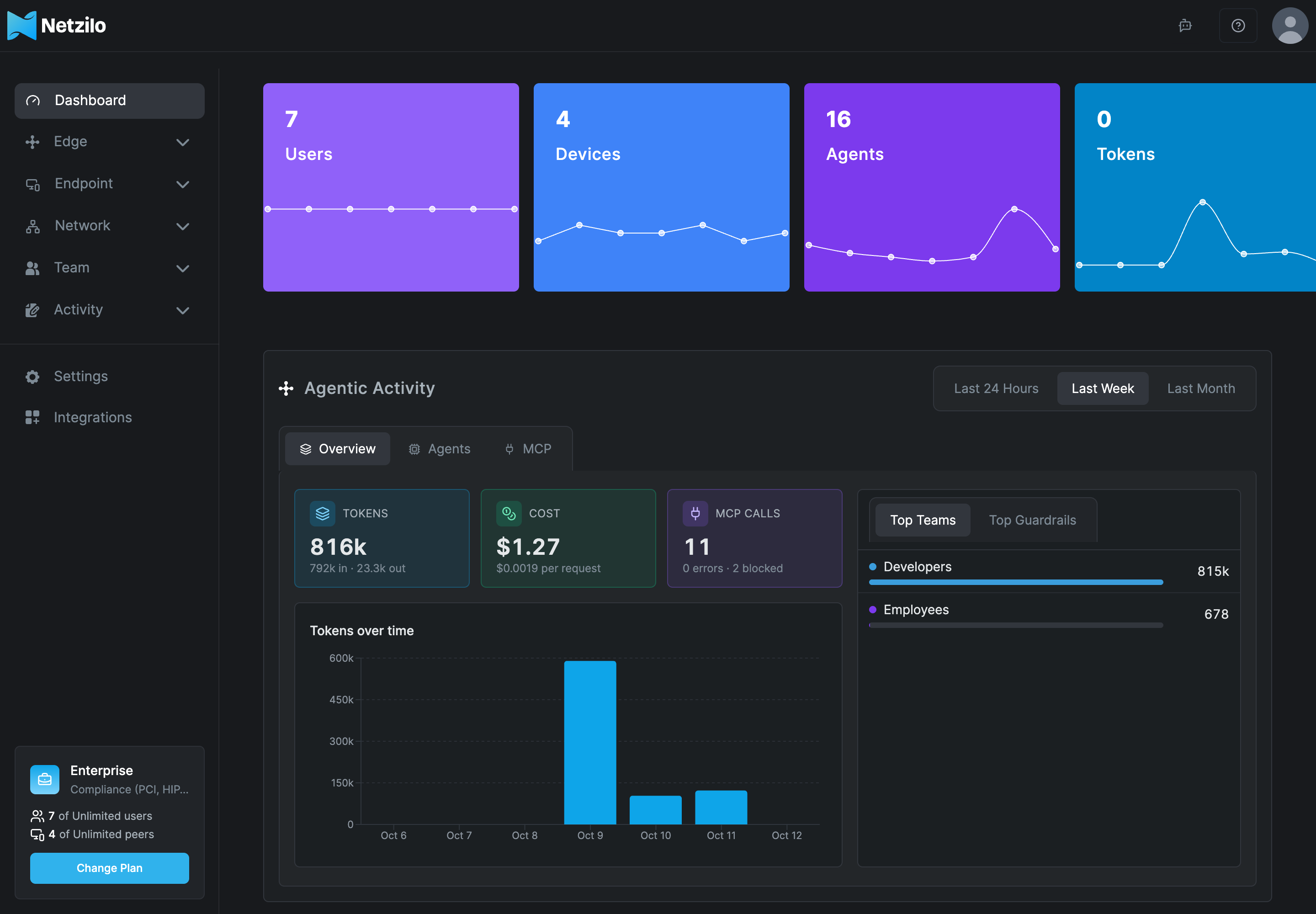
You manage everything from one dashboard, on Netzilo Cloud at https://go.netzilo.com
or on your own Netzilo Server.
Where to start
| You want to | Start here |
|---|---|
| Sign in and connect your first device | Quickstart Guide |
| Install the client on every platform, or deploy it to a fleet | Install Netzilo and Installer command lines |
| Govern AI agents on devices and in the browser | AI Detection & Response |
| Route AI agents through a governed gateway | AI Gateway |
| Watch each control work end to end, in about two minutes | Video How-To Guides |
| Give people safe access to company resources on any device | Secure Workplace |
| See what users see after they sign in | Workplace |
| Configure the dashboard: Edge, Endpoint, Network, Team, Activity, Settings | Manage Netzilo |
| Run Netzilo on your own server, on-premises, AWS or Azure | Self-hosted vs. Cloud and Install on your own server |
| Automate with the REST API | API |
AI Detection & Response
AIDR sees AI activity where it happens and applies your policy to it:
- On the device: the Netzilo client inspects AI traffic of the applications you name, hooks into coding agents such as Claude Code, Codex and Gemini CLI, and offers an SDK for custom agents.
- In the browser: the Netzilo browser extension governs ChatGPT, Claude, Gemini and other AI apps in the page.
- At the gateway: the Netzilo AI Gateway sits between agents and your LLM providers and MCP servers. It identifies each caller as a Netzilo user and applies their model grants, limits, MCP access and guardrails.
You define the policy under Edge: Providers, MCP, Guardrails, Limits and Filters. Verdicts appear under Activity and on the dashboard's Agentic Activity panel. When an AI session is hijacked, Netzilo isolates it on its own, and the AI Kill Switch stops all AI activity of a user, a group or the whole account at once, see Response Actions. See AI Detection & Response and AI Gateway.
Browser · 1:47
Govern ChatGPT and Claude in the browser
Redact a customer ticket and block a private key in ChatGPT and claude.ai, with only the extension installed.
Browser · 1:59
Bring web apps' AI calls under the gateway
One routing guardrail sends a web app’s model calls through the AI Gateway as the signed-in user, on an approved model.
Endpoint · 1:30
Govern every AI tool on a laptop
Claude Code and a homemade script with a personal API key get the same guardrails, on the device itself.
Secure Workplace
- Zero trust networking. Devices connect to each other directly over encrypted WireGuard® tunnels, with no central VPN server. Policies between groups decide who reaches what, and posture checks decide which devices qualify. See How Netzilo works.
- Enterprise Workspace and Enterprise Browser. Keep business data separate from the personal environment on any device, with controls for the clipboard, printing, downloads and the screen. See Secure Workplace.
- Clientless access and published applications. Contractors and personal devices reach internal web applications from a browser, with nothing or only the extension installed. Published applications can carry a watermark, mask data and block copying, printing, downloads and uploads with nothing installed. See Clientless Access and Applications.
Netzilo runs as a managed service (Netzilo Cloud) or on your own server: on-premises with a one-line installer, or from the AWS and Azure Marketplaces. See Self-hosted vs. Cloud.
Get help
- Troubleshooting client issues - when a device does not connect
- FAQ - ports, addresses, data handling
- Report bugs and issues - what to send to support@netzilo.com