Install Netzilo
A peer is any device that runs the Netzilo client and has joined your account: a laptop, a phone, a cloud server, a container. This page shows how to install the client on every platform, how to enrol it, and where the other Netzilo components come from: the Enterprise Browser, the browser extension and the Netzilo AI Gateway.
Every download link is in the dashboard under Endpoint > Peers > Add Peer. The dialog opens on the tab for the operating system you are using.
Downloads come from https://pkg.netzilo.com. A self-hosted dashboard can point its
download links at a mirror with the same paths. Netzilo has no apt or yum repository,
no Homebrew tap, no winget or Chocolatey package and no published Docker image for the
client.
How it works
-
You install the client. On Windows, macOS and Linux it runs as a service named
Netzilo. On Windows and macOS a tray app starts with it. -
You enrol the device, which binds it to your account. There are three ways:
Method Use it for How SSO sign-in devices people use netzilo up, or Connect in the tray, then sign in in the browser. The peer belongs to that user, and its login expires (24 hours by default)Setup key servers, containers, kiosks, infrastructure as code netzilo up --setup-key <KEY>. The peer has no user, never expires by login, and joins the key's groupsAccess token headless devices that must act as a user, such as AI agents and CI runners netzilo up --pat <token>, ornetzilo deploy-user. The peer belongs to the token's user -
The device gets an address in
100.64.0.0/10and a name, and reaches the peers your policies allow.
A device that cannot or should not get the client can still reach internal web applications from a browser. See Clientless Access and Applications.
Before you start
- Outbound network access. The client needs outbound TCP 443 to the management, signal and relay hosts, and outbound UDP for direct connections between peers. It needs no inbound port. Without UDP it still works, through a relay.
- Free local ports. The client listens on
127.0.0.1ports 41336, 41337 and 41339. If another program uses one of them, see Troubleshooting. - Self-hosted servers. Every enrolment command needs
--management-url https://<your-domain>. The client defaults to Netzilo Cloud (https://srv.netzilo.com:443).
Open the Add Peer dialog
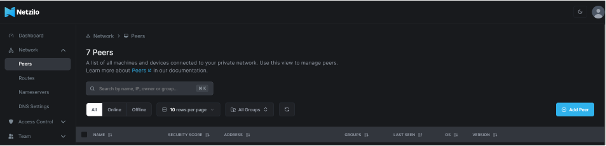
Go to Endpoint > Peers and click Add Peer.

The dialog has a tab per platform: Linux, Windows, macOS, iOS and Android. Each tab has sub-tabs: Netzilo Client, Enterprise Browser (Windows, macOS, iOS, Android) and Gateway (Linux, Windows, macOS).
Windows

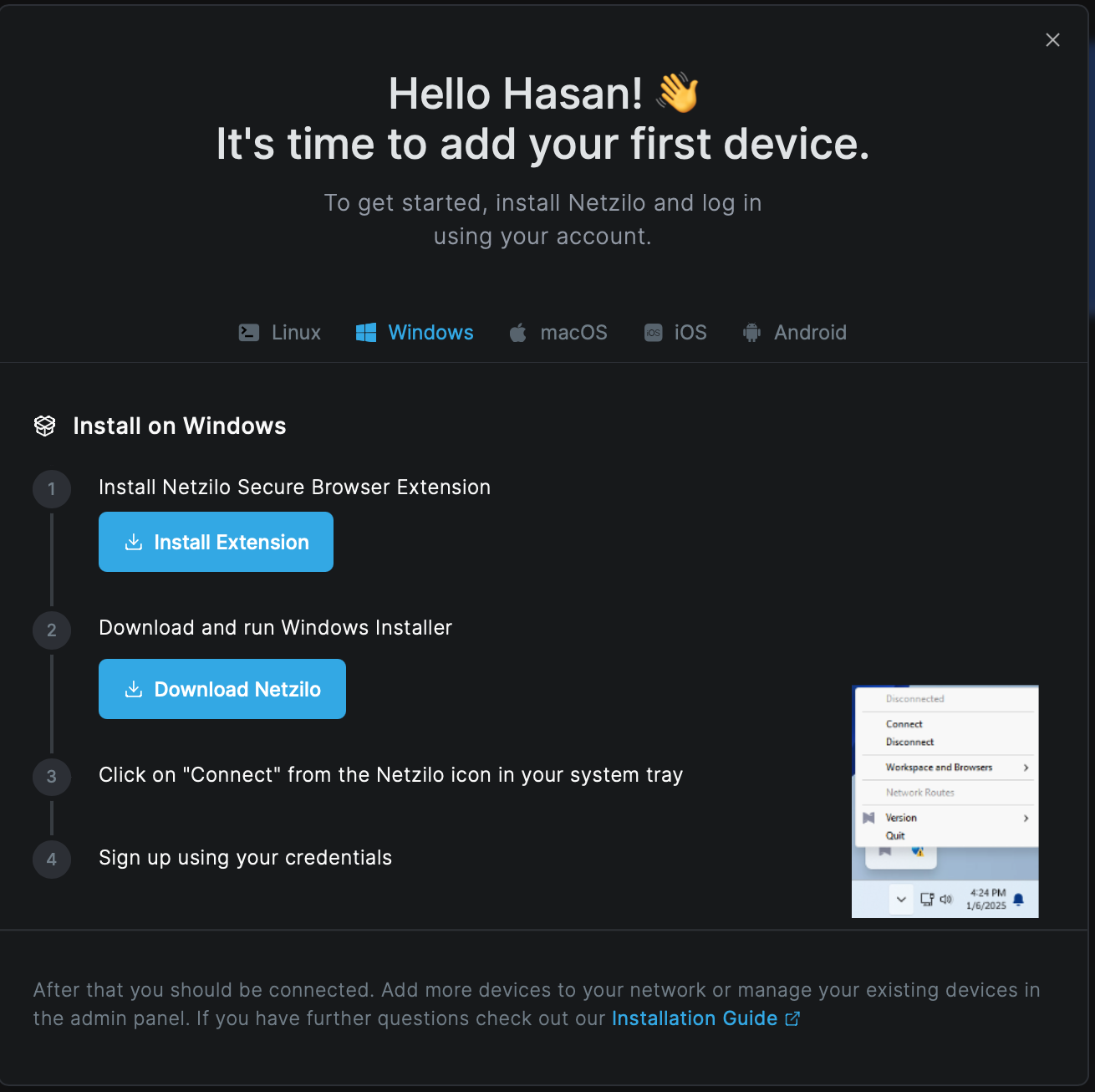
- Click Install Extension to add the Netzilo browser extension to the browser you are using.
- Click Download Netzilo and run
netzilo_setup.exe. Accept the User Account Control prompt. The installer starts without administrator rights and asks for them itself. If you cancel the prompt, the install fails. - Click Connect in the Netzilo tray menu and sign in.
The client installs to %ProgramData%\Netzilo Client (netzilo.exe, netzilo-ui.exe,
installer.exe and the drivers). Its configuration and logs are in
%ProgramData%\Netzilo. The installer adds the install folder to the PATH, so open a
new terminal before you use netzilo.
Windows has four installer files:
| File | Download path | Use it for |
|---|---|---|
Online installer netzilo_setup.exe | /download/windows/netzilo_setup.exe | a person installing by hand with internet access. It downloads the client while it runs and always exits with code 0 |
Offline installer nz_installer_64.exe | /download/windows/x64/nz_installer_64.exe | a person installing by hand without internet |
Pack nz_installer_64.pack | /download/windows/x64/nz_installer_64.pack | scripts that need non-admin mode and a config file together |
MSI netzilo_x64.msi | /download/windows/x64/netzilo_x64.msi | every managed deployment: Intune, SCCM, Group Policy |
For silent installs, detection rules and return codes, see Installer command lines.
Windows on ARM and installs with NONADMIN=1 run the client in non-admin
(network-only) mode: no drivers, no Enterprise Workspace, no Disposable Browser and no
AI network filter. Use an elevated x64 install wherever you need those.
Uninstall. Use Settings > Apps > Netzilo Client, or run
"%ProgramData%\Netzilo Client\installer.exe" -u -q for an EXE install. Uninstall
deletes %ProgramData%\Netzilo, including the device's identity and logs, so a reinstall
is a new peer. Delete the old entry under Endpoint > Peers.
macOS

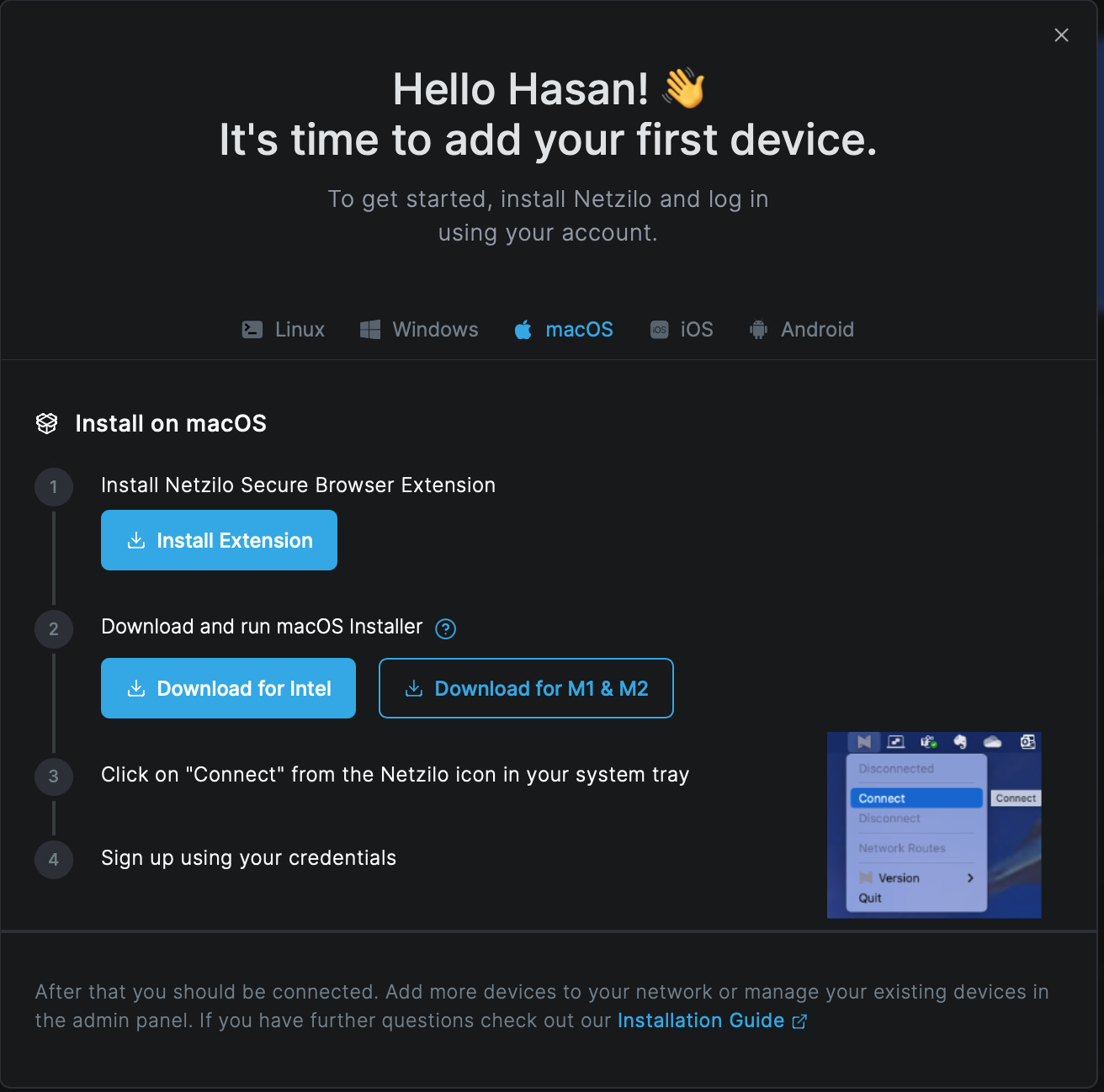
- Click Install Extension.
- Download the package for your Mac's chip: Download for Intel
(
/download/macos/amd64/nz_installer_amd64.pkg) or Download for M1 & M2 (/download/macos/arm64/nz_installer_arm64.pkg). Apple menu > About This Mac shows the chip. Run the package. - Click Connect in the Netzilo menu-bar icon and sign in.
The package installs /Applications/Netzilo.app (macOS 12 or later) and starts the
service and the menu-bar app.
Approve three things. The first start asks for a network extension, a security
extension, and Full Disk Access for the security monitor, in System Settings >
General > Login Items & Extensions and Privacy & Security. All three are
needed. With only the network extension, the connection works but the AI security
features stay off. Under MDM, pre-approve the system extensions
com.netzilo.NetziloFilter and com.netzilo.NetziloSecurity, and grant Full Disk
Access with its own privacy preferences profile.
The installer adds /Applications/Netzilo.app/Contents/MacOS to the PATH in the
installing user's ~/.zshrc only. Open a new terminal, or call
/Applications/Netzilo.app/Contents/MacOS/netzilo by its full path.
Uninstall.
sudo /Applications/Netzilo.app/Contents/MacOS/netzilo service uninstall
sudo rm -rf /Applications/Netzilo.app /etc/netzilo /var/log/netzilo
The Netzilo Edge CA certificate stays in the System keychain. Remove it in Keychain
Access if you want a full clean-up, and remove the PATH line from ~/.zshrc.
Linux

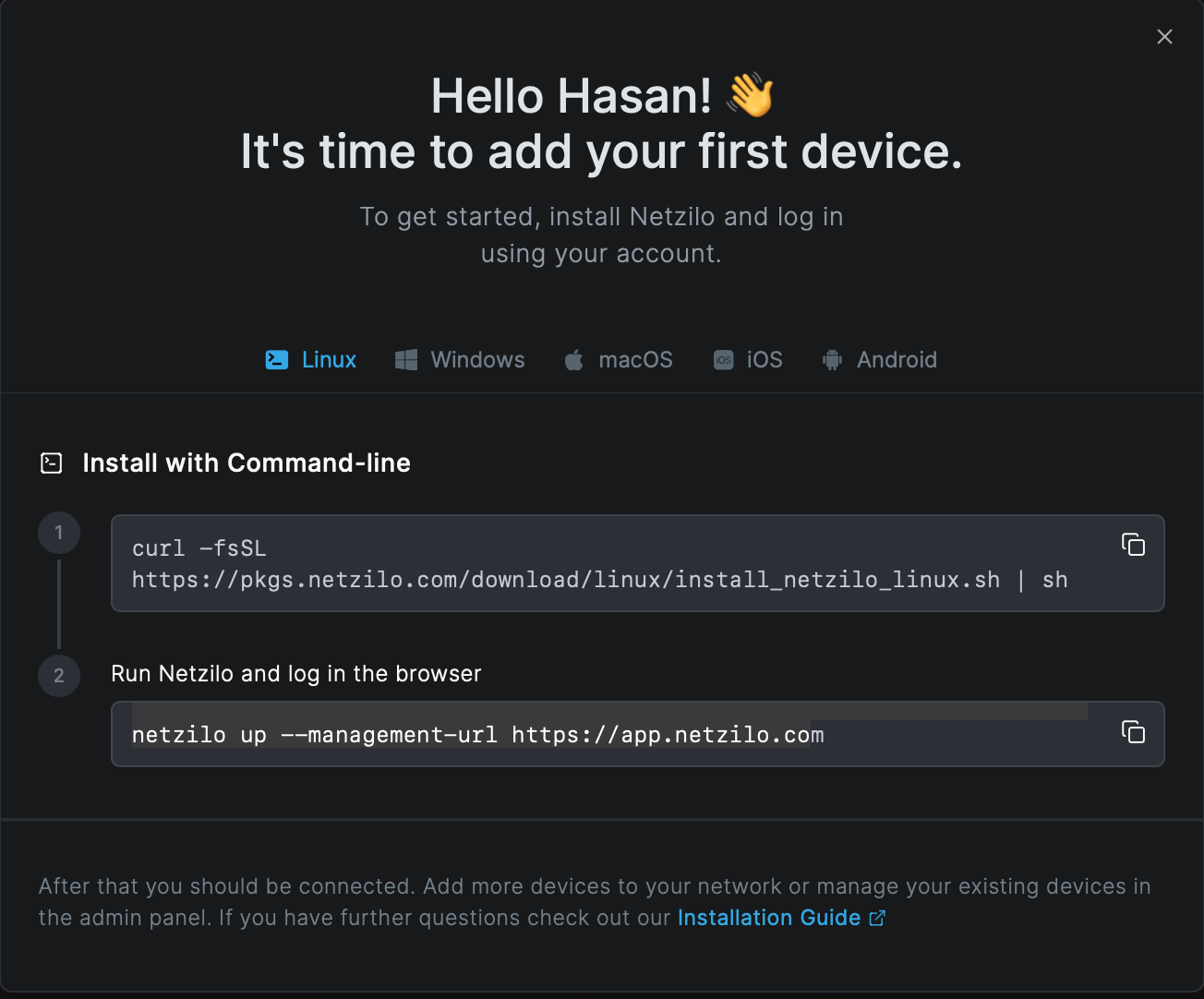
Install with one command on any amd64 distribution with systemd:
curl -fsSL https://pkg.netzilo.com/download/linux/install_netzilo_linux.sh | sh
The script needs sudo and wget. It installs /usr/bin/netzilo and the systemd
service Netzilo, then starts and enables it. It takes no arguments. Then connect:
netzilo up
netzilo up opens a browser for the sign-in. On a server without a browser it prints a
URL and a code; open the URL on any device. For servers, a setup key is the better
choice (see Enrol a device).
Without the script, for example on images or other init systems:
sudo install -m 0755 netzilo /usr/bin/netzilo
sudo netzilo service install && sudo netzilo service start
netzilo up --setup-key <SETUP_KEY>
The binary is at https://pkg.netzilo.com/download/linux/netzilo.
- The client needs root for kernel WireGuard and the TUN device, and
nftablesoriptables. Without the WireGuard kernel module it uses userspace WireGuard, which works but is slower. - The script installs the command-line client only. The tray app is a separate download,
https://pkg.netzilo.com/download/linux/netzilo-ui. Stock GNOME needs an indicator extension before tray icons appear. - There is no
.debor.rpmpackage of the client.
Uninstall.
sudo netzilo down
sudo netzilo service uninstall
sudo rm -f /usr/bin/netzilo
sudo rm -rf /opt/netzilo /etc/netzilo /var/log/netzilo
Android and iOS


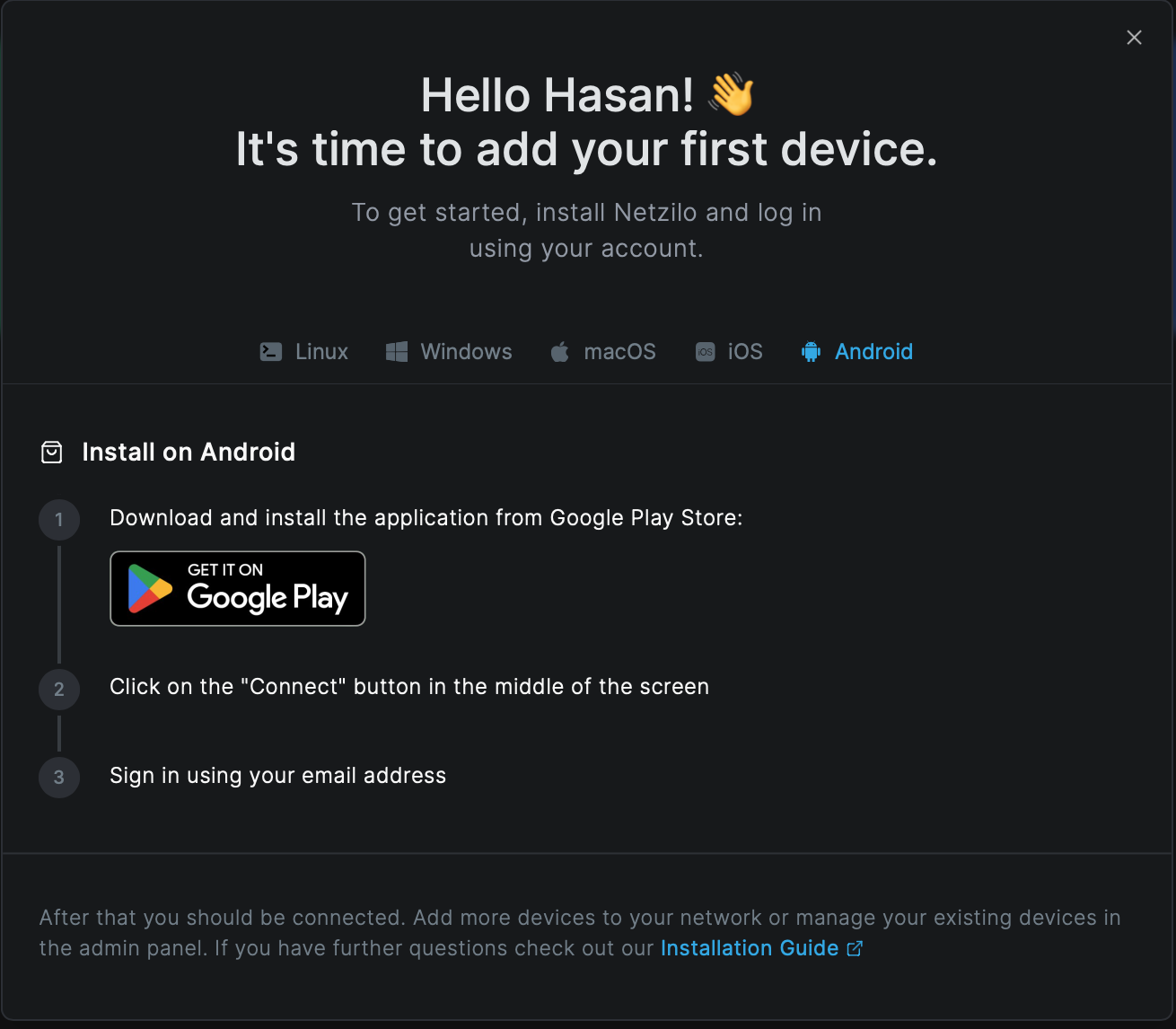
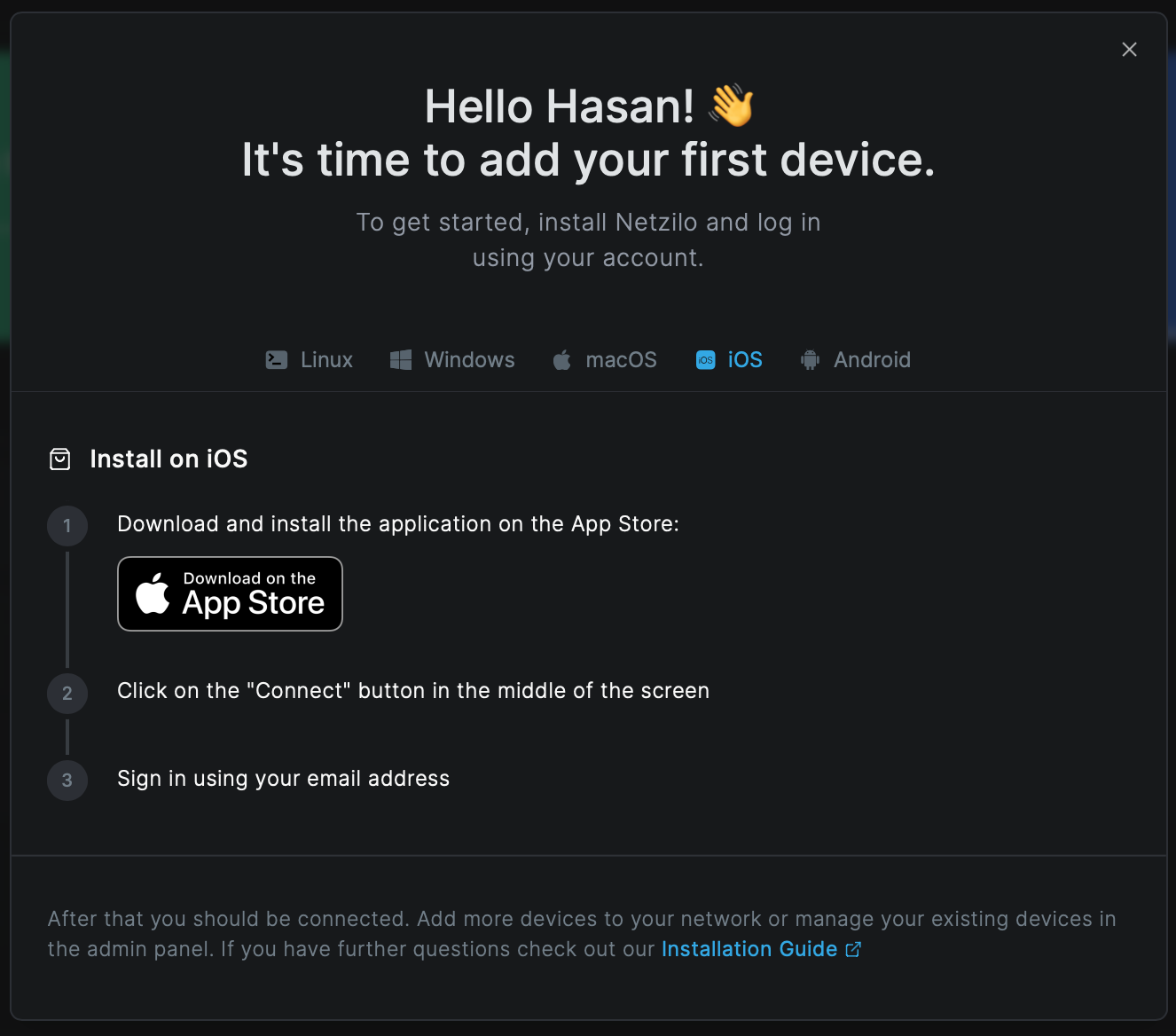
Install the app, tap Connect in the middle of the screen and sign in with your e-mail address.
- Self-hosted servers: open the app's settings and enter your management URL in the server field before you tap Connect.
- The management address cannot be pre-set through mobile device management. Each user enters it in the app.
Enterprise Browser
The Enterprise Browser is Netzilo's own managed browser. Its policies come from Enterprise Browser profiles. Open the Enterprise Browser sub-tab of the platform you want.

| Platform | Download |
|---|---|
| Windows | https://pkg.netzilo.com/download/windows/browser_setup.exe (for a person); the MSI and EXE for managed installs are in Installer command lines |
| macOS | https://pkg.netzilo.com/download/macos/amd64/NetziloEnterpriseBrowser_amd64.dmg (Intel), …/arm64/NetziloEnterpriseBrowser_arm64.dmg (Apple silicon) |
| Android | Google Play, com.netzilo.browser2 |
| iOS | App Store, id 6747919491 |
Run the installer and sign in with your account. See Enterprise Browser.
Browser extension
The Install Extension button opens the store for the browser you are using.
| Browser | Store |
|---|---|
| Chrome | Chrome Web Store, id kdcpnkonhjcknlkjmjapclhpoamlckji |
| Microsoft Edge | Edge Add-ons, id efflopncanncclcfnddajplbnmhoebml |
| Firefox 128 or later | Firefox Add-ons, netzilo-secure-browser |
| Safari | the Netzilo Secure Browser app in the App Store, id 6740890085. Enable its extension, Netzilo Browser, under Safari > Settings > Extensions |
When an Enterprise Browser Extension profile applies to a device, the Netzilo client force-installs the extension in Chrome and Edge itself. Elsewhere, deploy it with your browser management. See Browser Extension.
AI Gateway
The Gateway sub-tab installs the Netzilo AI Gateway, netzilo-aigw, on a server that
your users' AI tools send their requests to. It is a peer of your account.

Install on Linux or macOS:
curl -fsSL https://pkg.netzilo.com/download/linux/install_aig.sh | sh # Linux
curl -fsSL https://pkg.netzilo.com/download/macos/install_aig.sh | sh # macOS
On Windows, in an administrator PowerShell:
irm https://pkg.netzilo.com/download/windows/install_aig.ps1 | iex
Then start it as a service with a setup key and the token of an agent (service account).
It keeps running after you log out and starts again at boot (on Windows, leave out sudo):
sudo netzilo-aigw up \
--management-url https://srv.netzilo.com \
--setup-key SETUP_KEY \
--service-pat SERVICE_TOKEN \
--ai-listen :8447
On a self-hosted server, use https://<your-domain> as the management URL. Configuring
and exposing the gateway is covered in AI Gateway.
Coding-agent hooks
To govern coding agents such as Claude Code, Codex or Gemini CLI on a device that runs the client, install the hooks:
curl -fsSL https://pkg.netzilo.com/download/plugin/install.sh | sh
See Coding Agents.
Enrol a device
SSO sign-in. Click Connect in the tray, or run:
netzilo up
Setup key. Create a key under Endpoint > Setup Keys > Create Setup Key, then:
netzilo up --setup-key <SETUP_KEY>
Access token. For a headless device that acts as a user:
netzilo up --pat nzl_<token>
Or let netzilo deploy-user create the user and its token in one step and store the
token on the device:
netzilo deploy-user --fullname "Build Agent 01" --email build01@example.com \
--groups "Agents" --tokenname build01 --tokenexp 180 \
--servicetoken nzl_<admin-or-agent-token> --apiurl https://<your-domain>
netzilo up
Self-hosted servers. Add --management-url https://<your-domain> to the first
netzilo up. The client stores it, so later commands need no flag. The dashboard address
is derived from it.
Containers and Kubernetes
There is no published Netzilo container image. Build one from the Linux binary:
FROM alpine:3.19
RUN apk add --no-cache ca-certificates iptables ip6tables wget \
&& wget -O /usr/local/bin/netzilo https://pkg.netzilo.com/download/linux/netzilo \
&& chmod +x /usr/local/bin/netzilo
ENV NB_FOREGROUND_MODE=true
ENTRYPOINT ["/usr/local/bin/netzilo","up"]
Run it:
docker run -d --name netzilo-peer --hostname <peer-name> \
--cap-add=NET_ADMIN --cap-add=SYS_ADMIN --cap-add=SYS_RESOURCE \
-e NB_SETUP_KEY=<SETUP_KEY> -e NB_MANAGEMENT_URL=https://<your-domain> \
-v netzilo-client:/etc/netzilo <image>
- Leave out
NB_MANAGEMENT_URLon Netzilo Cloud. - Keep the
/etc/netzilovolume. Without it, every start creates a new peer. For short-lived containers, use an ephemeral setup key: the peer is removed 10 minutes after it goes offline. - Add
-e NB_WG_KERNEL_DISABLED=truewhen the host has no WireGuard kernel module. - Without any capabilities, set
-e NB_USERSPACE_MODE=true. The container then reaches peers only through the client's local SOCKS5 proxy on port 41339, and Netzilo names resolve only through the proxy (socks5h://).
Kubernetes routing peers. Create a reusable, ephemeral setup key that adds peers to a
group such as kubernetes-routers. Run the image as a Deployment with the environment
above and securityContext.capabilities.add: [NET_ADMIN, SYS_ADMIN, SYS_RESOURCE]. Then
create a route whose routing peers are that group. Three replicas give you high
availability. Clusters that enforce restricted pod security need an exemption first. See
Routing peers and Kubernetes.
Check the installation
netzilo status -d
Management: ConnectedandSignal: Connected.Relays: n/n Available.Netzilo IPandFQDNare set.- Peers show
Status: Connected.Connection type: P2Pis the normal case.Relayedworks but means UDP is blocked somewhere. - Under Endpoint > Peers the device is online with the expected groups.
Upgrade the client
| Platform | How | What to know |
|---|---|---|
| Windows | run the new installer, any form | the device keeps its identity, unless the file is tenant-named or you pass a CONFIGFILE with apiurl |
| macOS | install the new package | the device keeps its identity |
| Linux | re-run the one-liner, or replace /usr/bin/netzilo and run sudo netzilo service restart | both log the device out. SSO devices sign in again; setup-key devices need netzilo up --setup-key again |
The dashboard marks peers older than the latest release with Update available. The tray's update notice may not appear; use the download links in the Add Peer dialog.
Troubleshooting
The device does not appear under Endpoint > Peers.
It enrolled against another server. Check ManagementURL in
/etc/netzilo/config.json (Windows: %ProgramData%\Netzilo\config.json). Fix it with
netzilo down and netzilo up --management-url https://<your-domain>. netzilo down
logs the device out and resets its keys.
netzilo is not found right after the install.
Open a new terminal. On macOS the PATH change applies only to the user who ran the
installer; use /Applications/Netzilo.app/Contents/MacOS/netzilo.
A local port is already in use.
Move the control port with netzilo up --web-server-port <port> (41336; 41337 follows
it) and the proxy with --socks5-port <port> (41339).
After a Linux upgrade the peer appears twice or asks to sign in. The install script logs the peer out. Delete the stale peer and enrol again.
On a Mac the AI features do nothing. One of the three approvals is missing. See macOS.
More symptoms are in Troubleshooting client issues.
Related Documentation
- Quickstart Guide - first sign-in and first device, step by step
- Installer command lines - silent installs, MSI properties, detection rules
- CLI - every
netzilocommand, flag and file - Setup Keys - keys for servers and containers
- Peers - the device list and peer details
- AI Gateway - run and expose the Netzilo AI Gateway
- Troubleshooting client issues - symptoms and fixes