

Routing peers and Kubernetes
This guide runs Netzilo routing peers as pods inside a Kubernetes cluster, so that peers outside
the cluster reach the cluster's pods without exposing them to the internet. The example lets a
group of servers at another provider, hetzner-servers, reach the pod network 10.244.0.0/16
through routing peers in the group kubernetes-routers.
How it works
- A reusable, ephemeral setup key enrolls each routing-peer pod and puts it in the group
kubernetes-routers. - A route sends the pod range through that group to the peers in
hetzner-servers. - A policy allows
hetzner-serversto reachkubernetes-routers. - A Deployment runs the Netzilo client in the cluster. Several replicas give several routing peers, so the route is highly available.
Before you start
- A Kubernetes cluster and
kubectlconfigured for it. - Access to the Netzilo dashboard as an owner or admin.
- A container registry you can push to. There is no official Netzilo container image; you build one from the Linux client in Step 4.
Step 1: Create a setup key
Go to Endpoint > Setup Keys and click Create Setup Key.
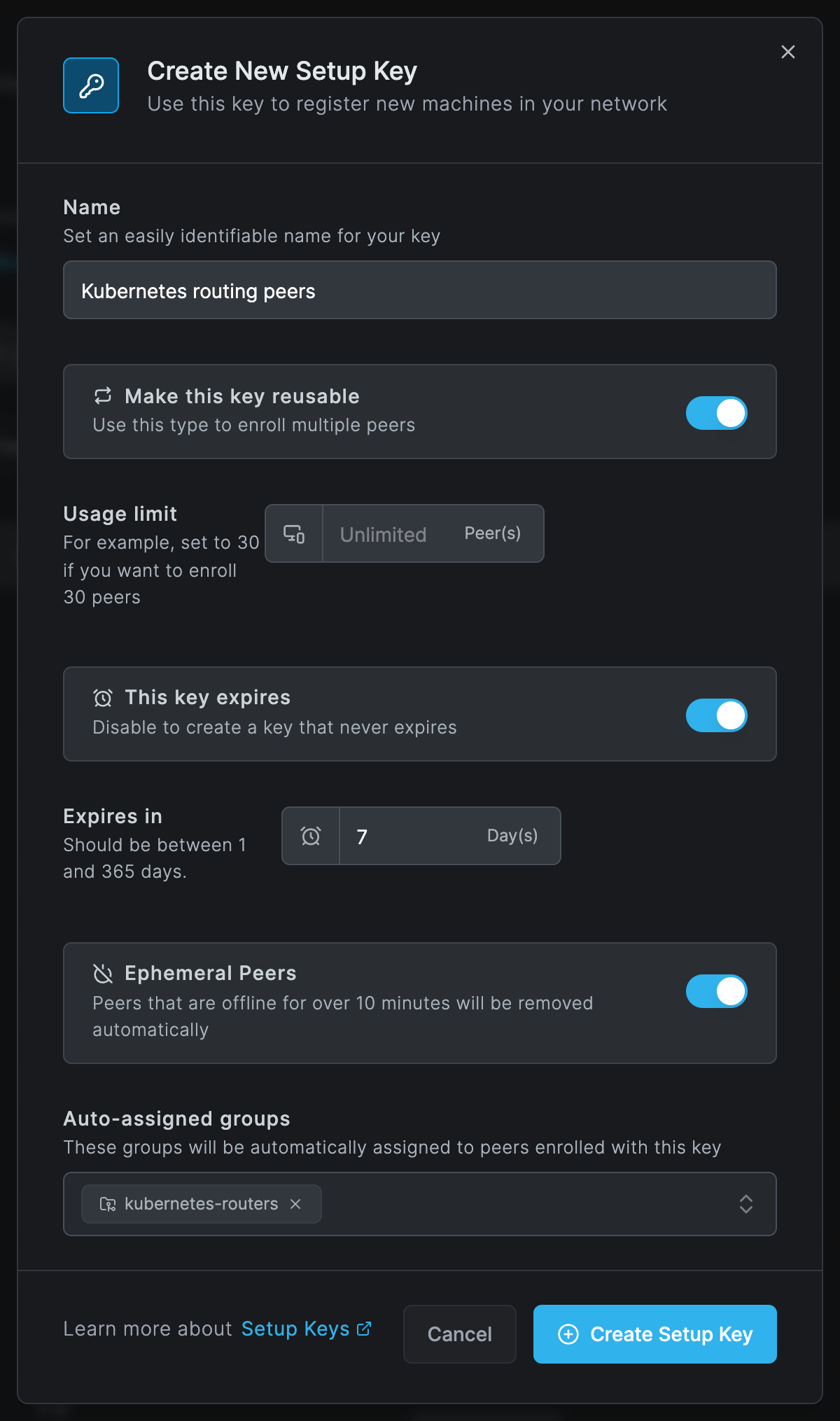
| Field | What to enter |
|---|---|
| Name | Kubernetes routing peers |
| Make this key reusable | On: every pod enrolls with the same key. |
| This key expires / Expires in | As your key rotation requires. New pods cannot enroll with an expired key, so renew the key and the secret before it expires. |
| Ephemeral Peers | On: pods that are offline for more than 10 minutes are removed, so restarted pods do not pile up as old peers. |
| Auto-assigned groups | kubernetes-routers |
Click Create Setup Key and copy the key. It is shown once.
Step 2: Add the route
Go to Network > Routes and click Add Route.
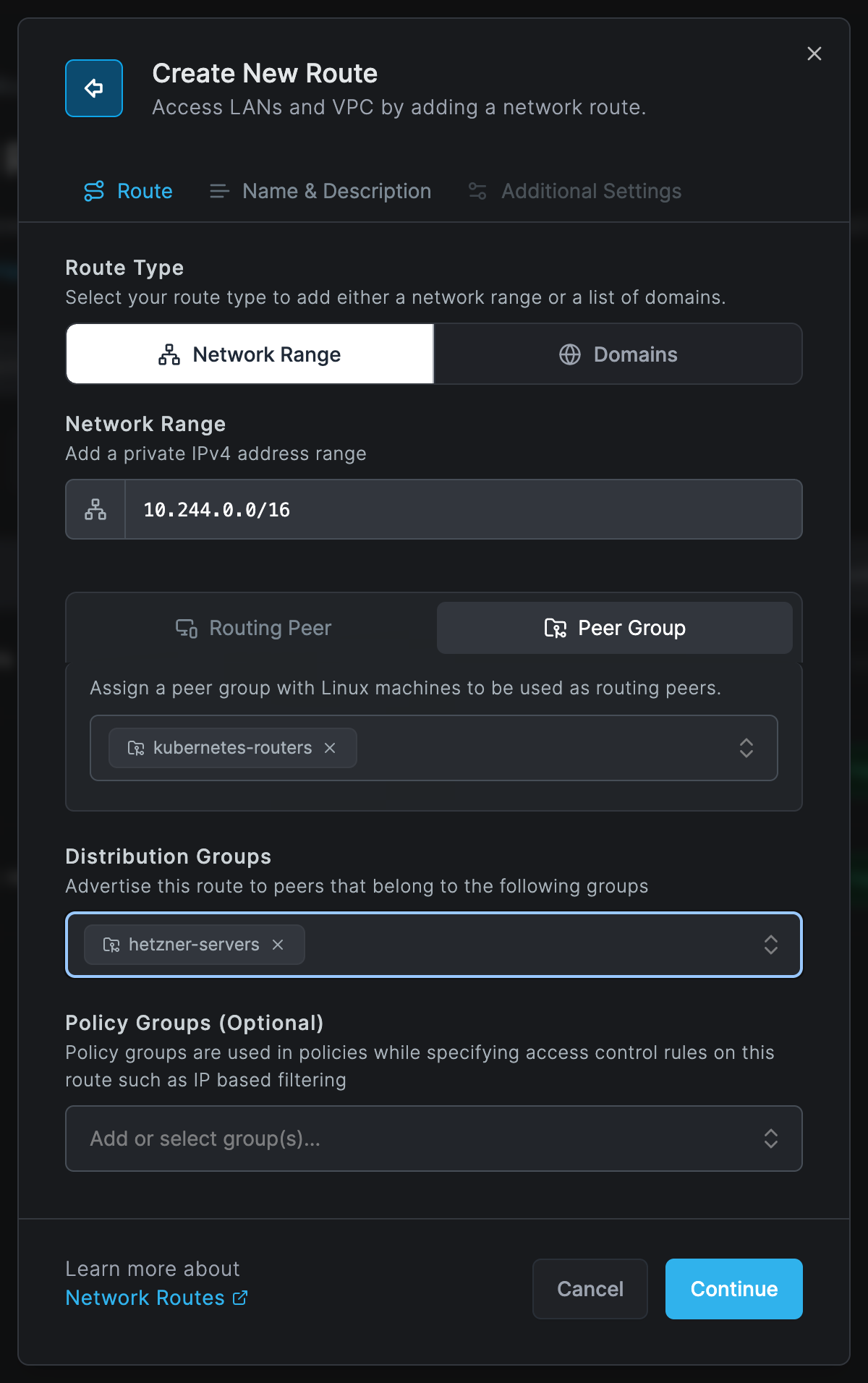
- Enter your pod range as Network Range, for example
10.244.0.0/16. - Select Peer Group and choose
kubernetes-routers. Every pod in the group becomes a routing peer, however many replicas you run. - Under Distribution Groups, choose
hetzner-servers: the peers that should reach the pods. - Click Continue. On Name & Description, enter a Network Identifier, for example
k8s-pod-network, and a description.
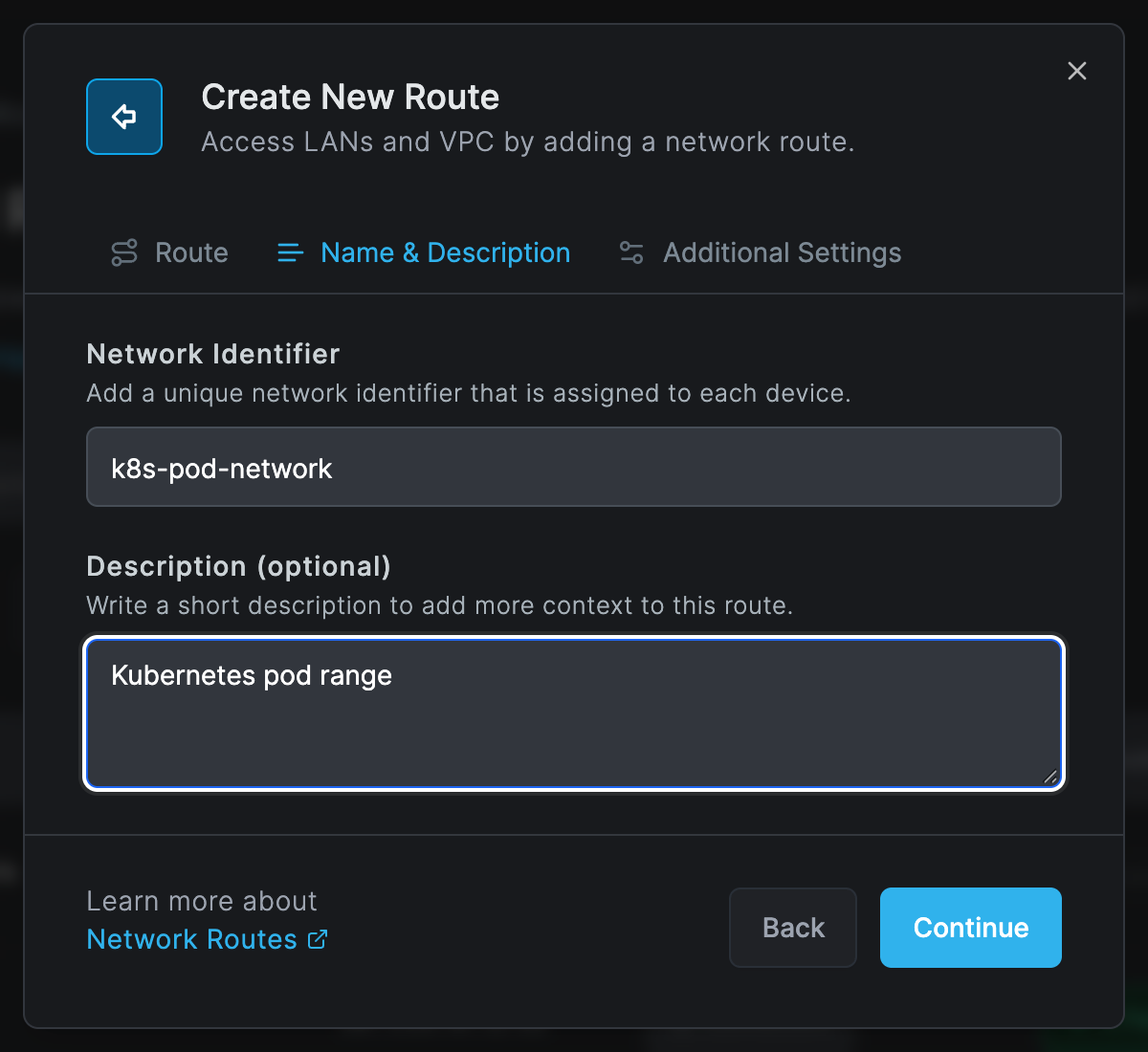
- Click Continue, leave Masquerade on, and click Add Route. Masquerade is needed because the pod network has no route back to the Netzilo address range.
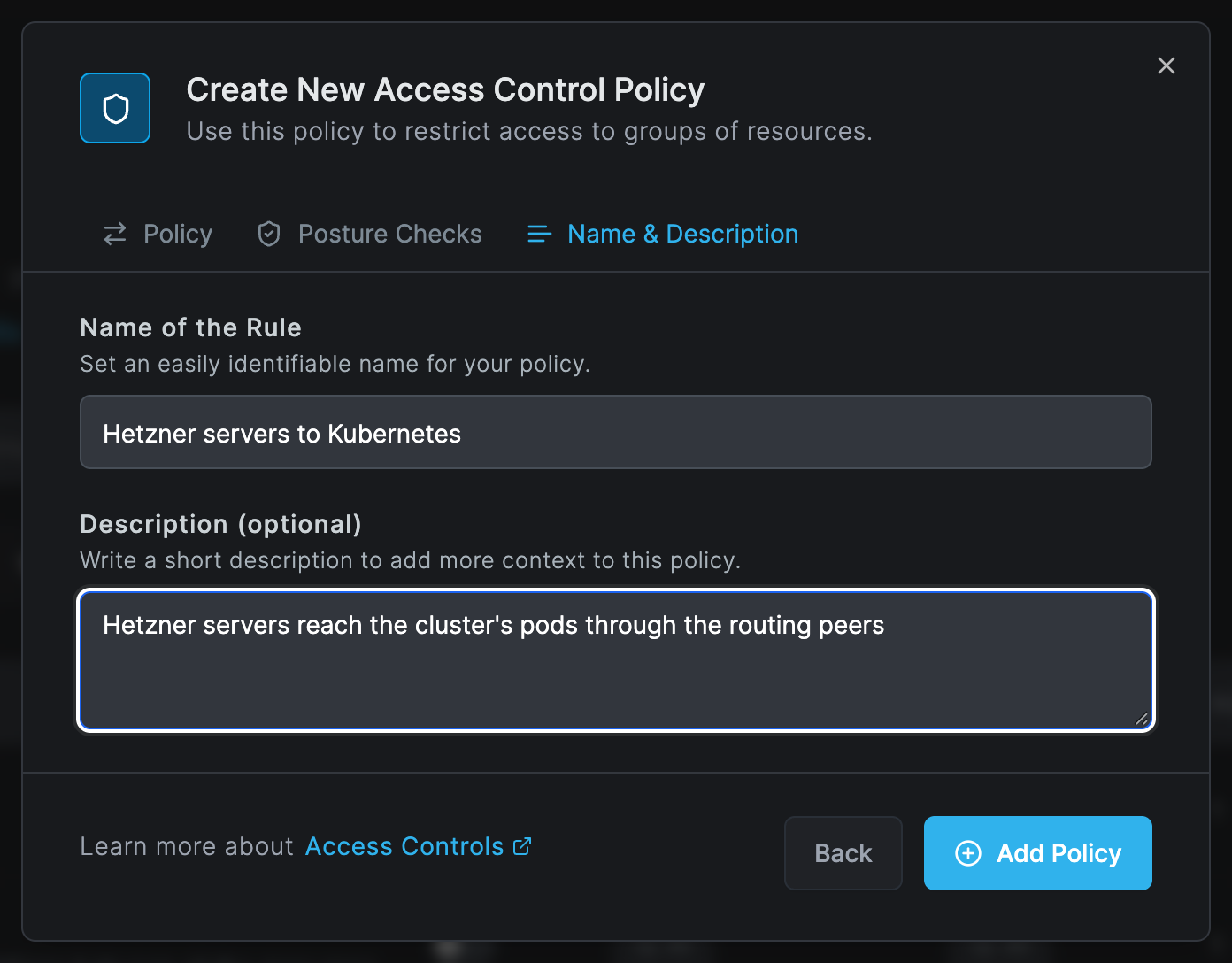
Step 3: Add the policy
Go to Network > Policies and click Add Policy.
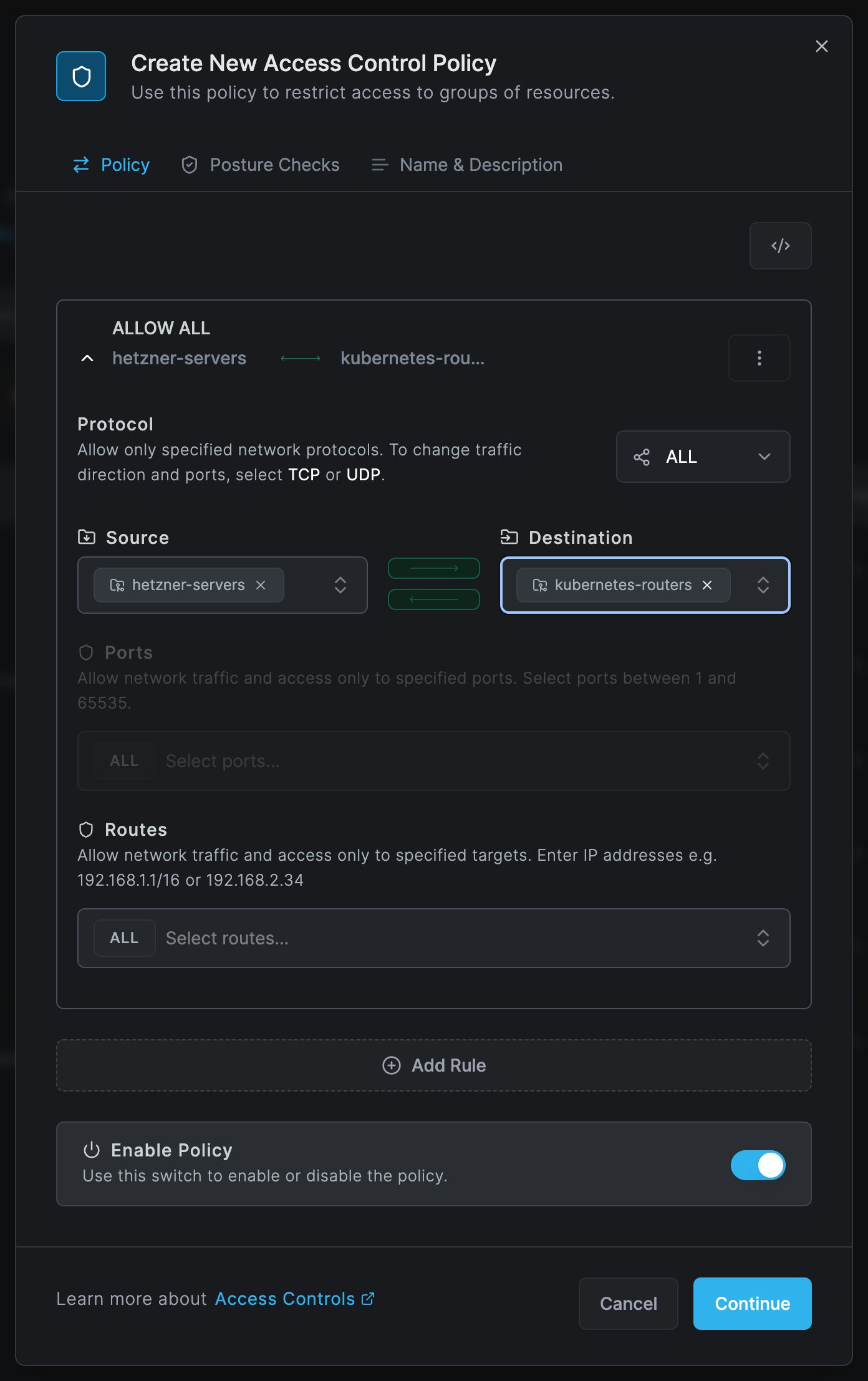
Set Source to hetzner-servers and Destination to kubernetes-routers. Keep protocol
ALL, or choose TCP with the ports your services use. Click Continue twice, give the policy a
name, and click Add Policy.
Step 4: Build the client image
Build a small image from the Linux client and push it to your registry:
FROM alpine:3.19
RUN apk add --no-cache ca-certificates iptables ip6tables wget \
 && wget -O /usr/local/bin/netzilo https://pkg.netzilo.com/download/linux/netzilo \
 && chmod +x /usr/local/bin/netzilo
ENV NB_FOREGROUND_MODE=true
ENTRYPOINT ["/usr/local/bin/netzilo","up"]
docker build -t registry.example.com/netzilo-client:1 .
docker push registry.example.com/netzilo-client:1
NB_FOREGROUND_MODE=true runs the client in the container's main process.
Step 5: Deploy the routing peers
Store the setup key in a secret:
kubectl create secret generic netzilo-setup-key --from-literal=key=<SETUP_KEY>
Create deployment.yml:
apiVersion: apps/v1
kind: Deployment
metadata:
  name: netzilo-router
  namespace: default
spec:
  replicas: 3
  selector:
    matchLabels:
      app: netzilo-router
  template:
    metadata:
      labels:
        app: netzilo-router
    spec:
      containers:
        - name: netzilo
          image: registry.example.com/netzilo-client:1
          env:
            - name: NB_SETUP_KEY
              valueFrom:
                secretKeyRef:
                  name: netzilo-setup-key
                  key: key
            - name: NB_HOSTNAME
              value: "netzilo-k8s-router"
            - name: NB_LOG_LEVEL
              value: "info"
          securityContext:
            capabilities:
              add:
                - NET_ADMIN
                - SYS_ADMIN
                - SYS_RESOURCE
On your own Netzilo Server, add the server's address to env:
            - name: NB_MANAGEMENT_URL
              value: "https://netzilo.example.com"
If the nodes have no WireGuard kernel module, add NB_WG_KERNEL_DISABLED with the value "true".
The client then uses userspace WireGuard, which works and is slower.
Apply it:
kubectl apply -f deployment.yml
With replicas: 3 there are three routing peers in kubernetes-routers. Each Netzilo peer picks
one of them by metric and connection quality, and fails over to another when it goes away.
Each new pod enrolls as a new peer. The ephemeral setup key removes the peers of pods that are
gone after 10 minutes offline. To keep one identity across restarts instead, mount a persistent
volume at /etc/netzilo.
Step 6: Check the deployment
kubectl logs -l app=netzilo-router
In the dashboard, the pods appear under Endpoint > Peers as Linux peers in the group
kubernetes-routers, and the route under Network > Routes shows the number of peers under
High Availability. On a server in hetzner-servers, netzilo routes list lists the
k8s-pod-network route as selected, and pod addresses answer.
Troubleshooting
The pods do not appear as peers. Check the pod logs for a refused setup key or a wrong management address. The key must be reusable for more than one pod, and must not have reached its usage limit or expired.
The pods connect, but the servers cannot reach pod addresses. Check the policy from
hetzner-servers to kubernetes-routers, that the servers are in hetzner-servers, and that
Masquerade is on for the route.
The pods fail to start the tunnel. The container lacks the NET_ADMIN, SYS_ADMIN and
SYS_RESOURCE capabilities, or the node has no WireGuard module and NB_WG_KERNEL_DISABLED is not
set.
Related Documentation
- Routes - Network routes and high availability
- Routing peer installation - Routing peers on Linux machines
- Setup Keys - Reusable and ephemeral keys
- Policies - Allow traffic to the routing peers
- Install Netzilo - All platforms and installers