

Edge Tools
Edge Tools in Netzilo provide powerful integration capabilities for AI services, web applications, and external tools, enabling seamless extension of your workspace with verified third-party services.
Overview
The Edge Tools feature allows administrators to manage external integrations and AI capabilities that extend the functionality of the Netzilo platform. These tools can range from AI services like Hugging Face to custom business applications, all managed through a centralized interface.

Managing Tools
Tool Discovery and Approval
Netzilo's gateway automatically discovers tools and services being accessed by users in your organization. These discovered tools require administrative approval before they can be used across the organization.
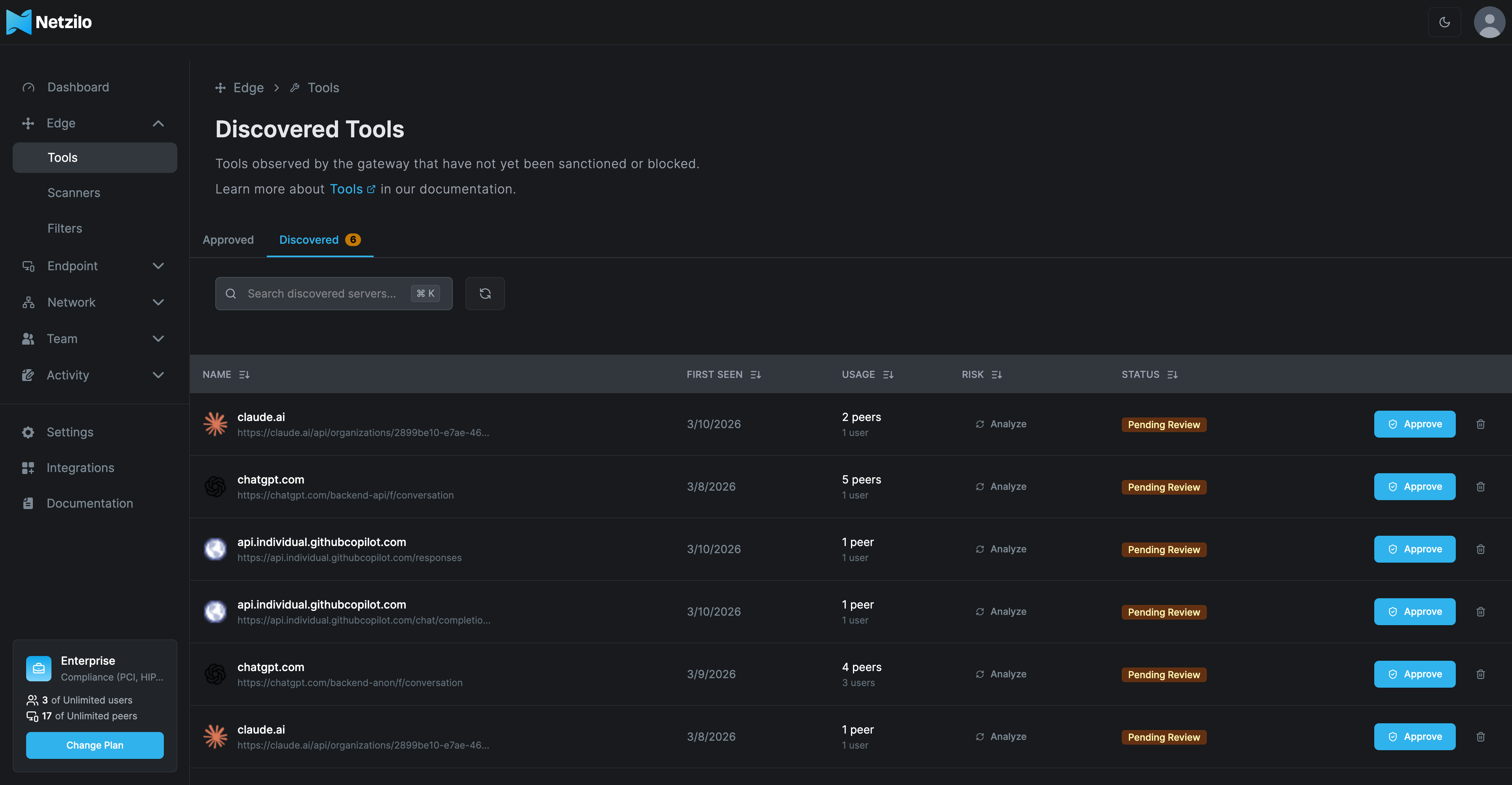
The Discovered Tools section shows:
- Tool Name: The identified service or application
- First Seen: When the tool was first detected
- Usage: Number of users accessing the tool
- Risk Level: Security risk assessment
- Status: Current approval status (Pending Review, Approved, etc.)
Tools in "Pending Review" status require administrator approval before users can access them through the secure gateway.
Configuring Tool Settings
Each tool can be configured with specific settings to ensure secure and controlled access:
General Configuration
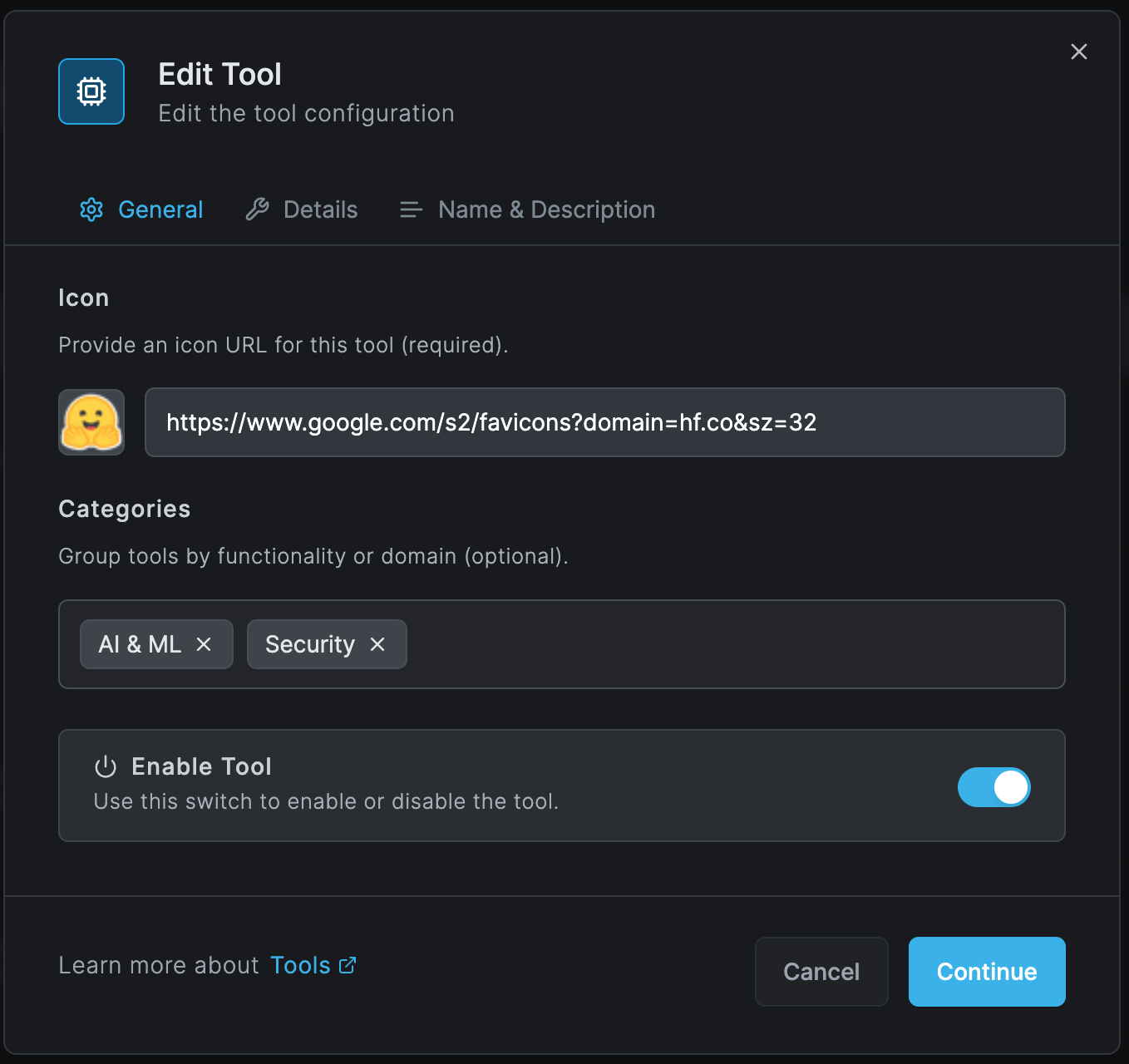
Icon Configuration
- Provide an icon URL for easy visual identification
- Supports standard image formats and favicon services
- Example:
https://www.google.com/s2/favicons?domain=example.com
Categories
- Organize tools by functionality or domain
- Available categories include:
- AI & ML: Machine learning and artificial intelligence services
- Security: Security and authentication tools
- Productivity: Business and productivity applications
- Development: Development and DevOps tools
- Analytics: Data analysis and reporting services
Enable/Disable Toggle
- Instantly enable or disable tool access
- Disabled tools become inaccessible to all users immediately
- Useful for emergency security responses or maintenance
Details Configuration
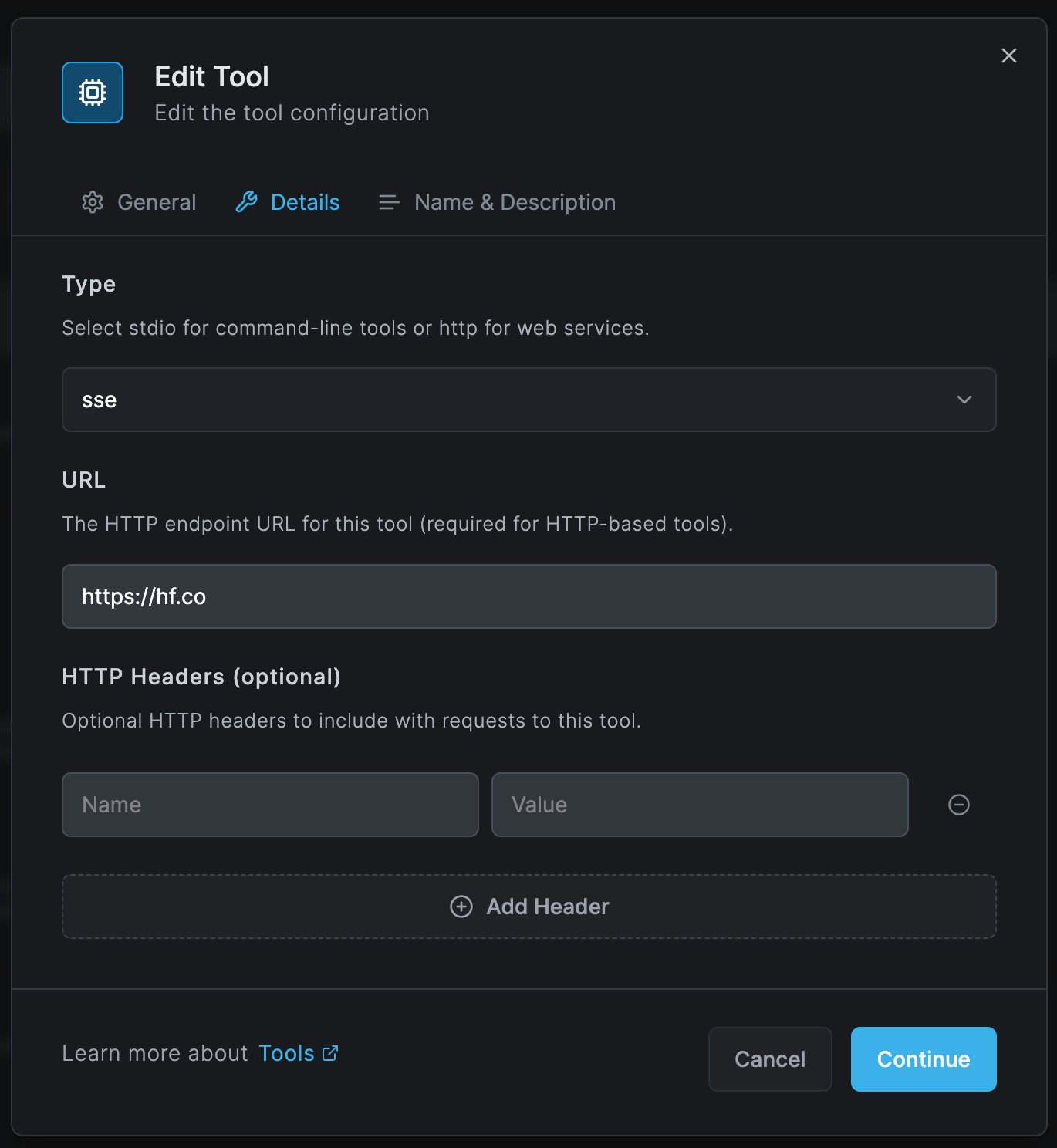
Tool Type
- SSE (Server-Sent Events): For real-time streaming services
- HTTP: For standard web services and REST APIs
- WebSocket: For bidirectional real-time communication
- stdio: For command-line tools and local applications
URL Configuration
- Specify the HTTP endpoint URL for web-based tools
- Required for HTTP-based integrations
- Example:
https://api.example.com/v1/endpoint
HTTP Headers (Optional)
- Add custom headers for authentication or configuration
- Common headers:
Authorization: API keys or tokensContent-Type: Data format specificationsX-API-Version: API version control
Name & Description
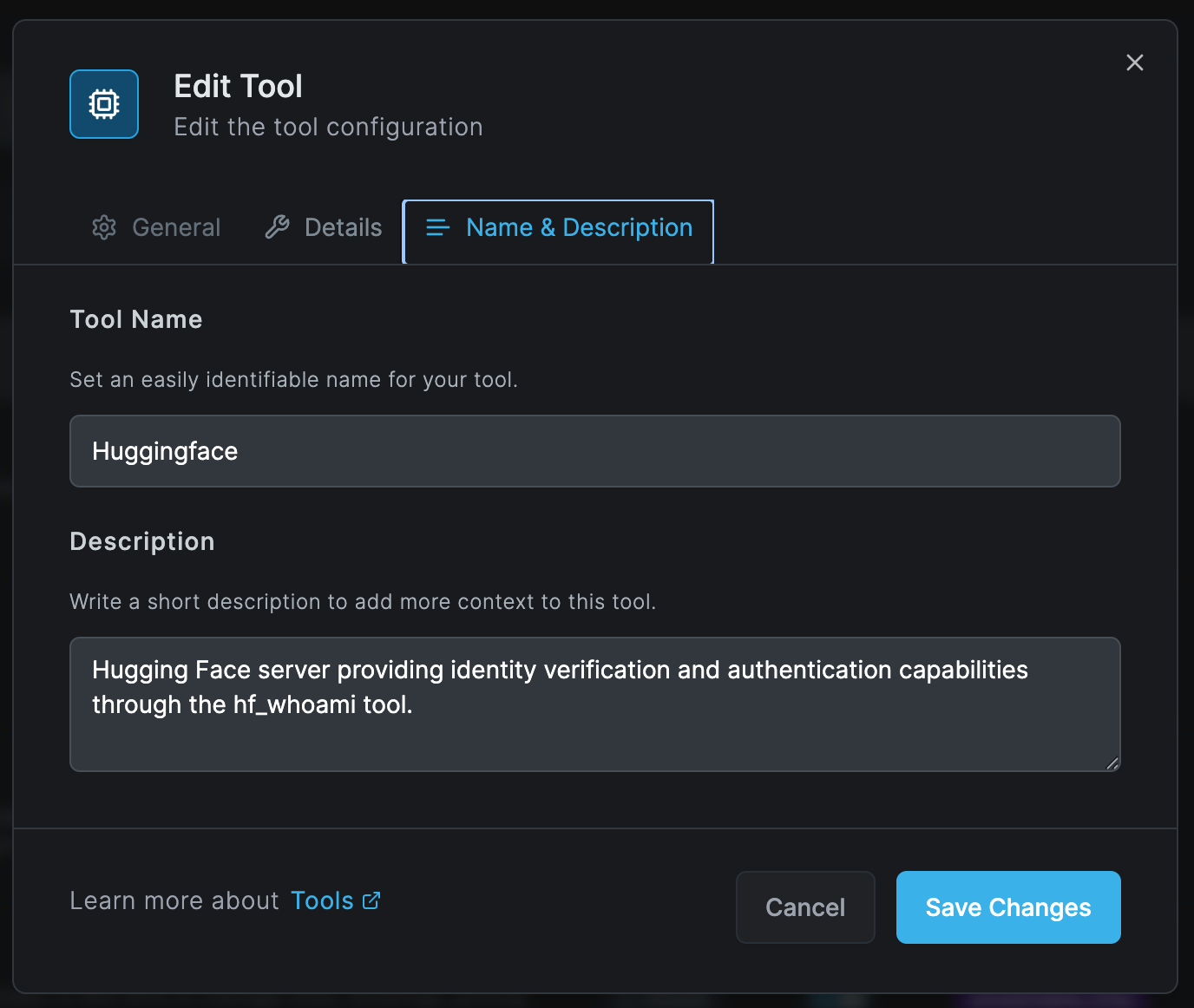
Tool Name
- Set an easily identifiable name for your tool
- Use clear, descriptive names that reflect the tool's purpose
- Examples: "Huggingface", "GitHub Copilot", "OpenAI GPT"
Description
- Provide detailed context about the tool's functionality
- Include:
- Primary use cases
- Authentication requirements
- Any special configuration notes
- Help users understand the tool's purpose and capabilities
Tool Categories and Use Cases
AI & Machine Learning Tools
Huggingface - Provides identity verification and authentication capabilities through the hf_whoami tool
- Model hosting and inference
- Dataset management
- Space deployments
Claude AI - Anthropic's AI assistant integration
- Natural language processing
- Code generation and analysis
- Content creation
ChatGPT/OpenAI - GPT model integrations
- Text completion and chat
- Code generation
- API access management
Development Tools
GitHub/GitLab Integration
- Repository access
- Code review workflows
- CI/CD pipeline triggers
Wix Development - Low-code platform integration
- Site management APIs
- Custom component deployment
Business and Productivity
Stripe Payment Processing
- Payment gateway integration
- Subscription management
- Invoice generation
Supabase Backend Services
- Database operations
- Authentication services
- Real-time subscriptions
Utilities and Analytics
Time Tracking Tools - Calendar and scheduling integrations
- Productivity monitoring
- Resource allocation
Analytics Services - Data visualization
- Report generation
- Performance metrics
Security Considerations
All tools undergo security assessment before approval. Tools marked with high risk levels require additional security measures.
Risk Assessment
Tools are automatically assessed for:
- Data Access: What data the tool can access
- Network Exposure: External connectivity requirements
- Authentication: Security of authentication mechanisms
- Compliance: Regulatory compliance requirements
Best Practices
- Regular Review: Periodically review approved tools for continued relevance and security
- Least Privilege: Grant tools minimum necessary permissions
- Monitoring: Enable logging and monitoring for all tool usage
- Documentation: Maintain clear documentation of tool purposes and configurations
- User Training: Ensure users understand approved tool usage policies
Tool Management Workflow
1. Discovery Phase
- Tools are automatically discovered when accessed by users
- Gateway logs attempted connections to external services
- New tools appear in the "Discovered" tab
2. Review Process
- Administrator receives notification of new tool discovery
- Security assessment is performed
- Risk level is assigned based on tool characteristics
3. Configuration
- Set tool type (SSE, HTTP, WebSocket, stdio)
- Configure endpoints and authentication
- Assign appropriate categories
- Define access policies
4. Approval
- Tool is approved for organizational use
- Users are notified of new tool availability
- Usage begins tracking in dashboard
5. Monitoring
- Track tool usage across organization
- Monitor performance and availability
- Review security alerts and anomalies
Advanced Configuration
SaaS & API Integrations
Configure streamable HTTP connections for modern SaaS applications:
- Automatic retry logic for failed connections
- Rate limiting to prevent API throttling
- Connection pooling for efficiency
Custom Tool Development
Organizations can develop custom tools:
- Use the Tools API for programmatic management
- Implement OAuth 2.0 for secure authentication
- Support for custom protocols and data formats
Bulk Operations
For organizations with many tools:
- Import/export tool configurations
- Bulk approval/rejection workflows
- Template-based tool creation
Troubleshooting
Common Issues
Tool Not Appearing in Discovered List
- Verify network connectivity
- Check firewall rules
- Ensure gateway is properly configured
Authentication Failures
- Verify API keys and tokens
- Check header configuration
- Confirm URL endpoints
Performance Issues
- Review concurrent connection limits
- Check rate limiting settings
- Monitor gateway resources
Next Steps
- Configure Tool Policies - Set up filtering rules for tools
- Security Scanning - Enable security scanning for tools
- Monitor Tool Usage - Track tool usage across your organization
Edge Tools are available for Netzilo Enterprise plans. Contact your account manager for additional tool slots or custom configurations.