

Enterprise Browser
The Enterprise Browser module provides a secure, managed browser environment for accessing web applications and sensitive data using a standalone browser application. It enforces security policies such as data loss prevention, access controls, and activity monitoring, ensuring that users can safely interact with corporate resources while preventing unauthorized data transfers or leaks.
Overview
Enterprise Browser is ideal for organizations that require strict oversight of web activity and need to protect sensitive information accessed through browsers. It provides a fully managed browsing experience with granular control over user actions, content access, and data handling.
Configuration
Shortcuts and Bookmarks
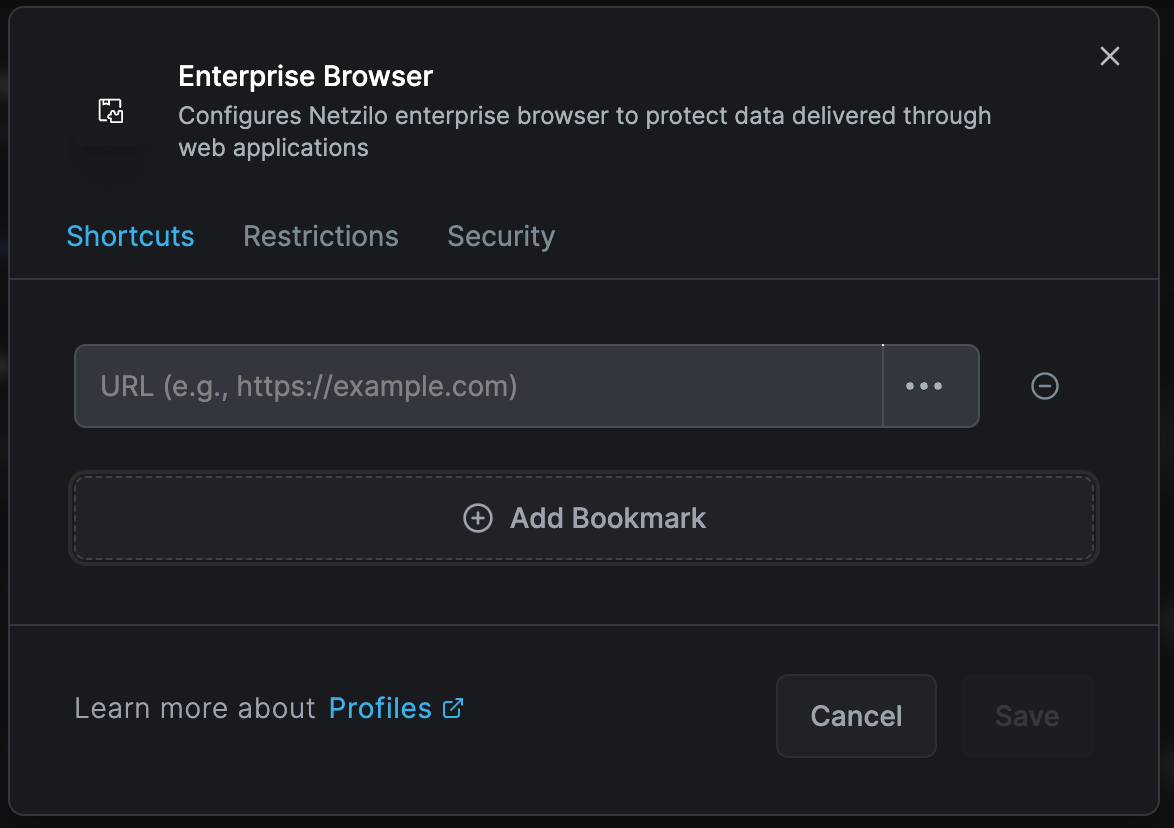
The Shortcuts configuration screen allows administrators to add bookmarks for user profiles, providing quick access to critical applications.
Bookmark Configuration:
- Custom name assignment
- URL association
- Icon customization
- Category grouping
- Access priority ordering
Bookmarks can be preconfigured to ensure users can easily recognize and access required resources without manually adding them.
Domain Settings
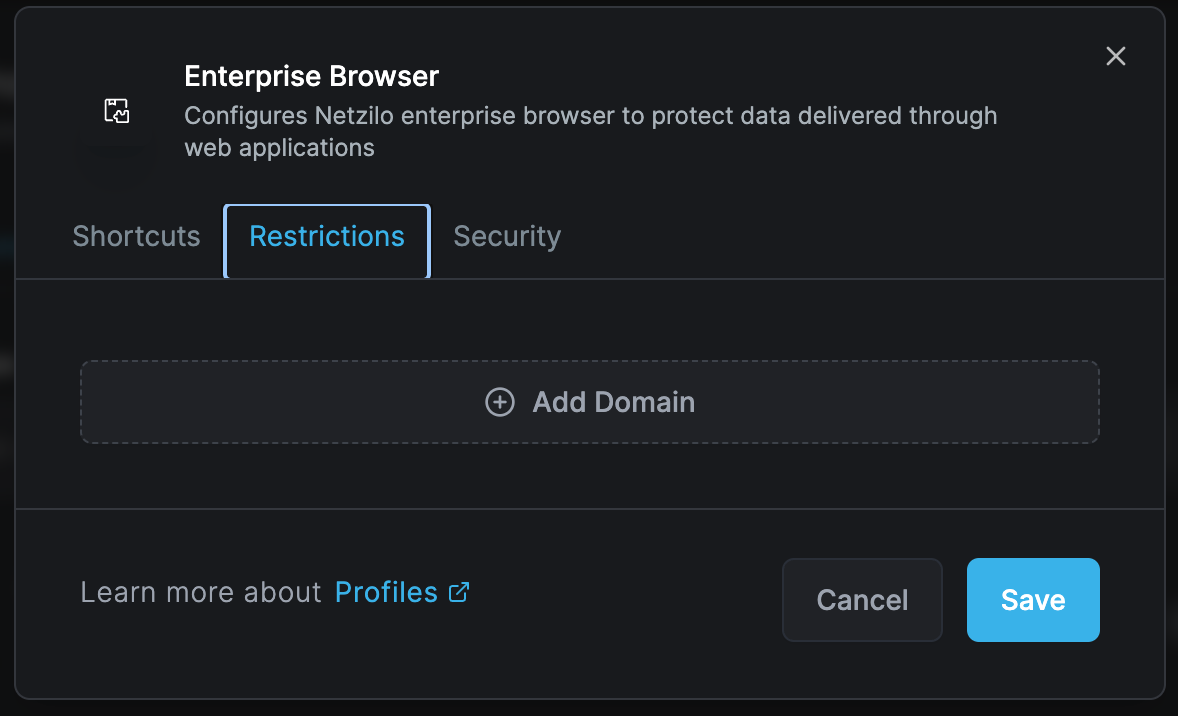
Define domain-specific restrictions to ensure compliance with security policies. Administrators can add domains that will be subject to controlled access.
Domain Management Features:
- Add multiple domains
- Configure tailored security controls per domain
- Set access levels by user group
- Define time-based access
- Implement geo-restrictions
Protection Settings
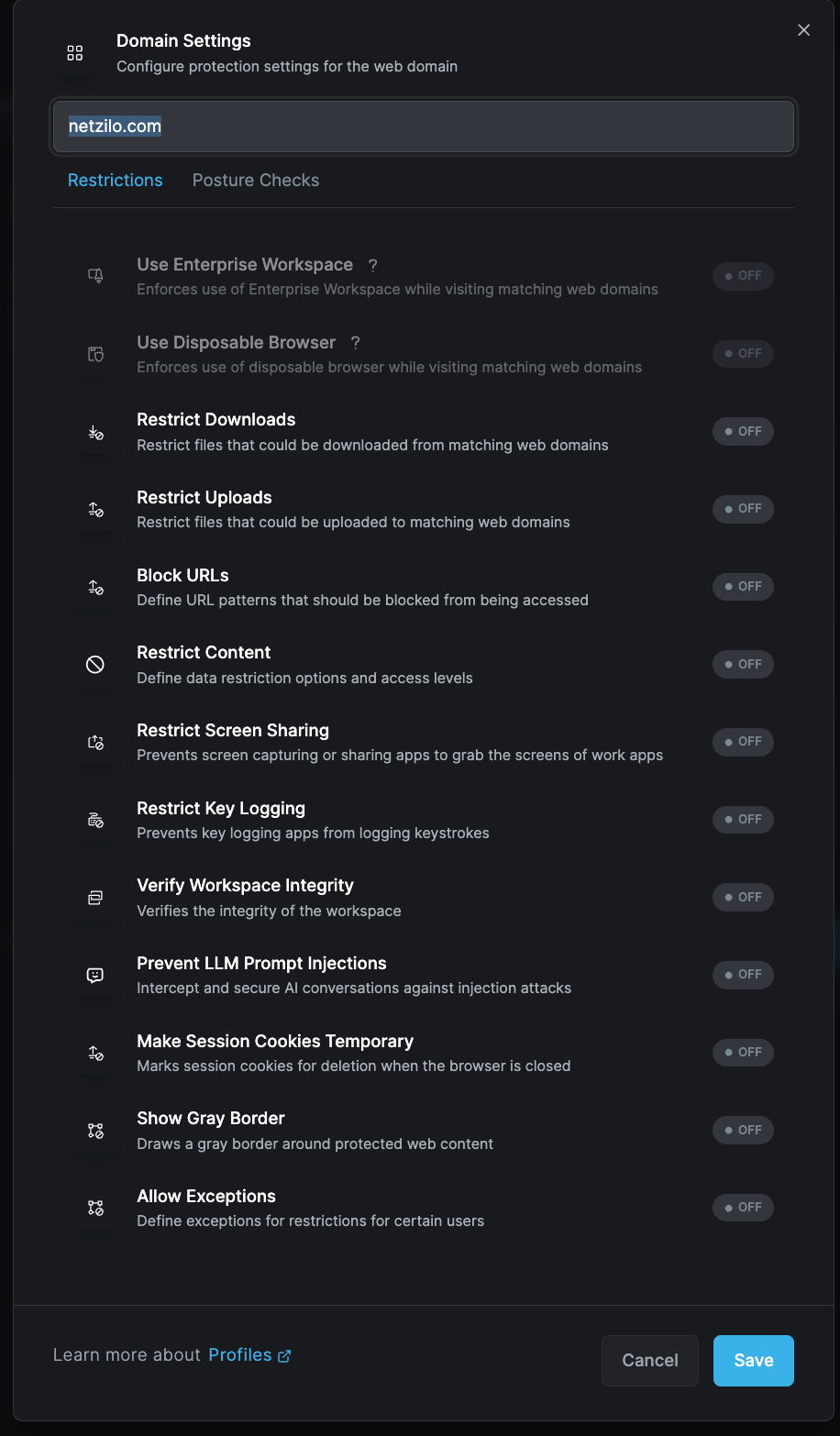
Granular protection settings for individual domains ensure sensitive data remains protected while accessing enterprise applications.
Security Controls
Domain-Specific Protections
Configure comprehensive security measures for each domain:
Download/Upload Restrictions
- Block all downloads
- Whitelist specific file types
- Scan downloads for malware
- Limit upload capabilities
- Monitor file transfers
URL Blocking
- Pattern-based blocking
- Category filtering
- Reputation-based filtering
- Custom blacklists/whitelists
- Real-time threat intelligence
Screen Protection
- Prevent screen sharing
- Block screenshot attempts
- Disable screen recording
- Watermark display content
- Privacy screen mode
Input Protection
- Prevent keylogging
- Secure form submission
- Encrypted input fields
- Password manager integration
- Biometric authentication
Workspace Integrity
- Memory protection
- Process isolation
- Sandbox execution
- Certificate validation
- SSL/TLS enforcement
Advanced Security Features
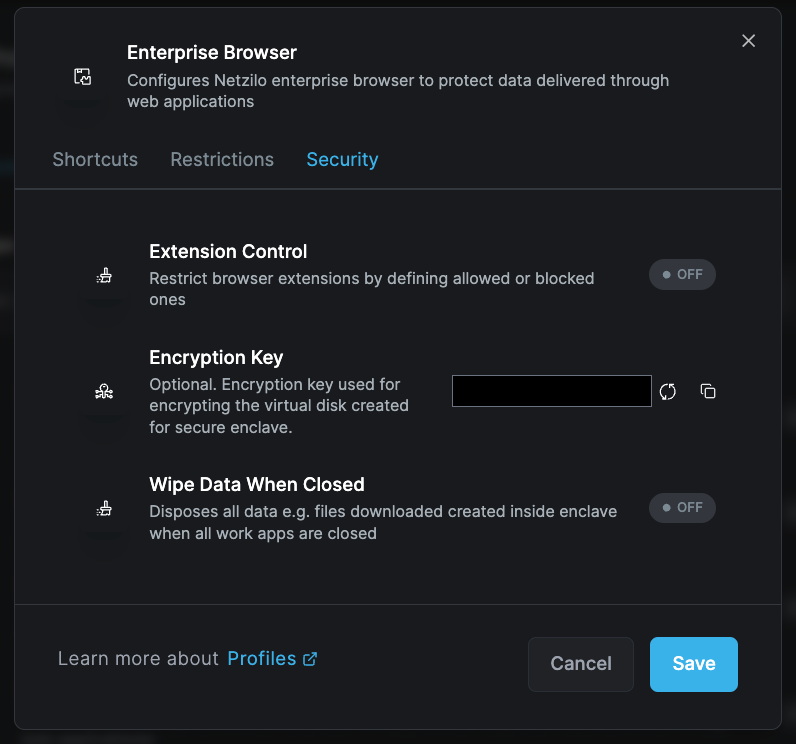
Advanced security features enhance overall data confidentiality and integrity:
Browser Extension Control
- Whitelist approved extensions
- Block unauthorized add-ons
- Monitor extension behavior
- Centralized extension deployment
- Regular security audits
Encryption Key Management
- Secure enclave creation
- Key rotation policies
- Hardware security module support
- Multi-factor authentication
- Zero-knowledge architecture
Session Management
- Automatic session timeout
- Idle time monitoring
- Session recording options
- Multi-session handling
- Cross-tab isolation
Data Sanitization
- Wipe temporary files on close
- Clear browser cache
- Remove cookies
- Delete local storage
- Purge session history
Implementation Features
Managed Browser Deployment
Installation Options:
- Silent deployment via GPO
- SCCM/Intune integration
- Manual installation packages
- Portable browser options
- Virtual browser instances
Policy Enforcement
Access Controls:
- Role-based access
- Time-based restrictions
- Location-based policies
- Device trust verification
- Network segmentation
Monitoring and Reporting
Activity Tracking:
- URL visit logging
- Download/upload monitoring
- Search query tracking
- Time spent analysis
- Productivity metrics
Compliance Reporting:
- Policy violation alerts
- Audit trail generation
- Risk assessment reports
- User behavior analytics
- Regulatory compliance logs
Use Cases
Financial Services
- Secure online banking access
- Trading platform protection
- Customer data handling
- Regulatory compliance
- Fraud prevention
Healthcare
- Patient portal access
- Medical record viewing
- Telehealth platforms
- HIPAA compliance
- Research data protection
Government
- Classified information access
- Citizen services portals
- Inter-agency collaboration
- Security clearance enforcement
- Data sovereignty
Enterprise
- SaaS application access
- Cloud service protection
- Remote work enablement
- Third-party portal access
- Intellectual property protection
Configuration Best Practices
Initial Setup
- Inventory critical domains: List all business-critical web applications
- Classify data sensitivity: Categorize domains by risk level
- Define user groups: Create role-based access groups
- Set baseline policies: Establish minimum security standards
- Plan rollout phases: Deploy to pilot groups first
Bookmark Management
- Organize bookmarks by department or function
- Use descriptive names and icons
- Regular bookmark audit and updates
- Remove obsolete links
- Monitor bookmark usage
Domain Configuration
- Start with restrictive policies
- Gradually relax based on business needs
- Regular domain list reviews
- Monitor new domain requests
- Implement approval workflows
Security Settings
- Enable all protections initially
- Document policy exceptions
- Regular security assessments
- Update threat intelligence
- Review violation logs
Advanced Configurations
Multi-Browser Profiles
Create different browser profiles for various security levels:
High Security Profile
- Maximum restrictions
- No downloads allowed
- Screenshot protection
- Session recording
- Biometric authentication
Standard Profile
- Balanced security
- Controlled downloads
- Watermarking
- Activity logging
- Standard authentication
Development Profile
- Developer tools enabled
- Local file access
- Extension testing
- Debug capabilities
- Source code protection
Integration Options
Identity Providers:
- SAML authentication
- OAuth integration
- LDAP/AD sync
- Multi-factor authentication
- Conditional access
Security Tools:
- SIEM integration
- DLP solutions
- Cloud access security brokers
- Threat intelligence feeds
- Endpoint detection and response
Troubleshooting
Common Issues
Browser Won't Launch
- Verify installation integrity
- Check policy conflicts
- Validate license status
- Review system requirements
- Test network connectivity
Performance Problems
- Optimize policy rules
- Check proxy settings
- Review extension impacts
- Validate bandwidth
- Clear cache/temporary files
Access Denied Errors
- Verify user permissions
- Check domain whitelist
- Review time restrictions
- Validate location settings
- Test authentication
Diagnostic Tools
- Browser debug logs
- Network trace analysis
- Policy evaluation tools
- Performance monitors
- Security event logs
Enterprise Browser requires careful planning and configuration. Start with a pilot group and gradually expand deployment after validating settings and user experience.
Maintenance
Regular Tasks
- Update browser version
- Review security policies
- Audit user access
- Update bookmarks
- Check compliance
Periodic Reviews
- Quarterly policy assessment
- Annual security audit
- User feedback collection
- Performance optimization
- Training updates
Related Documentation
- Browser Extension - Lightweight browser protection
- Disposable Browser - Temporary secure sessions
- Enterprise Workspace - Application isolation