

Enterprise Browser Extension
Enterprise Browser Extension installs Netzilo's browser extension to protect data delivered through web applications. It provides real-time protection against web-based threats and unauthorized data access while maintaining a seamless browsing experience.
Overview
The browser extension offers an additional layer of security for users browsing the internet. It monitors and controls access to web applications, ensuring that data remains protected even during online interactions. Unlike full browser solutions, the extension works with existing browsers, making deployment easier and less disruptive.
Configuration
Initial Setup
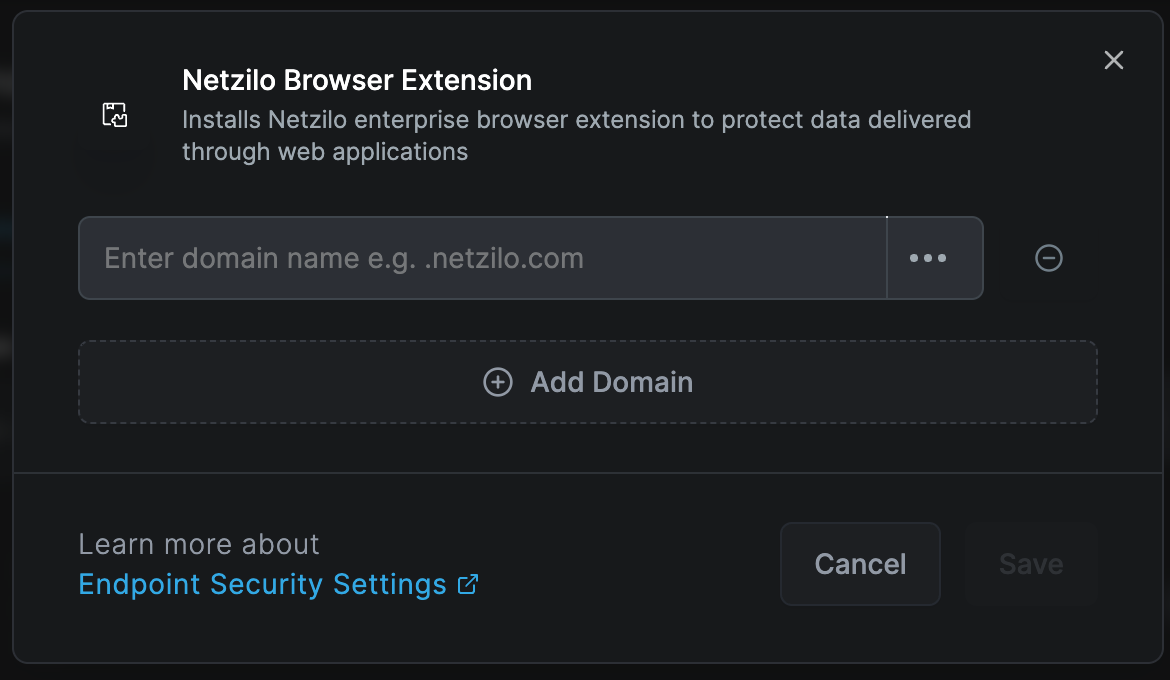
The browser extension can be deployed across multiple browsers and configured with domain-specific security policies.
Domain Settings
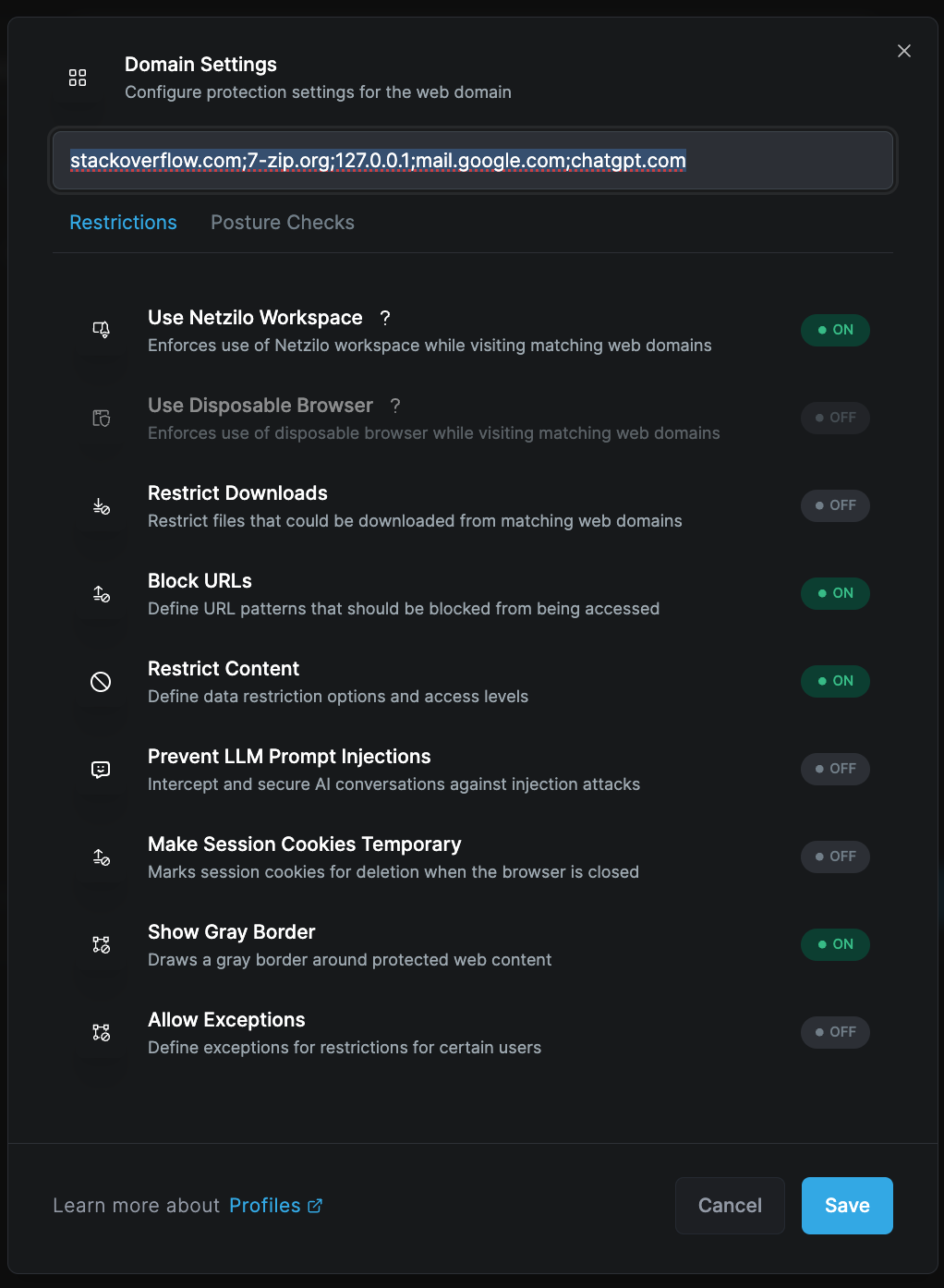
Customize DLP controls for specific domains. Various security controls are available, such as:
- Restricting file downloads based on domains
- Redacting and masking sensitive information
- Adding watermarks
- Blocking URLs
- Preventing AI prompt injections
You can instantly activate required features from the configuration panel.
Proxy
The Proxy tab sets how browsers with the extension reach internal resources without a desktop client. It sends internal traffic to a Netzilo gateway, either routed automatically from the user's routes, DNS settings and policies, or with a PAC script you provide. It is Disabled by default.
See Clientless Access for how it works and how to set it up.
Security Features
Restrict Downloads
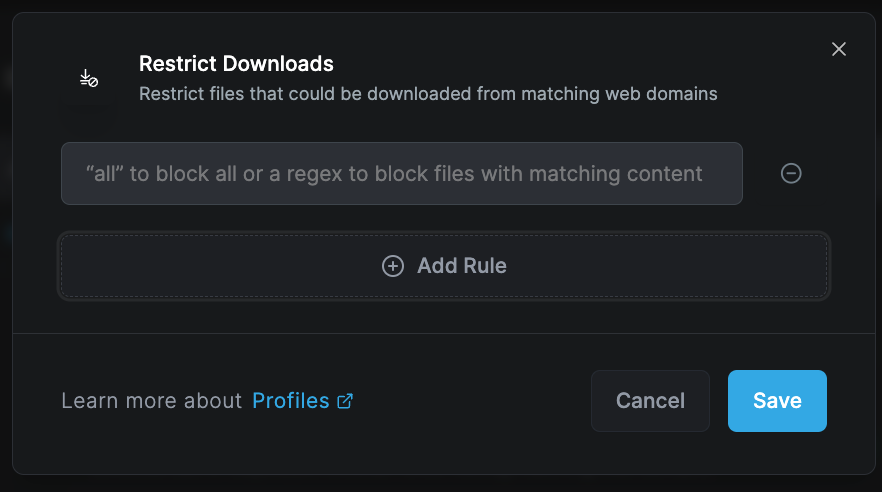
Control file downloads from matching web domains:
Download Control Options:
- Block all downloads
- Allow specific file types
- Scan before download
- Redirect to secure storage
- Log download attempts
File Type Management:
- Whitelist safe extensions
- Block executable files
- Scan archives
- Check file signatures
- Validate MIME types
Block URLs

Define URL patterns that should be blocked from being accessed:
Blocking Methods:
- Pattern matching
- Regular expressions
- Category filtering
- Reputation scoring
- Real-time threat feeds
Response Actions:
- Display block page
- Redirect to safe site
- Log attempt
- Alert administrators
- Educate users
Restrict Content
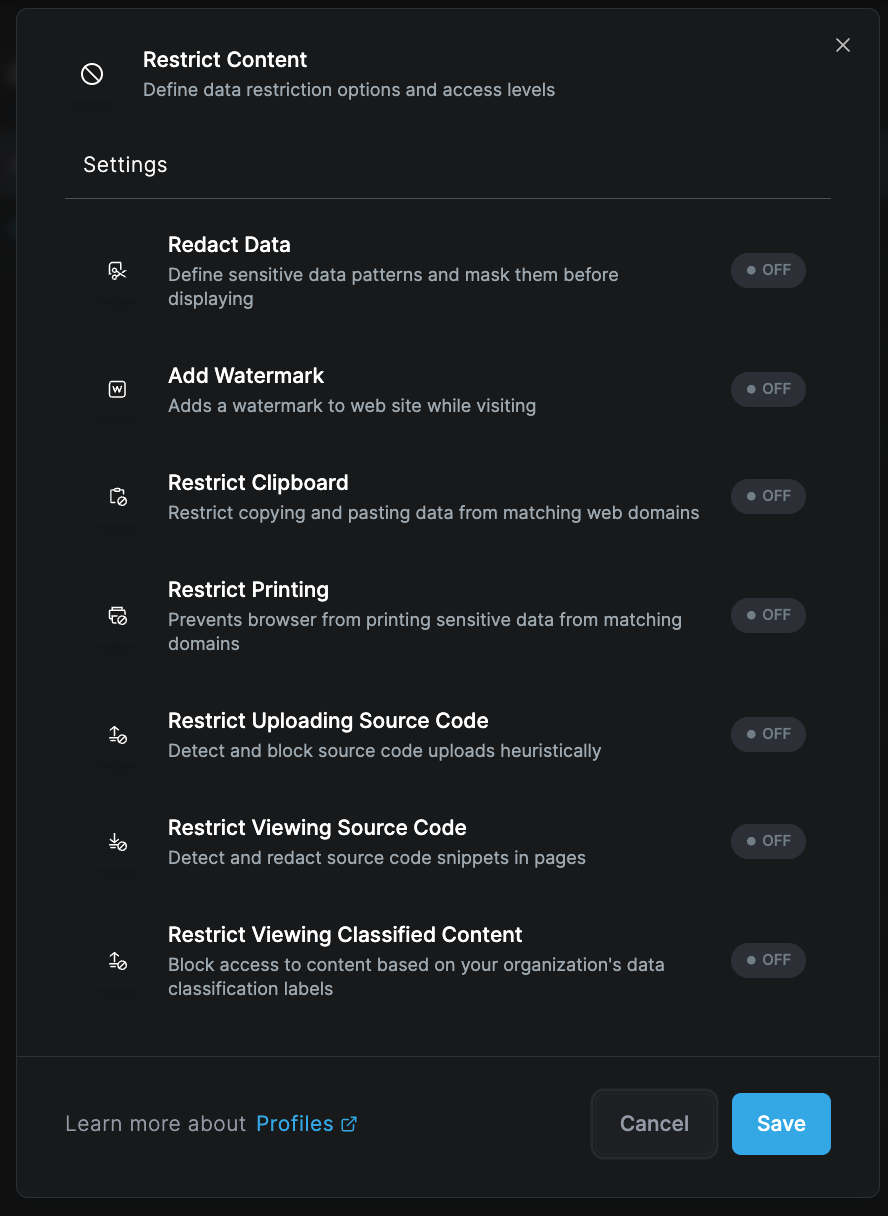
Define data restriction options and access levels for sensitive content.
Redact Data
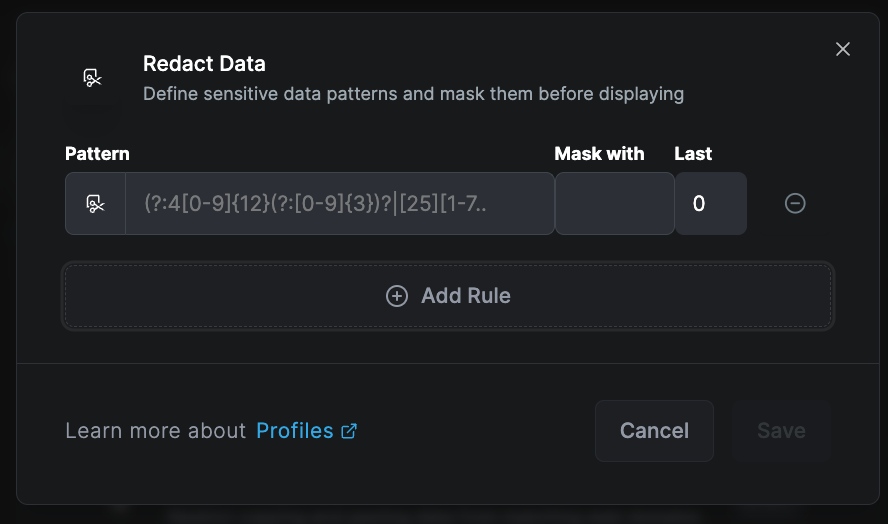
Automatically detect and mask sensitive data patterns before displaying:
Detectable Patterns:
- Social Security Numbers
- Credit card numbers
- Bank account numbers
- Email addresses
- Phone numbers
- API keys
- Passwords
- Personal identifiers
Redaction Methods:
- Complete masking (●●●●)
- Partial masking (●●●●1234)
- Replacement text ([REDACTED])
- Blur effect
- Removal
Add Watermark
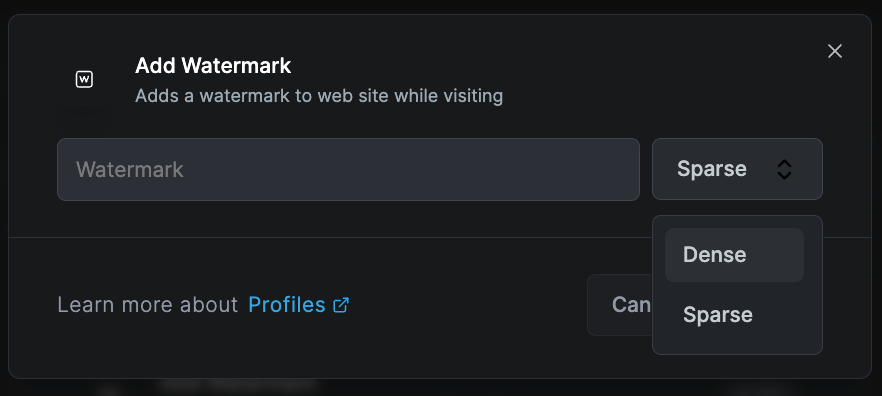
Add watermarks to websites while visiting:
Watermark Options:
- User identification
- Timestamp
- IP address
- Classification level
- Custom text
Display Settings:
- Opacity level
- Position (center/corners)
- Rotation angle
- Font size
- Color scheme
Restrict Clipboard
Control copy and paste operations from matching web domains:
Clipboard Controls:
- Block all copy operations
- Prevent paste into forms
- One-way clipboard
- Sanitize clipboard content
- Log clipboard usage
Restrict Printing
Prevent browser from printing sensitive data from matching domains:
Print Controls:
- Block print function
- Add watermark to prints
- Convert to secure PDF
- Log print attempts
- Require approval
Restrict Uploading Source Code
Detect and block source code upload attempts:
Detection Methods:
- Syntax analysis
- File extension checking
- Content pattern matching
- Entropy analysis
- Language detection
Protected Code Types:
- Programming languages
- Configuration files
- Script files
- Database queries
- Infrastructure code
Restrict Viewing Source Code
Detect and redact source code snippets in pages:
Code Protection:
- GitHub/GitLab repositories
- Code sharing sites
- Documentation pages
- Stack Overflow
- Developer forums
Restrict Viewing Classified Content
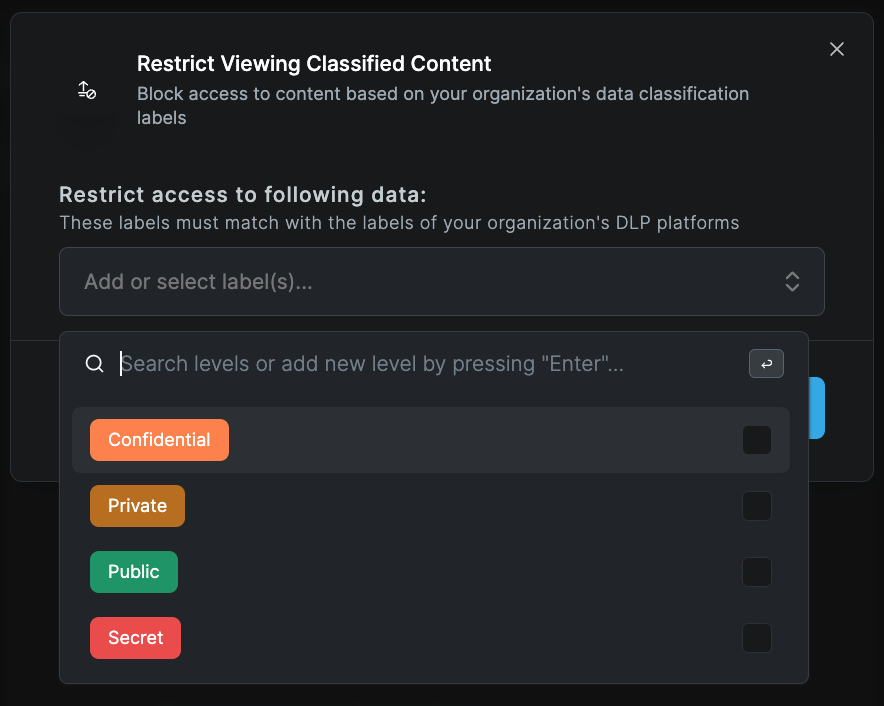
Block access to content based on organization's data classification labels:
Classification Levels:
- Public
- Internal
- Confidential
- Secret
- Top Secret
Enforcement Actions:
- Block access
- Require authentication
- Add watermark
- Enable audit logging
- Time-based access
Advanced Features
Prevent LLM Prompt Injections
Intercept and secure AI conversations against injection attacks:
Protection Capabilities:
- Prompt sanitization
- Injection detection
- Context validation
- Output filtering
- Token limiting
Supported Platforms:
- ChatGPT
- Claude
- Bard
- Copilot
- Custom AI tools
Make Session Cookies Temporary
Mark session cookies for deletion when browser closes:
Cookie Management:
- Session-only cookies
- Automatic cleanup
- Selective persistence
- Cross-domain control
- Tracking prevention
Show Gray Border
Draw a gray border around protected web content:
Visual Indicators:
- Border color/style
- Protection status
- Security level
- Domain indication
- User alerts
Allow Exceptions
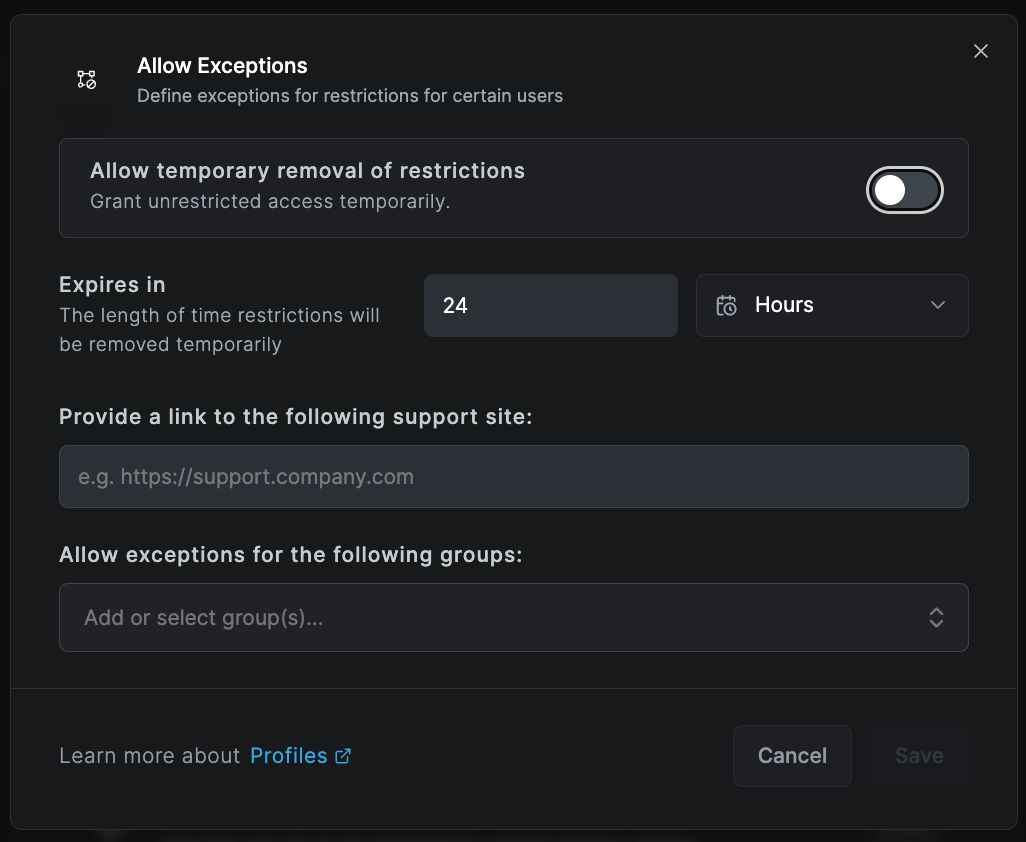
Define exceptions for restrictions for certain users:
Exception Types:
- User-based
- Group-based
- Time-based
- Location-based
- Device-based
Management:
- Temporary exceptions
- Approval workflow
- Audit logging
- Automatic expiry
- Review reminders
Posture Checks
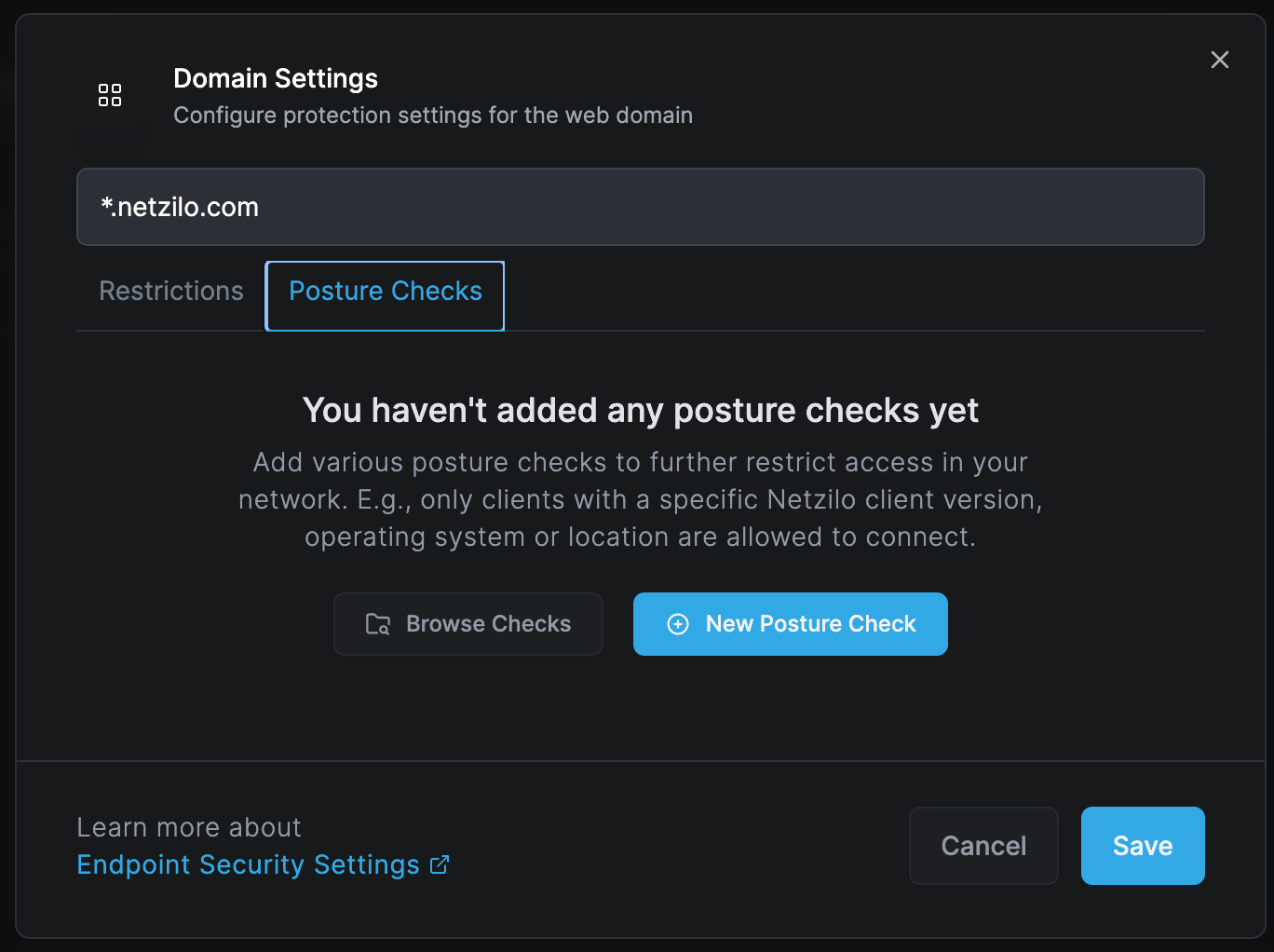
Apply additional posture check controls to the browser extension:
- Navigate to Posture Check tab
- Select Browse or New Posture Check
- Configure compliance requirements
- Set evaluation logic (All/Any)
Common Posture Checks:
- OS version requirements
- Antivirus status
- Firewall configuration
- Patch level
- Certificate validation
Deployment
Browser Support
Supported Browsers:
- Google Chrome
- Microsoft Edge
- Mozilla Firefox
- Safari
- Brave
- Opera
Deployment Methods:
- Group Policy
- Chrome Web Store
- Microsoft Store
- Manual installation
- Enterprise distribution
Installation Process
Automated Deployment:
- Configure extension package
- Set default policies
- Deploy via management tool
- Verify installation
- Monitor adoption
Manual Installation:
- Download extension package
- Open browser extensions page
- Enable developer mode
- Load unpacked extension
- Configure settings
Use Cases
Data Loss Prevention
Financial Services:
- Prevent account number leaks
- Block unauthorized transfers
- Protect trading information
- Secure customer data
- Audit compliance
Healthcare:
- Protect patient information
- HIPAA compliance
- Secure medical records
- Prevent PHI exposure
- Audit access
Intellectual Property Protection
Technology Companies:
- Prevent code leaks
- Protect algorithms
- Secure documentation
- Block unauthorized sharing
- Track access
Manufacturing:
- Protect designs
- Secure specifications
- Prevent formula leaks
- Control documentation
- Monitor access
Compliance
Regulatory Requirements:
- GDPR compliance
- CCPA requirements
- SOX compliance
- PCI DSS standards
- Industry regulations
Best Practices
Configuration
- Start restrictive: Begin with maximum protection
- Test thoroughly: Validate with pilot groups
- Document exceptions: Track all policy exceptions
- Regular reviews: Audit settings quarterly
- User feedback: Collect and act on user input
Monitoring
- Real-time alerts: Configure immediate notifications
- Regular reports: Schedule compliance reports
- Trend analysis: Monitor usage patterns
- Incident response: Have clear procedures
- Audit trails: Maintain comprehensive logs
User Experience
- Clear communication: Explain security measures
- Visual indicators: Use borders and watermarks
- Performance optimization: Minimize browsing impact
- Help resources: Provide user documentation
- Feedback mechanism: Enable user reporting
Troubleshooting
Common Issues
Extension Not Loading
- Check browser compatibility
- Verify installation method
- Review permissions
- Check policy conflicts
- Validate signature
Performance Impact
- Optimize rule sets
- Review regex patterns
- Check network latency
- Adjust scanning depth
- Update extension version
False Positives
- Refine detection patterns
- Update whitelists
- Review exceptions
- Adjust sensitivity
- User training
Policy Not Applying
- Check domain matching
- Verify user groups
- Review precedence
- Test conditions
- Check sync status
Diagnostic Tools
- Extension console logs
- Network inspection
- Policy evaluation
- Performance profiler
- Debug mode
Browser Extension provides lightweight but effective protection without requiring a separate browser. It's ideal for organizations that need to protect web access while maintaining user familiarity with their preferred browsers.
Maintenance
Regular Updates
- Extension version updates
- Policy refinements
- Pattern updates
- Whitelist maintenance
- Exception reviews
Performance Monitoring
- Page load times
- Memory usage
- CPU utilization
- Network impact
- User experience metrics
Related Documentation
- Clientless Access - Reach internal resources through the extension
- Enterprise Browser - Full browser solution
- Disposable Browser - Temporary sessions
- Enterprise Workspace - Application protection
- Posture Checks - Compliance requirements