

Authentication Activity Report
The Authentication Activity Report tracks user login activities and provides comprehensive insights into authentication patterns across your Netzilo network.
Overview
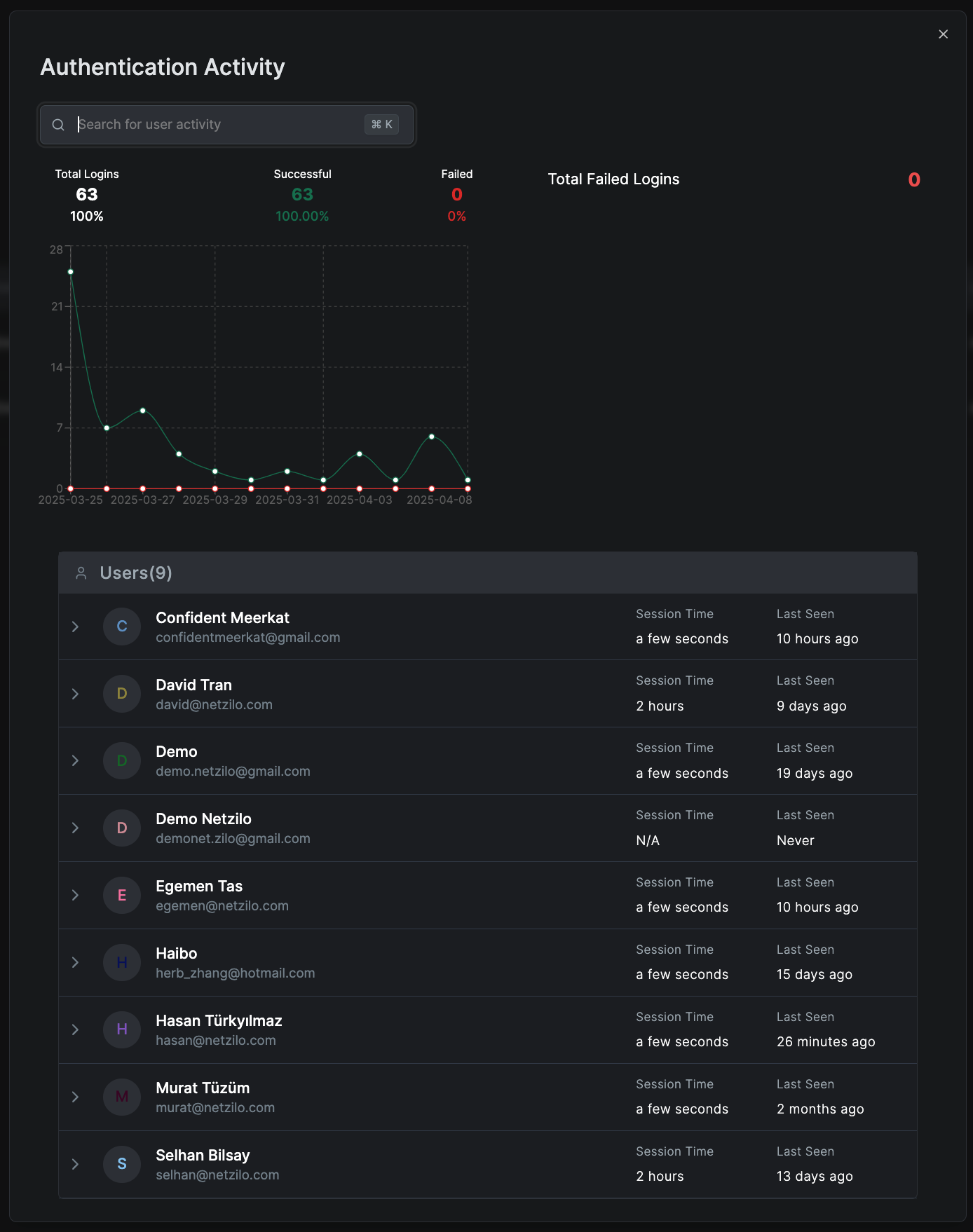
Authentication Activity Reports display:
- Total Logins: Number and percentage of successful versus failed logins
- Login Trends Graph: Shows successful and failed login attempts over the selected period
- Detailed User Login Activity: Lists each user's login statistics, including session durations and last login times
Creating an Authentication Report
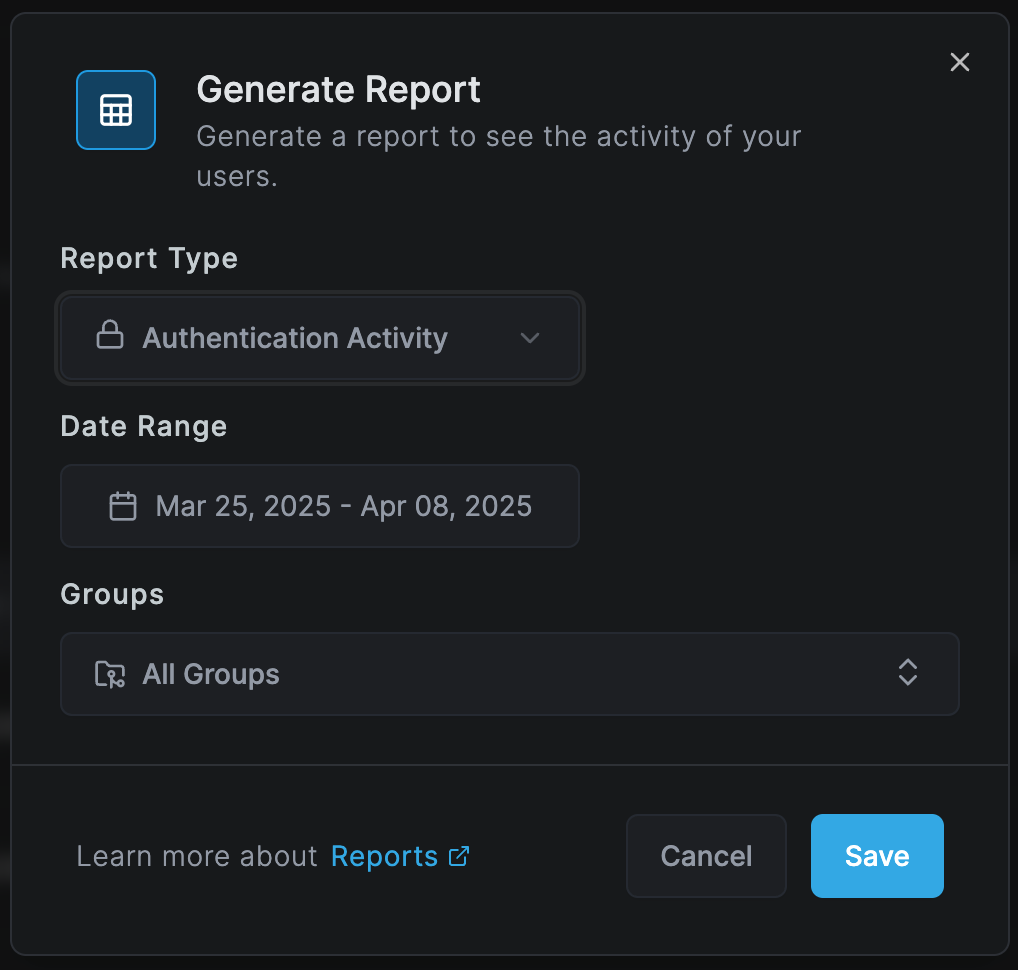
To generate a new Authentication Activity report:
- Navigate to Activity > Reports
- Click Create Report
- Select Authentication Activity as the Report Type
- Choose a Date Range for the report
- Select the Groups to include or choose "All Groups"
- Click Save to generate the report
Report Metrics
Login Success Rate
- Successful Logins: Total number and percentage of successful authentication attempts
- Failed Logins: Total number and percentage of failed authentication attempts
- Success Rate Trends: Changes in success rates over time
Login Trends Analysis
The graph visualization shows:
- Daily, weekly, or monthly login patterns
- Peak authentication times
- Unusual spikes or drops in login activity
- Comparison between successful and failed attempts
User-Specific Metrics
For each user, the report displays:
- Total Login Attempts: Successful and failed counts
- Average Session Duration: How long users stay logged in
- Last Login Time: Most recent authentication timestamp
- Login Frequency: How often the user authenticates
Detailed Authentication Analysis
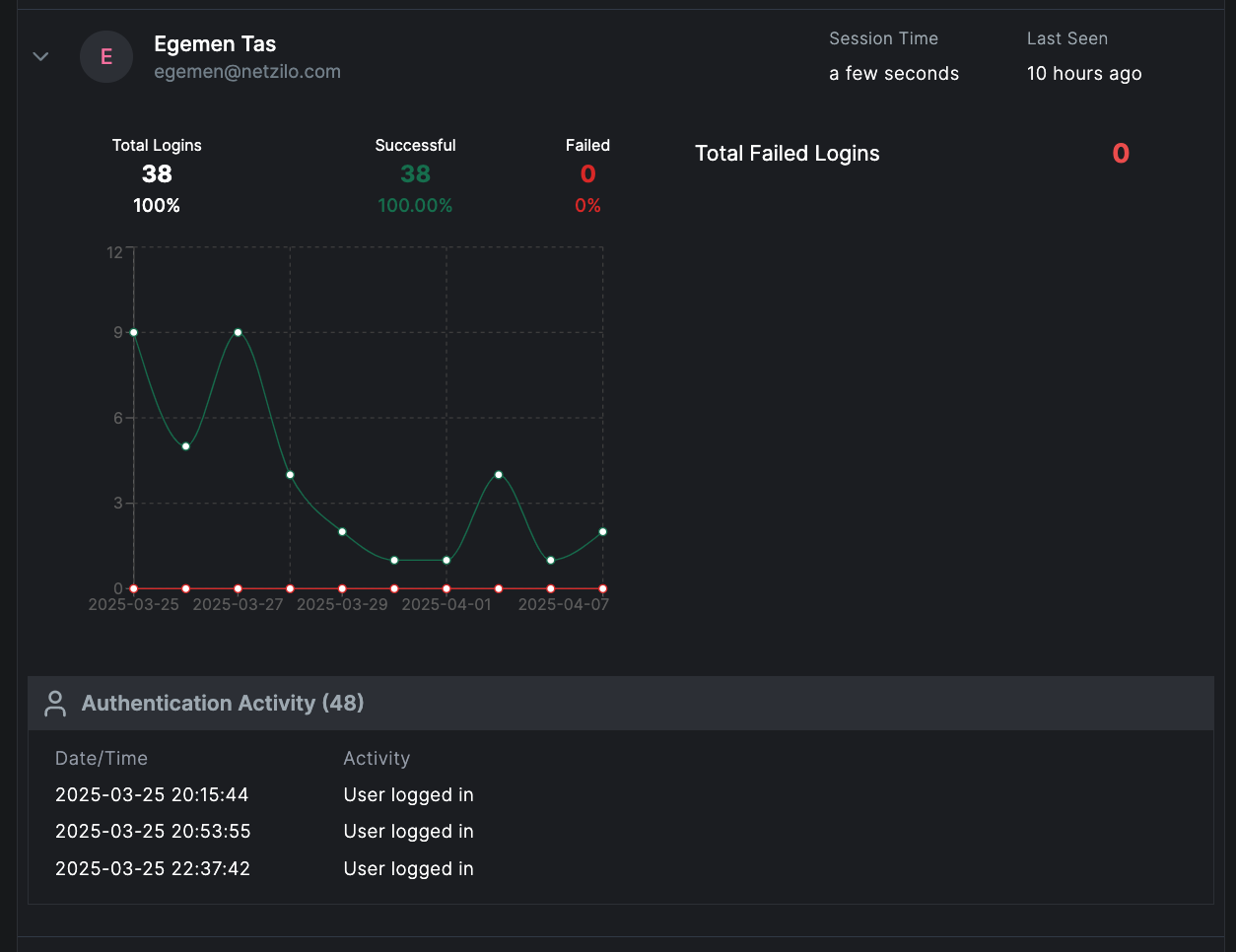
When you click on a specific user, you can view:
Individual Login Trends Graph
Shows login activity for that user across the selected time frame, helping identify:
- User's typical login patterns
- Unusual authentication times
- Changes in login frequency
- Failed login clusters that may indicate issues
Detailed Authentication Events
A timestamped list of authentication activities including:
- Successful Login Attempts: Time, location, and device information
- Failed Login Attempts: Time, reason for failure, and source IP
- Session Information: Duration, logout method, session timeout events
- Authentication Methods: SSO, MFA, password, API key usage
Security Insights
Failed Login Analysis
- Brute Force Detection: Identify multiple failed attempts from the same source
- Account Lockouts: Track accounts that have been locked due to failed attempts
- Password Issues: Detect users with frequent password-related failures
- Compromised Accounts: Spot unusual login patterns that may indicate compromise
Geographic Analysis
- Login locations and geographic distribution
- Impossible travel detection (logins from distant locations in short time)
- VPN usage patterns
- Suspicious location alerts
Device and Platform Analysis
- Device types used for authentication
- Operating system distribution
- Browser or client application usage
- New device detection
Practical Use Cases
Security Monitoring
- Monitor for unauthorized access attempts
- Detect potential account compromises
- Track privileged account usage
- Identify authentication anomalies
Compliance and Audit
- Generate login reports for compliance requirements
- Maintain authentication audit trails
- Document access patterns for security reviews
- Track admin and service account authentications
User Support
- Troubleshoot login issues
- Identify users needing password resets
- Track MFA adoption rates
- Monitor account lockout patterns
Report Management
Report Overview
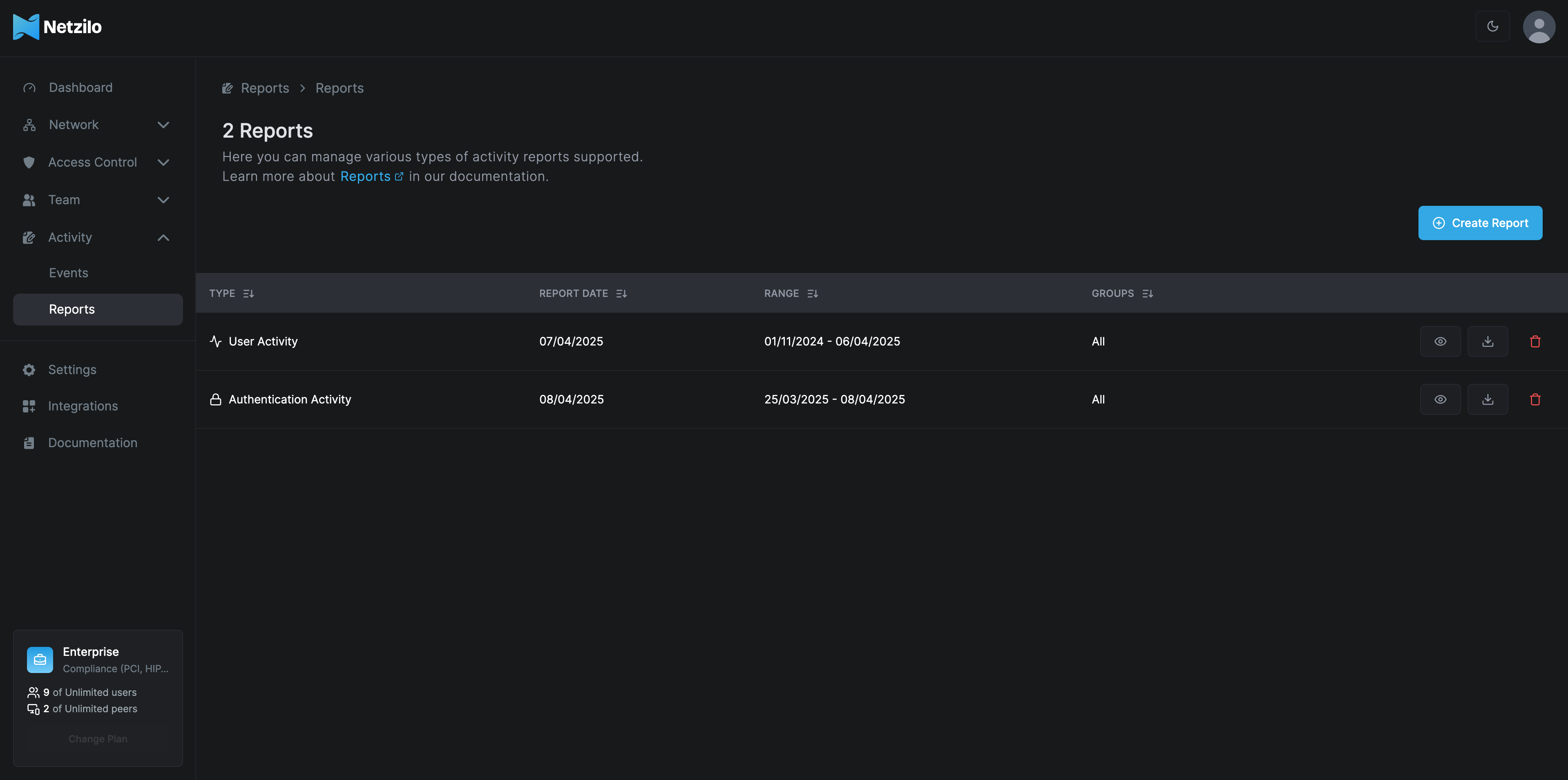
The main Reports page lists all generated reports with:
- Type: Authentication Activity or User Activity
- Report Date: When the report was created
- Range: The date range covered by the report
- Groups: The user groups included in the report
Report Actions
- View: Access detailed report information
- Download: Export reports for offline analysis
- Delete: Remove outdated or unnecessary reports
- Share: Distribute reports to stakeholders
Best Practices
- Regular Monitoring: Review authentication reports daily for security incidents
- Alert Configuration: Set up alerts for failed login thresholds
- Pattern Recognition: Establish baseline authentication patterns
- Quick Response: Investigate anomalies promptly
- Documentation: Maintain records of authentication investigations
Authentication Activity Reports are critical for security monitoring. Ensure these reports are regularly reviewed and any anomalies are investigated immediately.
Security Recommendations
For Failed Logins
- Set thresholds for automatic account lockouts
- Implement progressive delays for failed attempts
- Enable notifications for suspicious patterns
- Review and update password policies
For Successful Logins
- Monitor for unusual login times or locations
- Track session durations for anomalies
- Verify authentication methods being used
- Ensure MFA is enabled for sensitive accounts
Related Features
- User Activity Report - Detailed user behavior analysis
- Events Monitoring - Real-time event tracking
- Security Settings - Configure authentication policies
Next Steps
- Configure authentication alert thresholds
- Set up automated report generation
- Enable real-time authentication monitoring
- Review and strengthen authentication policies