

Exit nodes
An exit node sends all internet traffic of a group of peers through one of your Linux peers. The traffic leaves to the internet from the exit node's public address, for example so that travelling users browse from the office address, or so that a SaaS service sees one known address.
An exit node is a route for 0.0.0.0/0. You add one from Network > Routes with
Add Exit Node, or from a Linux peer under Endpoint > Peers.
How it works
- The exit node is a Linux peer. Peers in the route's Distribution Groups send their internet traffic to it through the tunnel as soon as it is connected.
- The exit node always masquerades: the traffic appears to come from the exit node's address.
- Only IPv4 goes through the exit node. IPv6 internet traffic is blocked on the clients so it cannot bypass the exit node.
- With several exit nodes for the same group, each client picks one by metric and connection
quality and fails over on its own. A user can choose with
netzilo routes select. - Exit nodes fail open. While no exit node is connected to a client, the client uses its own internet connection, without notice. Use two or more exit nodes where that matters.
- As with every route, a policy must let the users' group reach the exit node's group.
Before you start
- A Linux peer with a public internet connection, enrolled as described in Routing peer installation.
- A group for the users who should use it, for example
travellers.
Step 1: Add the exit node
From the Routes page: go to Network > Routes and click Add Exit Node.
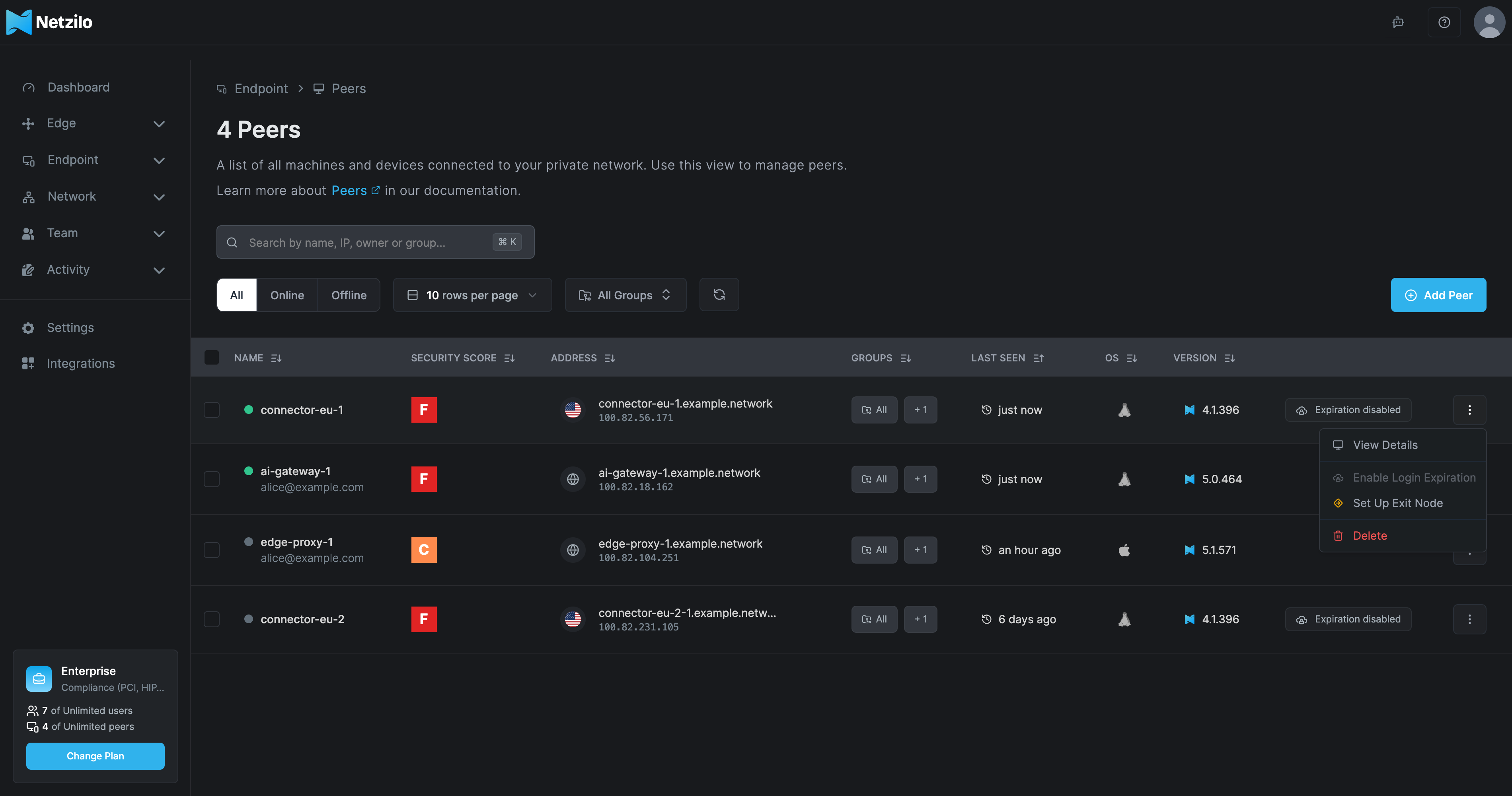
From a peer: go to Endpoint > Peers, open the ⋮ menu of a Linux peer and choose Set Up Exit Node (or Add Exit Node when the peer is already an exit node). The peer's own page has the same button under Network Routes. The menu item appears only for Linux peers.
The Add Exit Node dialog, Route all internet traffic through a peer, has the tabs Route, Name & Description and Additional Settings.
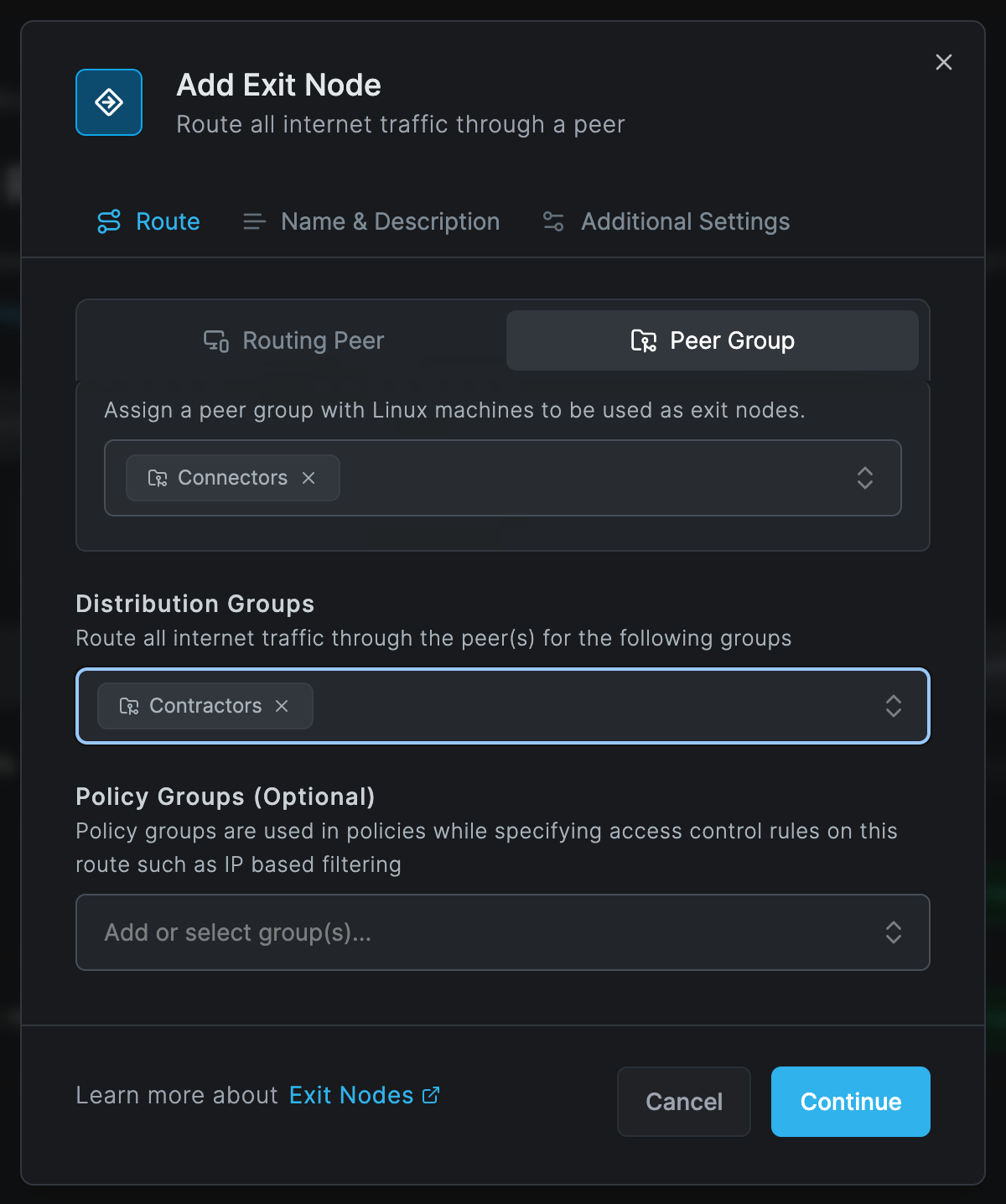
| Field | What to enter |
|---|---|
| Routing Peer | One Linux peer as exit node. Opened from a peer, this is that peer. |
| Peer Group | Instead of a single peer: a group of Linux peers that all act as exit nodes, for high availability. |
| Distribution Groups | The peers whose internet traffic goes through the exit node. |
| Policy Groups (Optional) | Groups to use in policy rules for this route. |
On Name & Description, give the exit node a Network Identifier and an optional description. On Additional Settings, set Enable Route and Metrics (lower means preferred). Masquerade is not offered: it is always on for exit nodes. Click Add Exit Node.
Step 2: Allow the traffic
Add a policy under Network > Policies from the users' group to the exit node's group with
protocol ALL, for example travellers to exit-nodes. See
Policies.
Step 3: Send DNS through the exit node
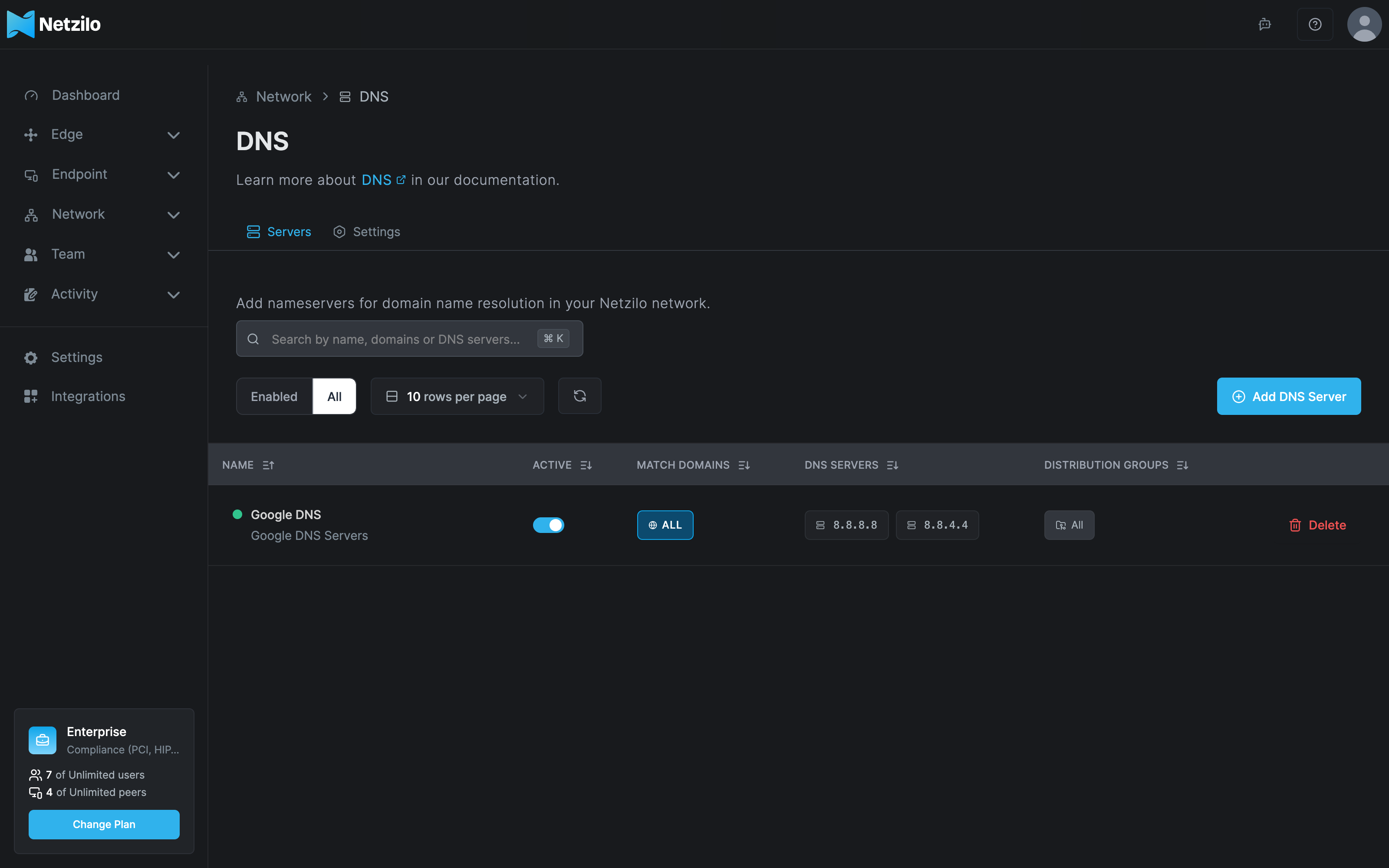
Add a DNS server without match domains for the same distribution groups, under Network > DNS > Servers. Otherwise the clients keep asking their local resolver, which may not be reachable from the exit node and reveals the user's location. In the DNS table such a server shows ALL under Match Domains.
See DNS.
Check the exit node
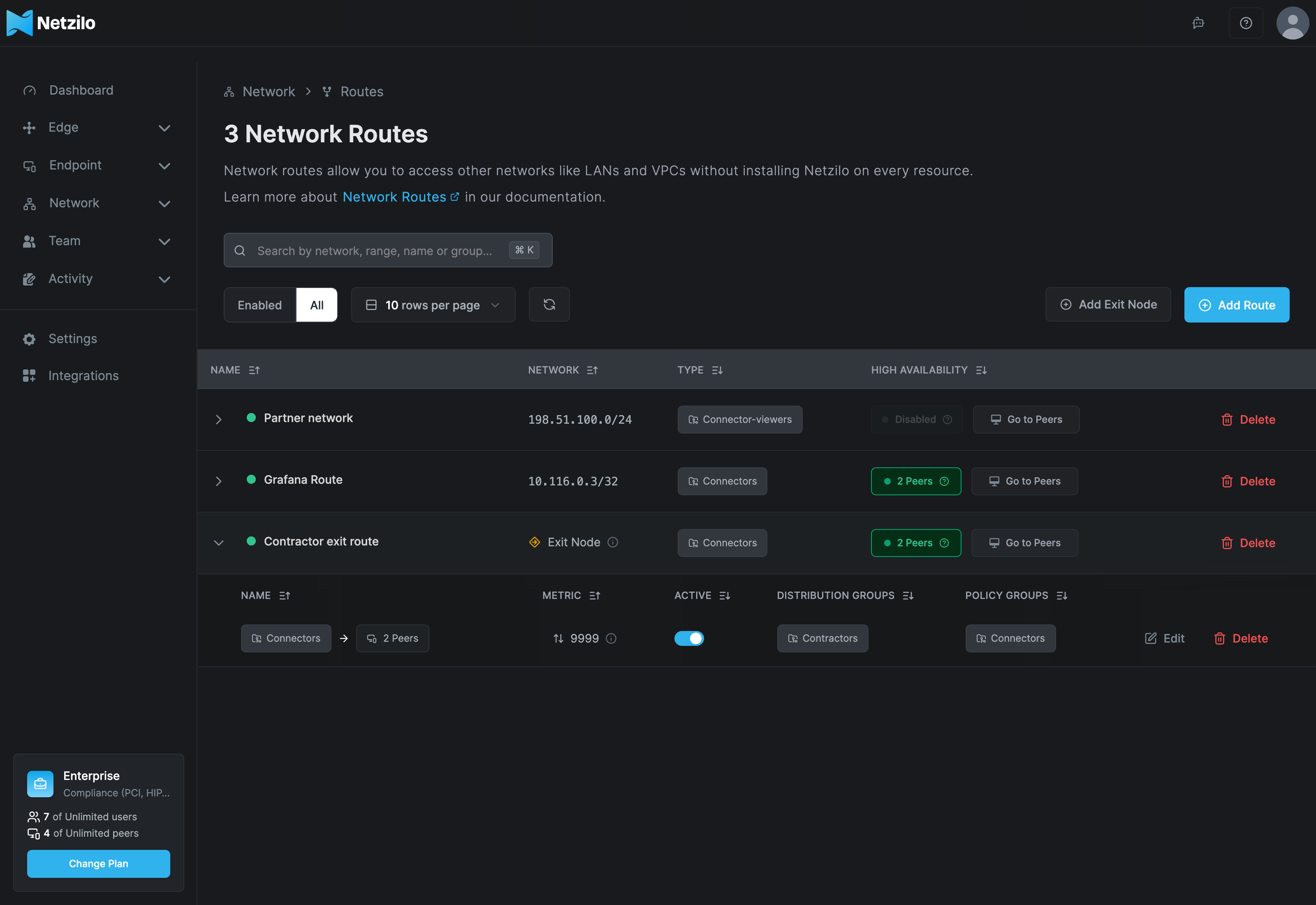
Under Network > Routes, the network shows Exit Node in the Network column and the number of exit nodes under High Availability. Click the row to see its routes and distribution groups.
On a user's device:
netzilo routes listlists the exit node's route,0.0.0.0/0, as selected.netzilo status -dshows the route on the exit node's peer.- A "what is my IP" website shows the exit node's public address.
High availability
Use a Peer Group with two or more Linux peers, or add several exit nodes for the same distribution groups. Clients fail over between them. See Make a network highly available.
Troubleshooting
The public IP is still the device's own. No exit node is connected to the client, so it fails
open; the client is in none of the distribution groups; no policy lets it reach the exit node; or
the client does not set default routes. Check netzilo routes list on the device.
The client log shows doesn't support default routes. The client version is too old, or its
service environment sets NB_DISABLE_CUSTOM_ROUTING=true. Update the client, or remove that
setting.
Browsing fails, but ping to an IP address works. DNS does not go through the exit node. Add a DNS server without match domains for the group (Step 3).
IPv6 sites do not load. IPv6 is blocked on clients that use an exit node. Use IPv4, or turn IPv6 off on the device.
Set Up Exit Node is missing in a peer's menu. The peer is not a Linux peer.
Related Documentation
- Routes - Network routes and high availability
- Routing peer installation - Prepare the Linux machine
- DNS - DNS servers without match domains
- Policies - Allow traffic to the exit node
- Resolve overlapping routes - Select routes on a device