

Integrate with Cloudflare One
When your users' devices run the Cloudflare One Client, every web request already passes
Cloudflare Gateway, tied to the user who signed in. Cloudflare Gateway can send each call to
an AI provider to the Netzilo AI Gateway and tell it who the user is. Netzilo then applies
that user's AI policy, the models, limits and guardrails under Edge > Governance, with
the provider keys only the gateway holds. Nothing is installed or changed on the devices,
and tools such as Claude Code, Cursor or an OpenAI SDK keep calling api.anthropic.com and
api.openai.com as usual.
This page sets it up from start to end and checks it with Claude Code on a Windows laptop,
where Netzilo redacts a Social Security number and a card number before the prompt leaves
the company. The screenshots come from that setup; the gateway's address in them is
aigw.netzilo.app, replace it with yours.
Watch · 7:23
Govern AI for Cloudflare One users
Cloudflare Gateway sends AI calls to the Netzilo AI Gateway and names the user; Claude Code on a Windows laptop gets its customer data redacted before the prompt leaves.
How it works
- The user signs in to the Cloudflare One Client with their work email address.
- Claude Code calls
https://api.anthropic.com/v1/messages. Cloudflare Gateway decrypts the call and redirects it tohttps://aigw.netzilo.app/anthropic/v1/messages. - For the gateway's address, Cloudflare Gateway replaces the API key with the token of a
Netzilo agent and adds the user's email address in
X-Authenticated-User. - The Netzilo reverse proxy checks that the call comes from an address under Trusted Proxies with that agent's token, and acts as the named user from then on: the user's own token, the user's own tunnel, the user's own gateway filters.
- The gateway redacts what the user's guardrails require and calls Anthropic with the key it holds. The session appears under Edge > Sessions with the user's name.
How the reverse proxy checks the named user, and every answer it can give, is described in The proxy names the user.
This page sends the calls to the gateway's published address. Cloudflare Gateway can also send them straight to the gateway's public door, with no other Netzilo component in between: see At the public door. The calls then carry the user but no device.
Before you start
- A Netzilo AI Gateway reachable as a published application, see From anywhere (published application). Cloudflare reaches it over the internet.
- A Cloudflare Zero Trust organization with Gateway HTTP filtering, and the Cloudflare One Client on the users' devices.
- The users in Netzilo with the role User, with the same email address they sign in to Cloudflare with, in the application's groups and in a gateway filter that grants them models. Administrators and owners are refused on this path. In the screenshots the user is Sarah Morgan of the Developers group, whose filter includes the guardrail PII Redaction (SSN, credit card).
Step 1: Create an agent for Cloudflare
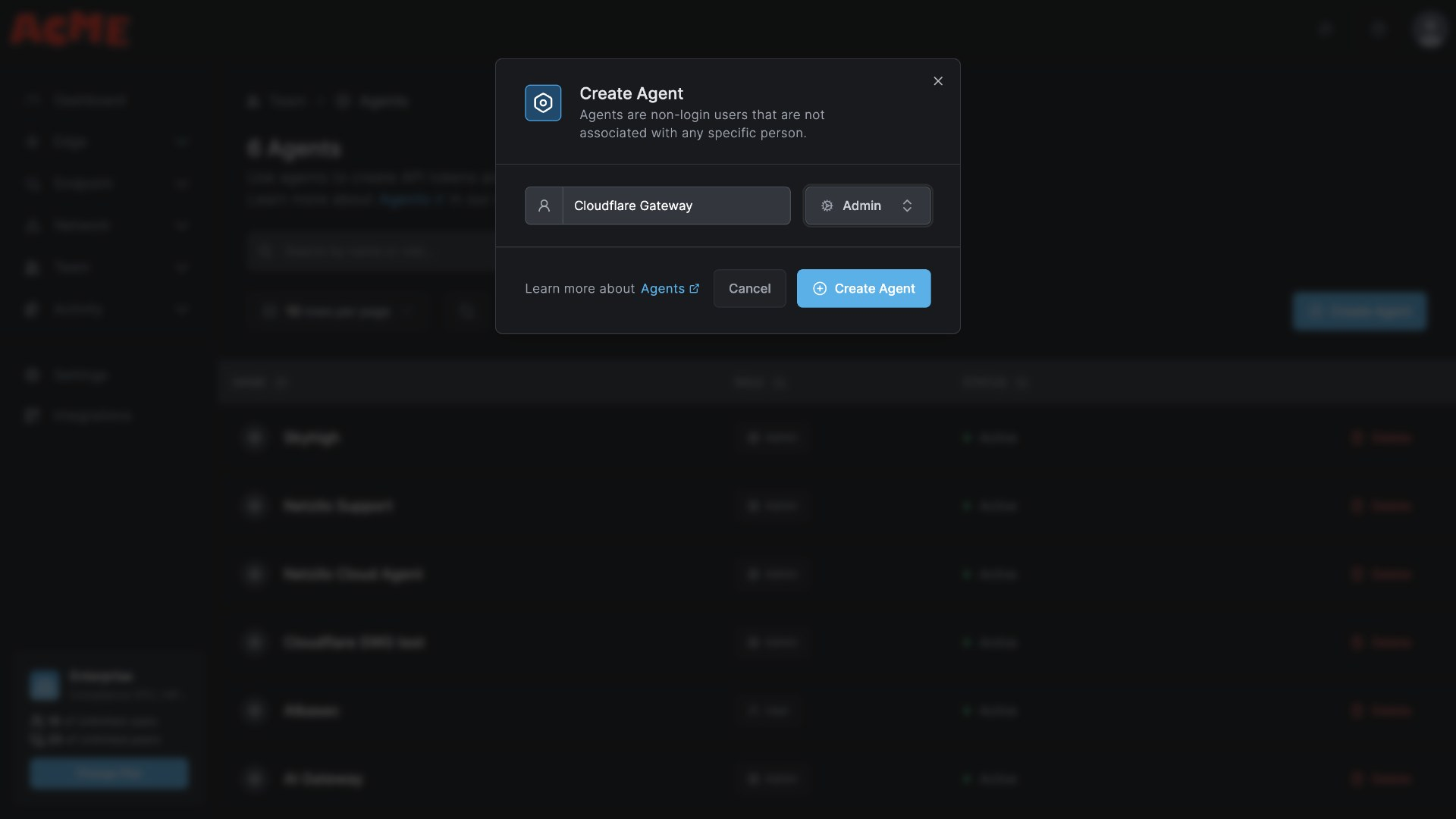
The agent is the identity Cloudflare Gateway presents to Netzilo. It needs the role Admin: it creates a token for each user Cloudflare names.
Under Team > Agents, select Create Agent, enter a name such as Cloudflare Gateway,
choose Admin and select Create Agent.
Step 2: Create the agent's token
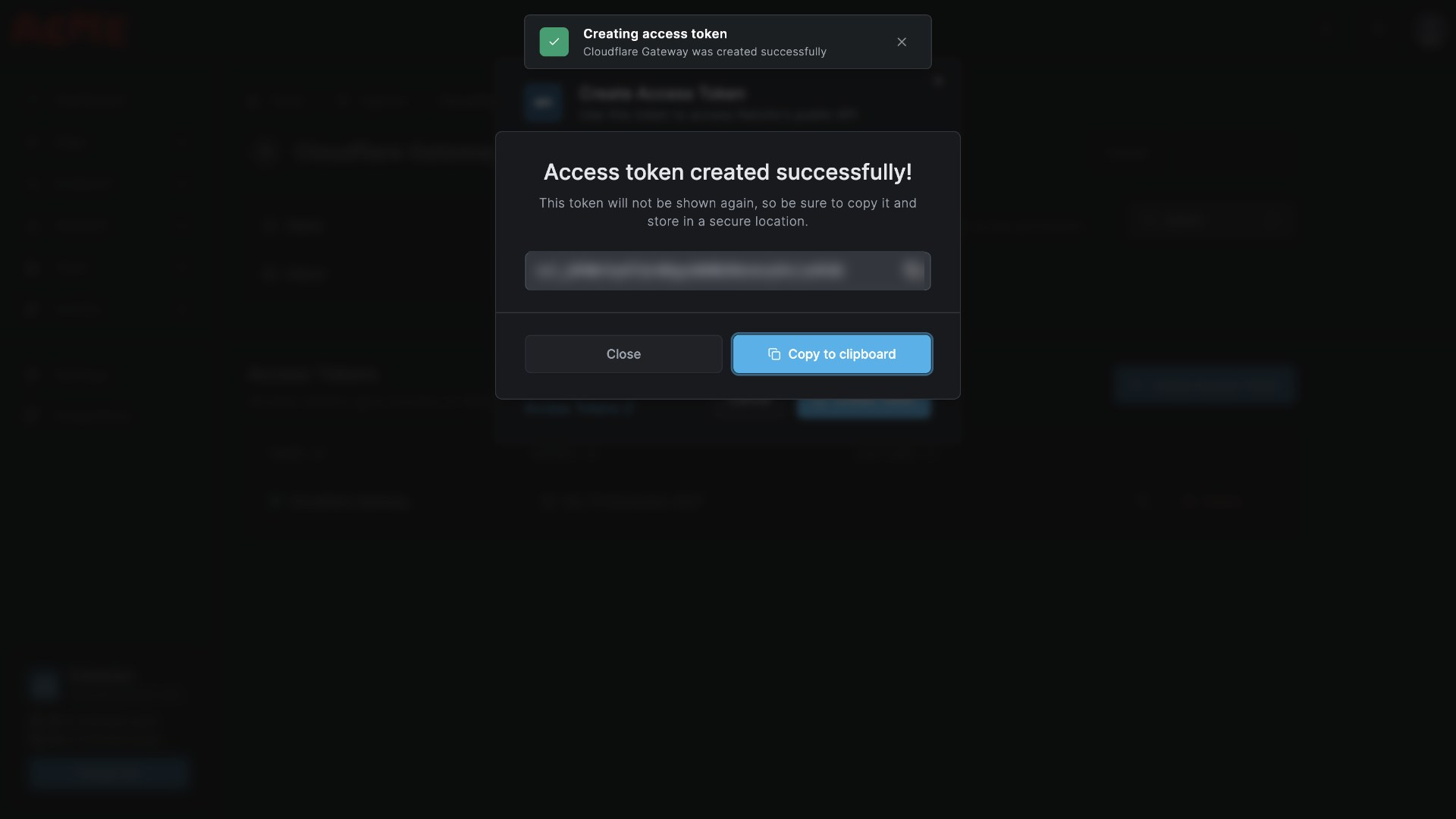
Open the agent, select Create Access Token, name it Cloudflare Gateway, set
Expires in to 365 days and select Create Token. Copy the token: it is shown once,
and Cloudflare sends it with every AI call.
The token's name also names the users' tunnels in the Peers list:
vp-cloudflare-gateway-RPROXY, one per user, owned by that user.
The token is an administrator's token of your account. Keep it in the Cloudflare policy only, and create a new one before it expires.
Step 3: Trust Cloudflare's addresses
Under Network > Applications, edit the gateway's application and add the addresses Cloudflare Gateway connects from under Trusted Proxies, separated by commas. Select Save Changes.
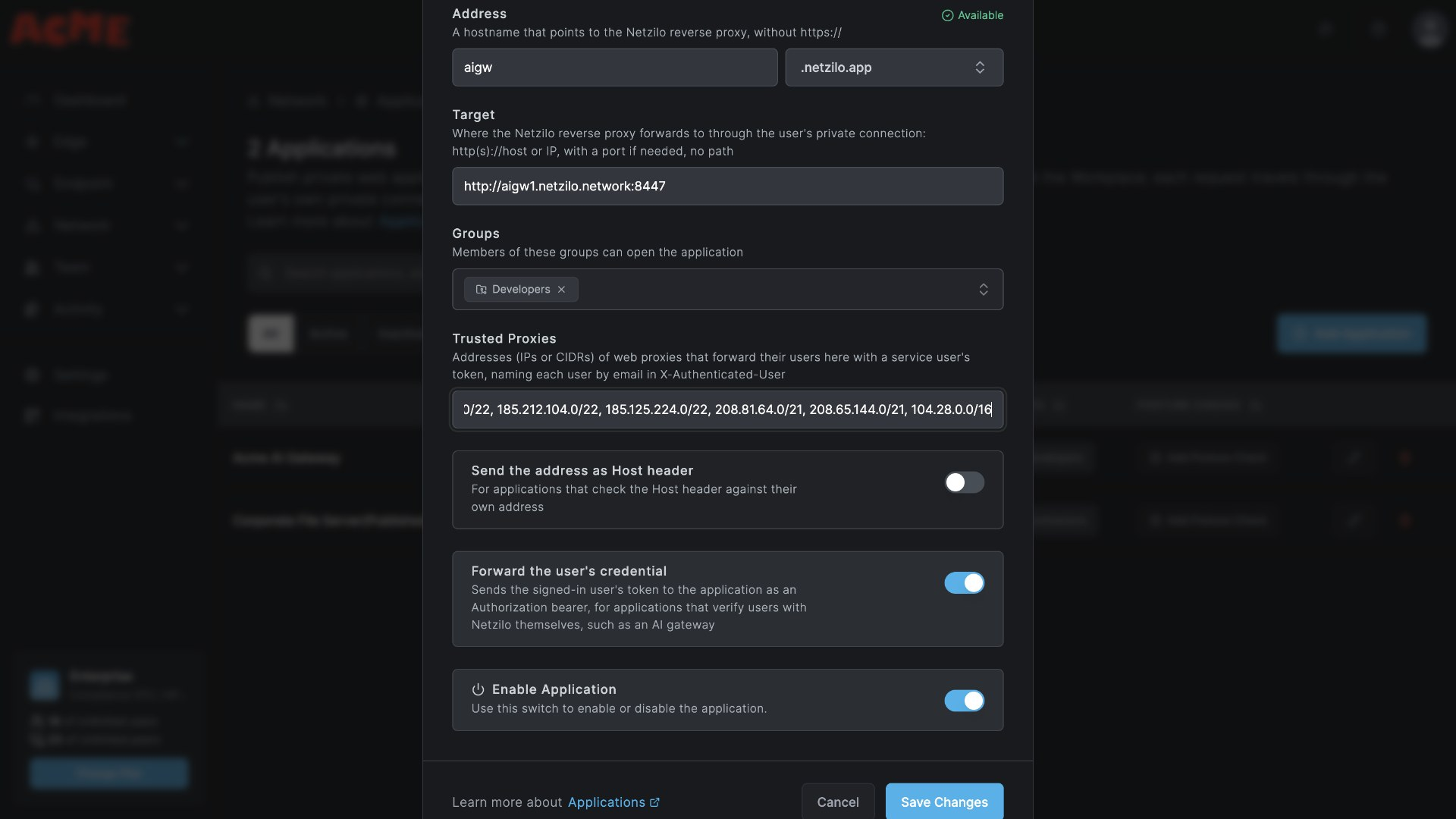
The reverse proxy believes X-Authenticated-User only from these addresses, and only with
the agent's token. From any other address the header is ignored and the call is the
agent's own, which the application refuses.
Which addresses to enter:
- Dedicated egress IPs, if your Cloudflare plan has them: enter those. This is the narrowest choice.
- Cloudflare's shared egress addresses otherwise. They change from call to call: in the
setup on this page they came from
104.28.216.0/24and104.28.248.0/24, so the application trusts104.28.0.0/16. Other customers of Cloudflare share these addresses, so the agent's token is what really identifies your proxy.
To see the address a device uses now, open https://www.cloudflare.com/cdn-cgi/trace on a
connected device and read the ip= line.
Step 4: Choose how users sign in to Cloudflare
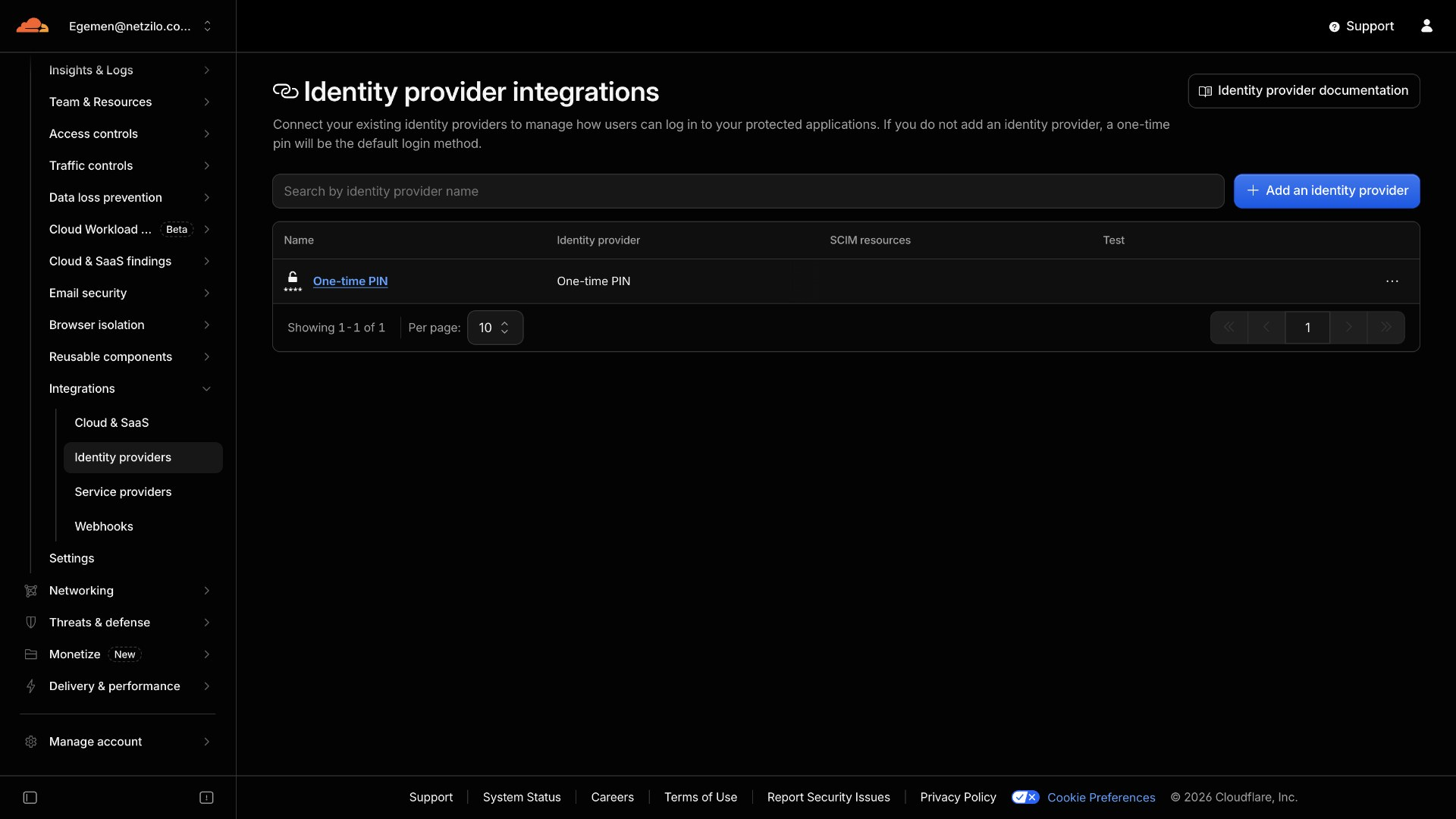
In the Cloudflare dashboard, under Zero Trust > Integrations > Identity providers, the login methods decide the email address Cloudflare knows each user by. That address is the one Netzilo receives. The setup on this page uses the one-time PIN; Okta, Microsoft Entra ID or Google Workspace work the same way, and give the same addresses on both sides when Netzilo uses the same identity provider.
Step 5: Allow the users to enroll their devices
Under Team & Resources > Devices > Management, select Manage next to Device enrollment permissions. The policies there decide who may connect a device. In the screenshot, the policy Acme employees includes Sarah Morgan's address.
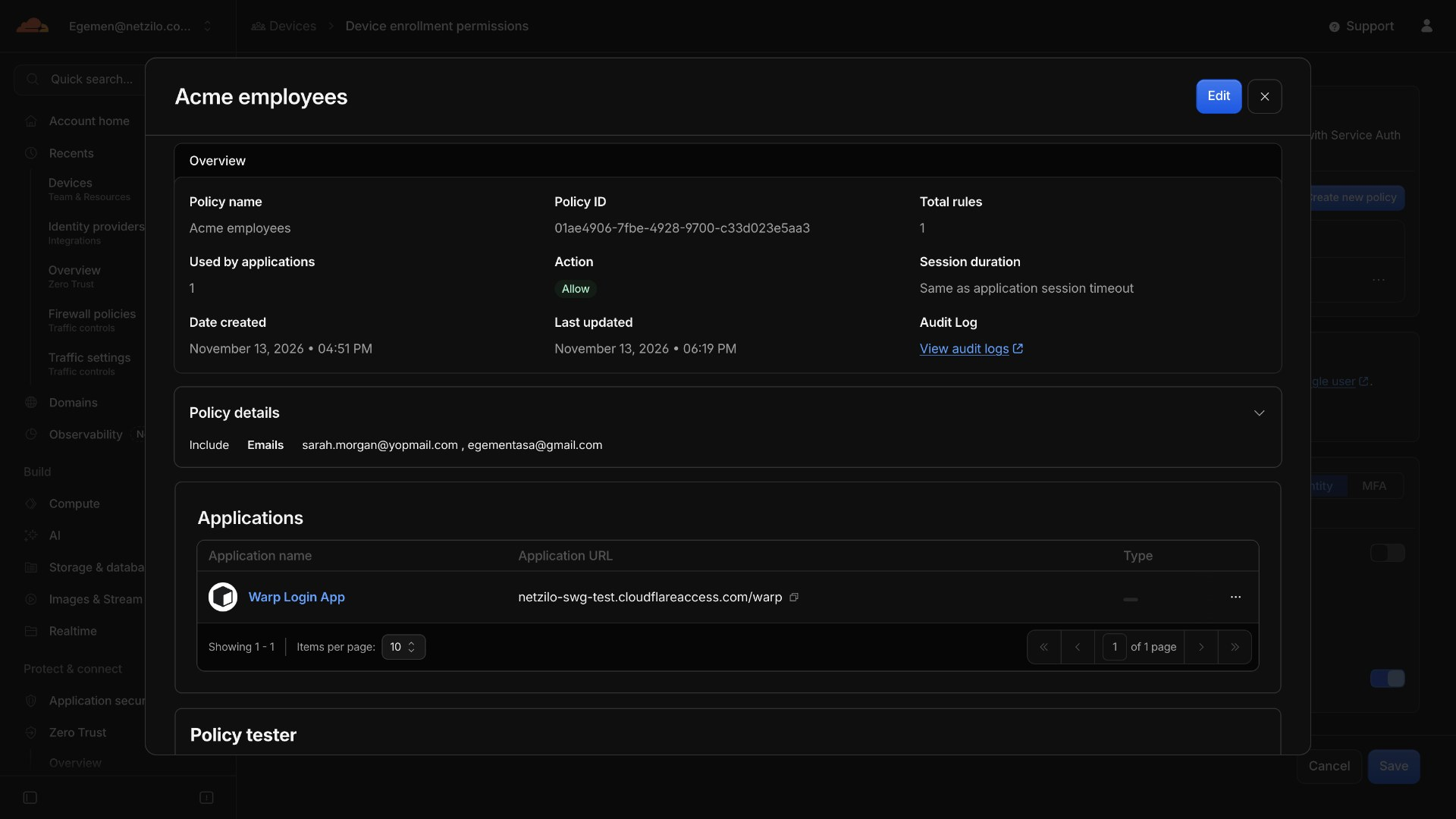
A device enrolled with a service token, rather than by a user, has no user: Cloudflare then
sends cf-unresolved instead of an email address and the gateway answers 403 unknown user.
Step 6: Turn on the proxy and TLS decryption
Cloudflare Gateway must see inside HTTPS to redirect the calls. Under Traffic controls > Traffic settings, turn on Allow Secure Web Gateway to proxy traffic and Inspect HTTPS requests with TLS decryption, and install Cloudflare's root certificate on the devices, for example with Install CA to system Certificate Store in the Cloudflare One Client settings.
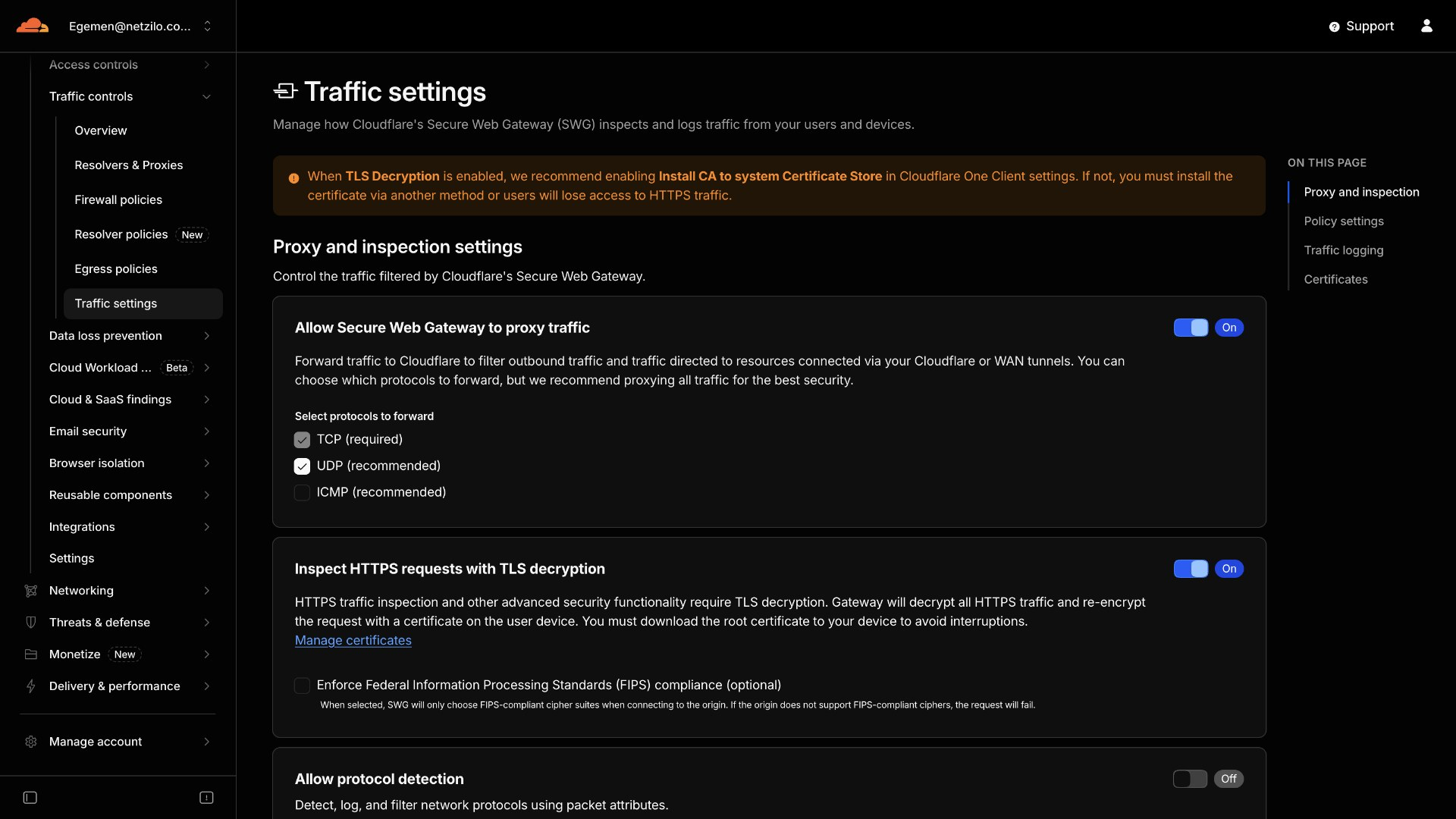
Tools built on Node.js, such as Claude Code, read their own certificate list. Point them at Cloudflare's root certificate as well:
setx NODE_EXTRA_CA_CERTS "C:\Certificates\cloudflare-gateway-root.pem"
Step 7: Create the three HTTP policies
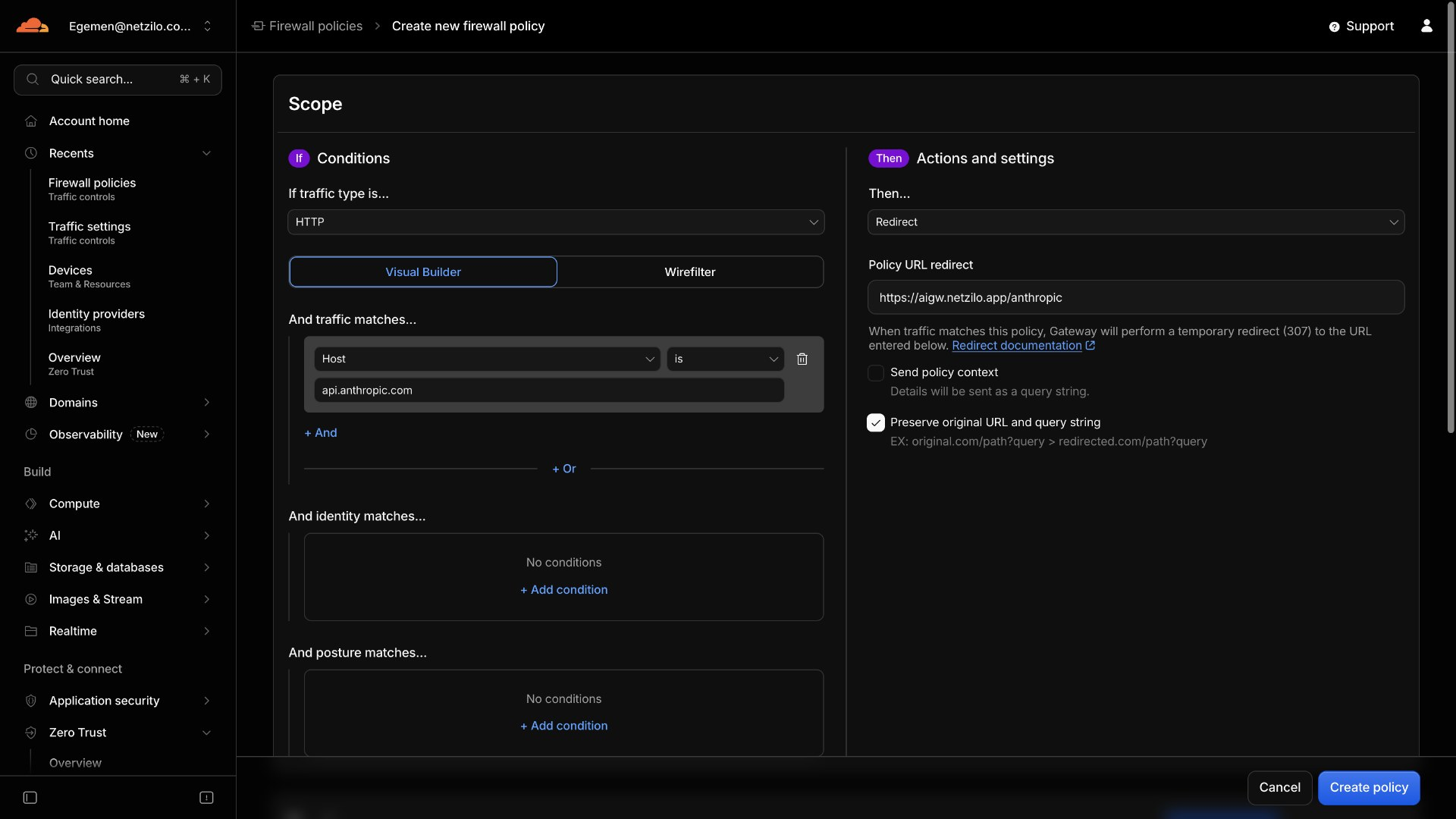
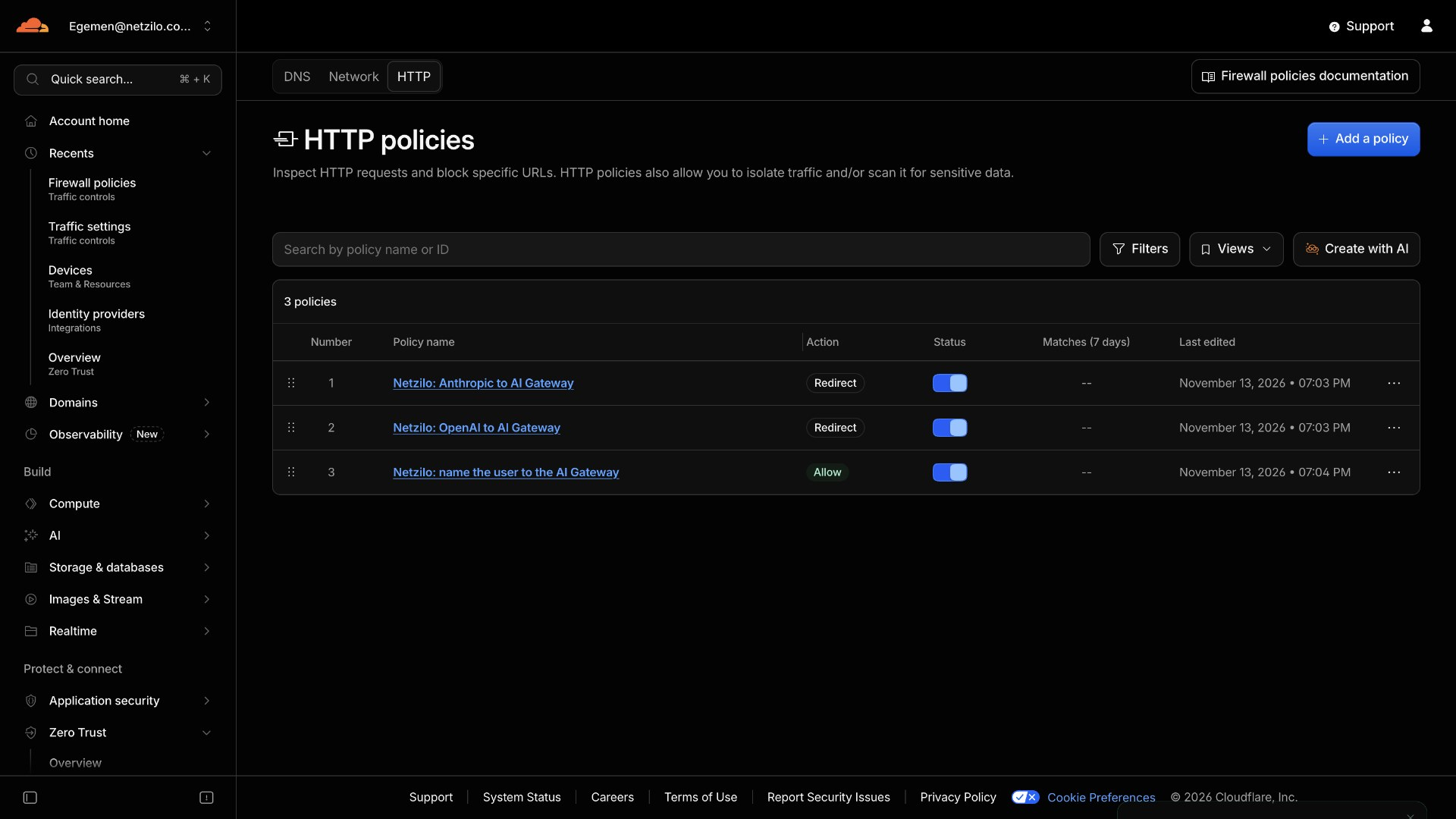
Under Traffic controls > Firewall policies, open the HTTP tab and select Add a policy for each of these:
| Policy | Traffic | Action | Settings |
|---|---|---|---|
| Netzilo: Anthropic to AI Gateway | Host is api.anthropic.com | Redirect | https://aigw.netzilo.app/anthropic, Preserve original URL and query string |
| Netzilo: OpenAI to AI Gateway | Host is api.openai.com | Redirect | https://aigw.netzilo.app, Preserve original URL and query string |
| Netzilo: name the user to the AI Gateway | Host is aigw.netzilo.app | Allow | Modify request headers, see below |
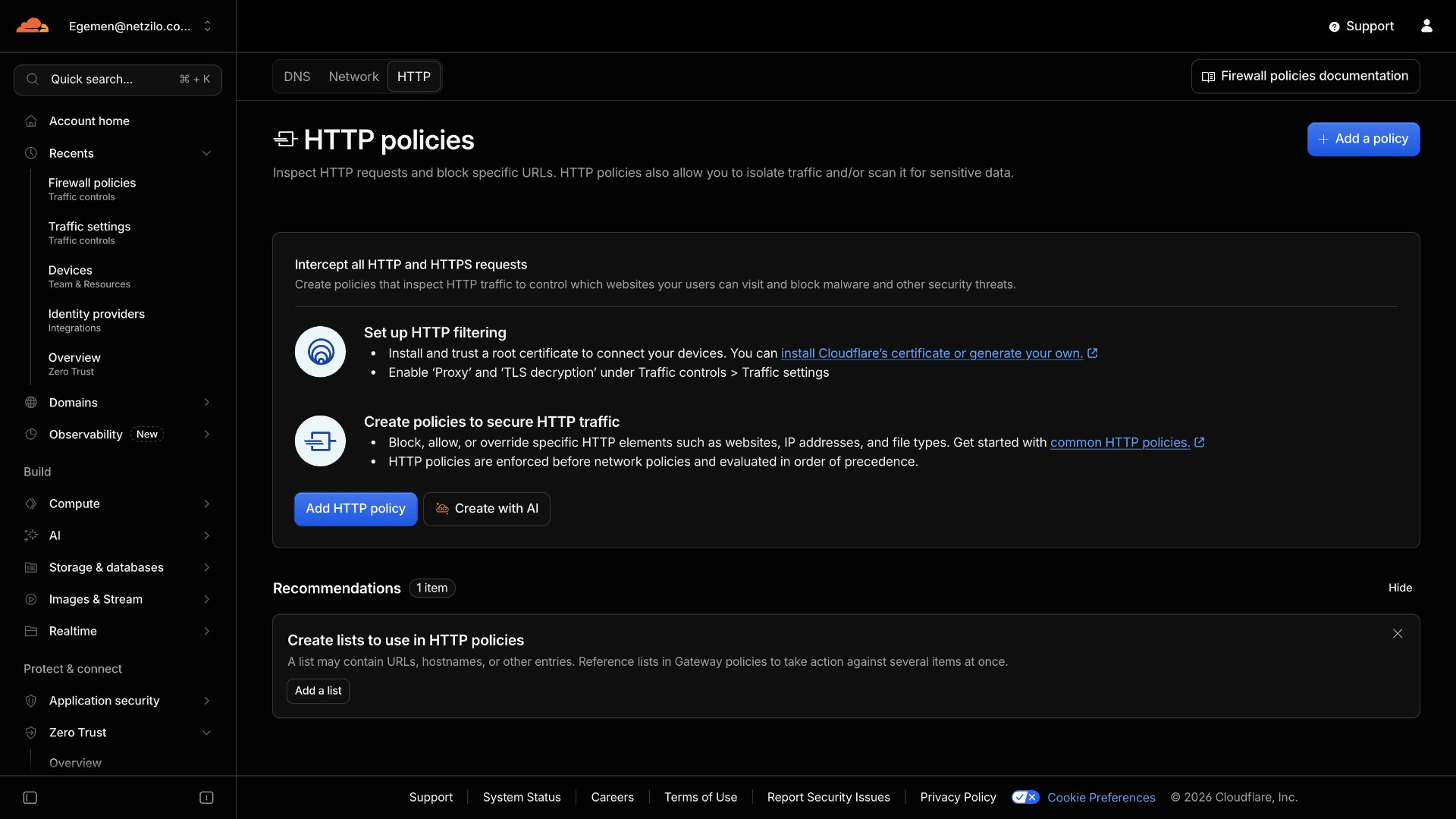
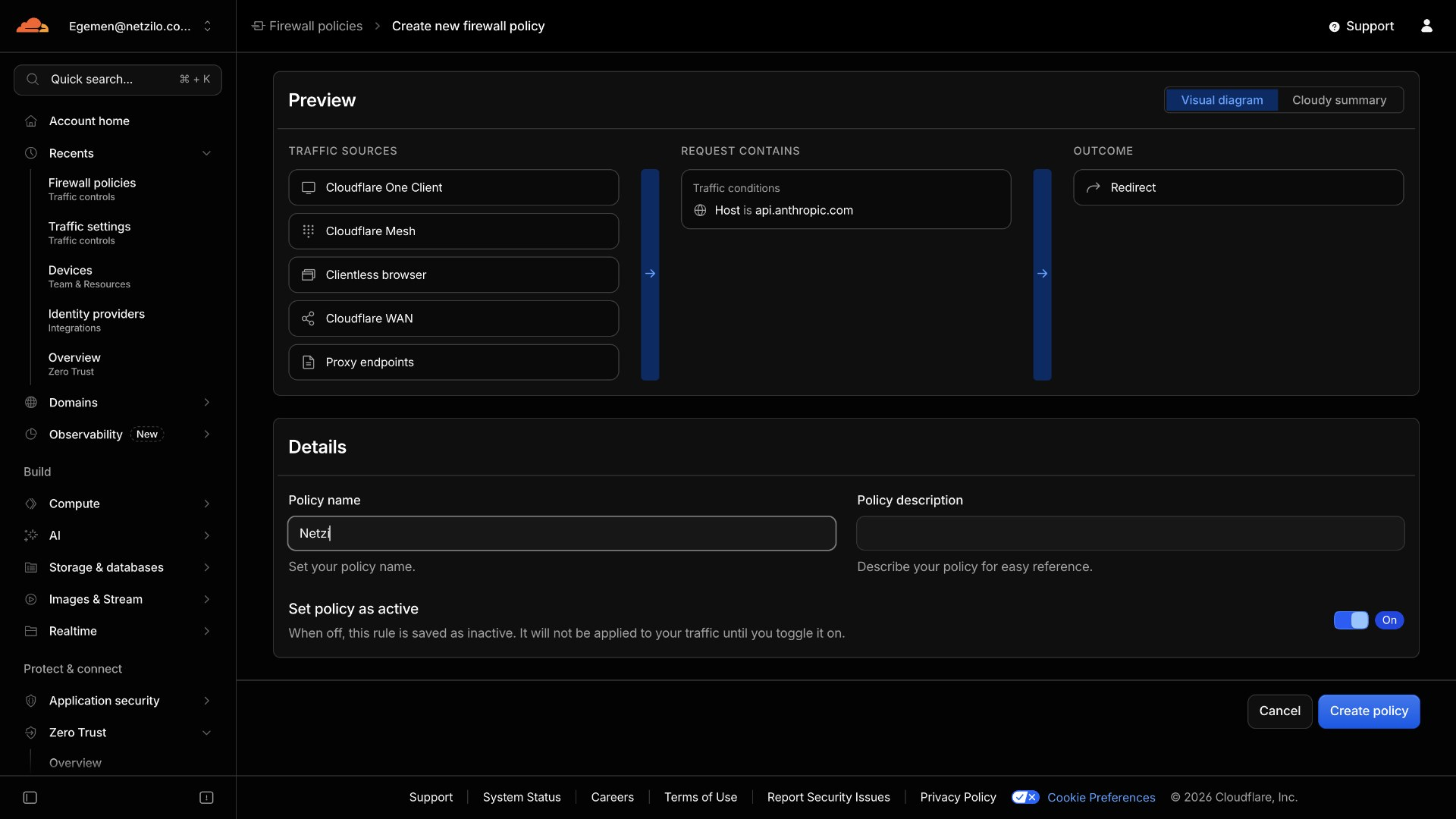
Redirect the Anthropic API
Under And traffic matches, select Add condition, choose Host, is and enter
api.anthropic.com. Under Then, choose Redirect, enter
https://aigw.netzilo.app/anthropic as Policy URL redirect and select Preserve
original URL and query string, so that /v1/messages follows to the gateway.
Cloudflare's Preview shows the policy as a flow: traffic from the Cloudflare One Client, the host, the redirect. Enter the name under Details and select Create policy.
Redirect the OpenAI API
The same, with Host is api.openai.com and the URL https://aigw.netzilo.app, without
a path: the gateway serves the OpenAI API at /v1.
Name the user to the gateway
This policy is where identity happens. Under And traffic matches, choose Host,
is and enter the gateway's address, aigw.netzilo.app. Under Then, choose
Allow and turn on Modify request headers:
- Overwrite headers:
Authorizationwith the valueBearerand the agent's token from step 2. - Overwrite headers:
X-Authenticated-Userwith the value@{identity.email}, the email address the user signed in to the Cloudflare One Client with. - Remove headers:
X-Api-Key, so that no key a tool sends reaches the gateway.
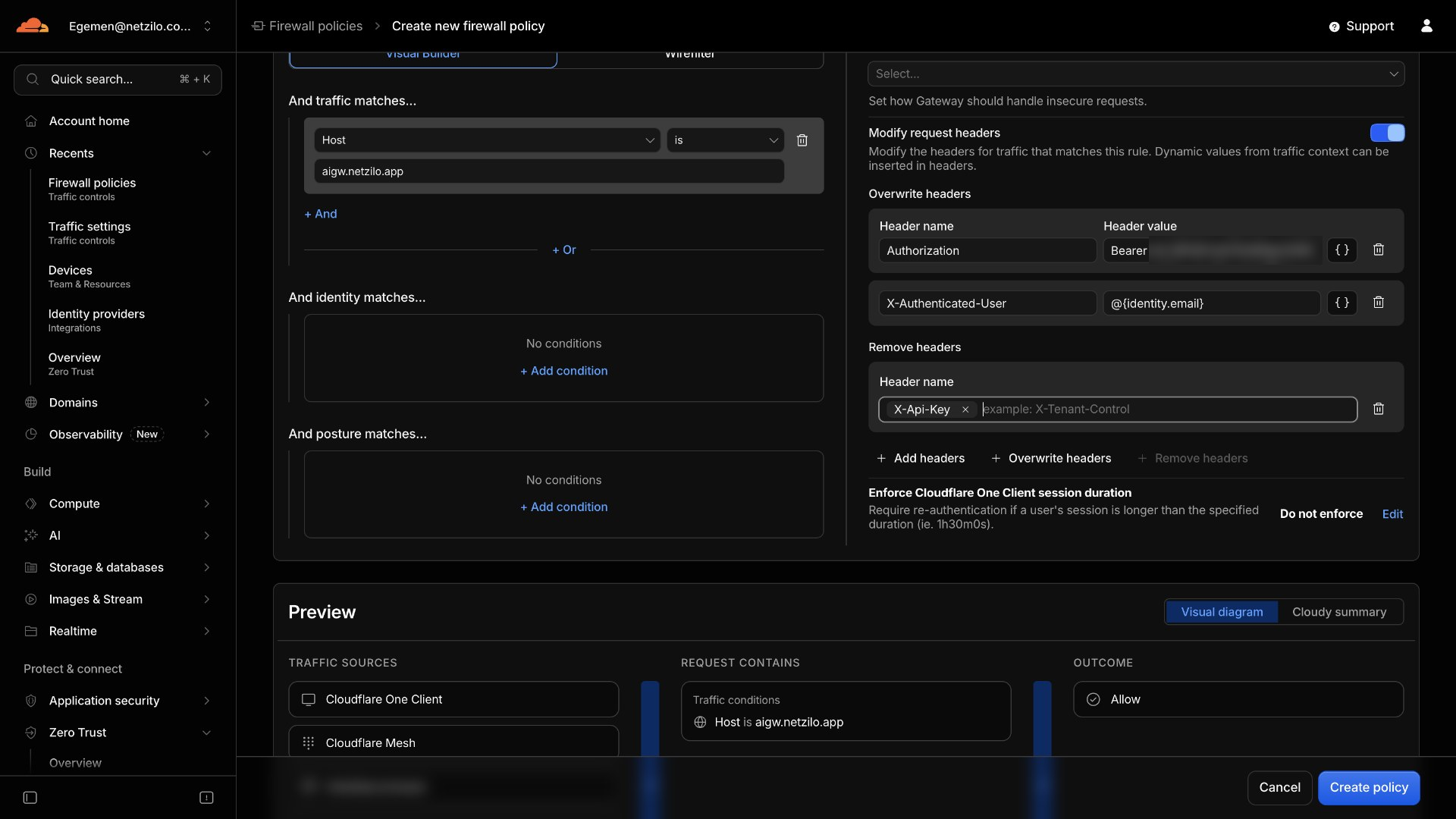
Select Create policy. The three policies, all enabled:
Tools keep the model names they always used. The gateway sends a model to a provider that grants it to the user under Edge > Governance > Filters; a model no filter grants is refused.
Step 8: Users sign in on their devices
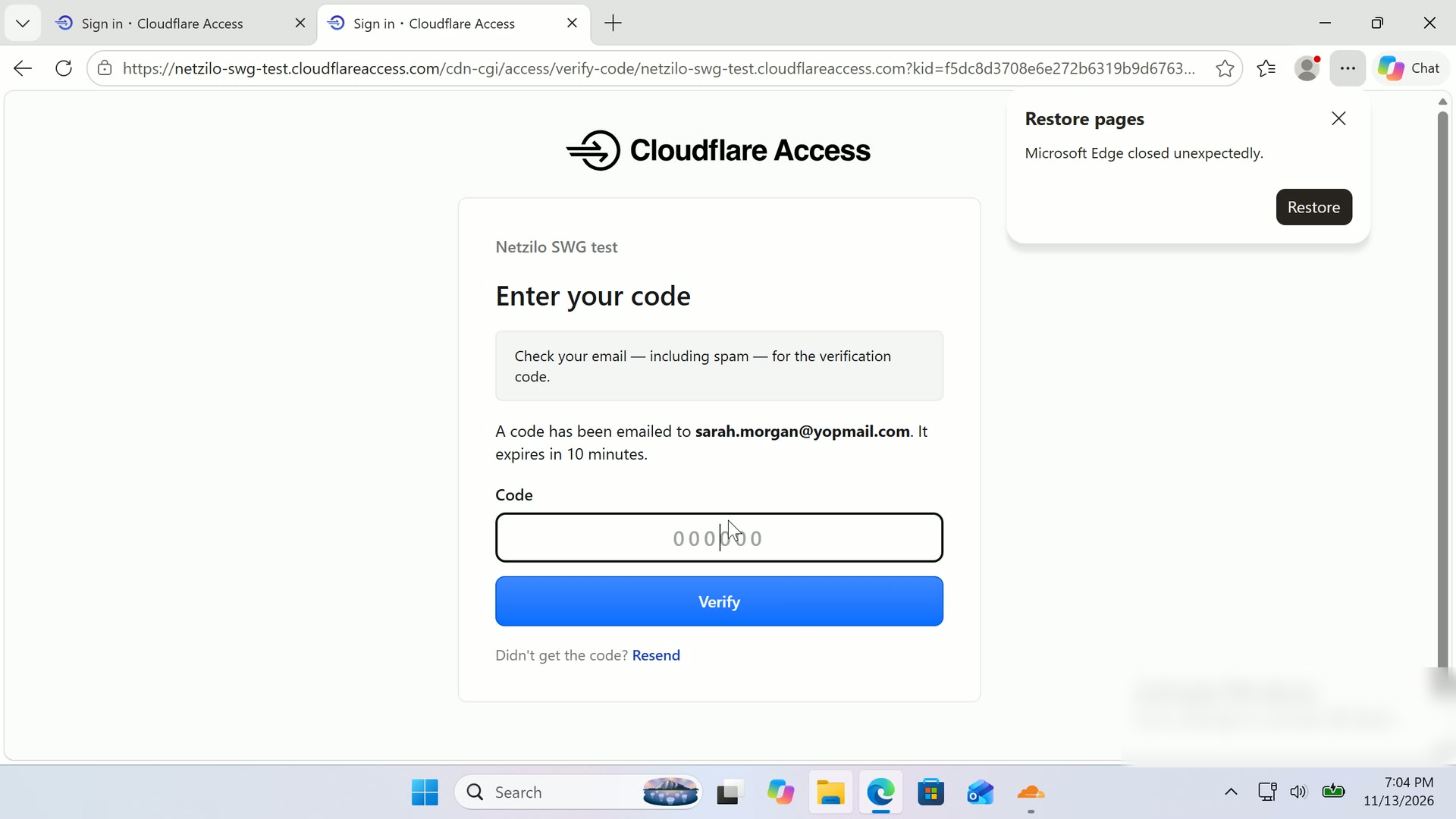
On the user's device, the Cloudflare One Client asks to enroll. The user selects Continue, enters their work email address in the browser, and the code Cloudflare sends.
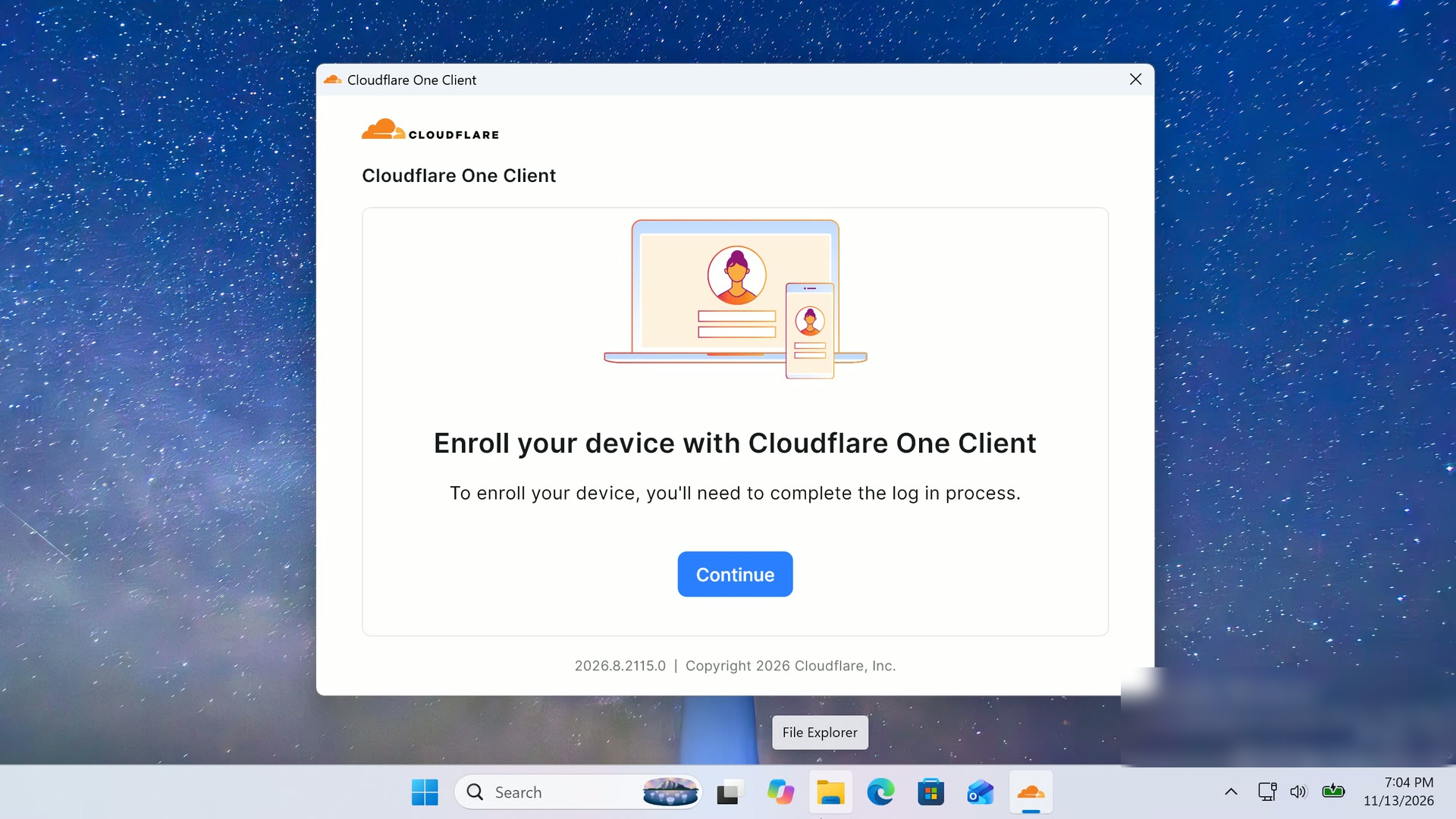
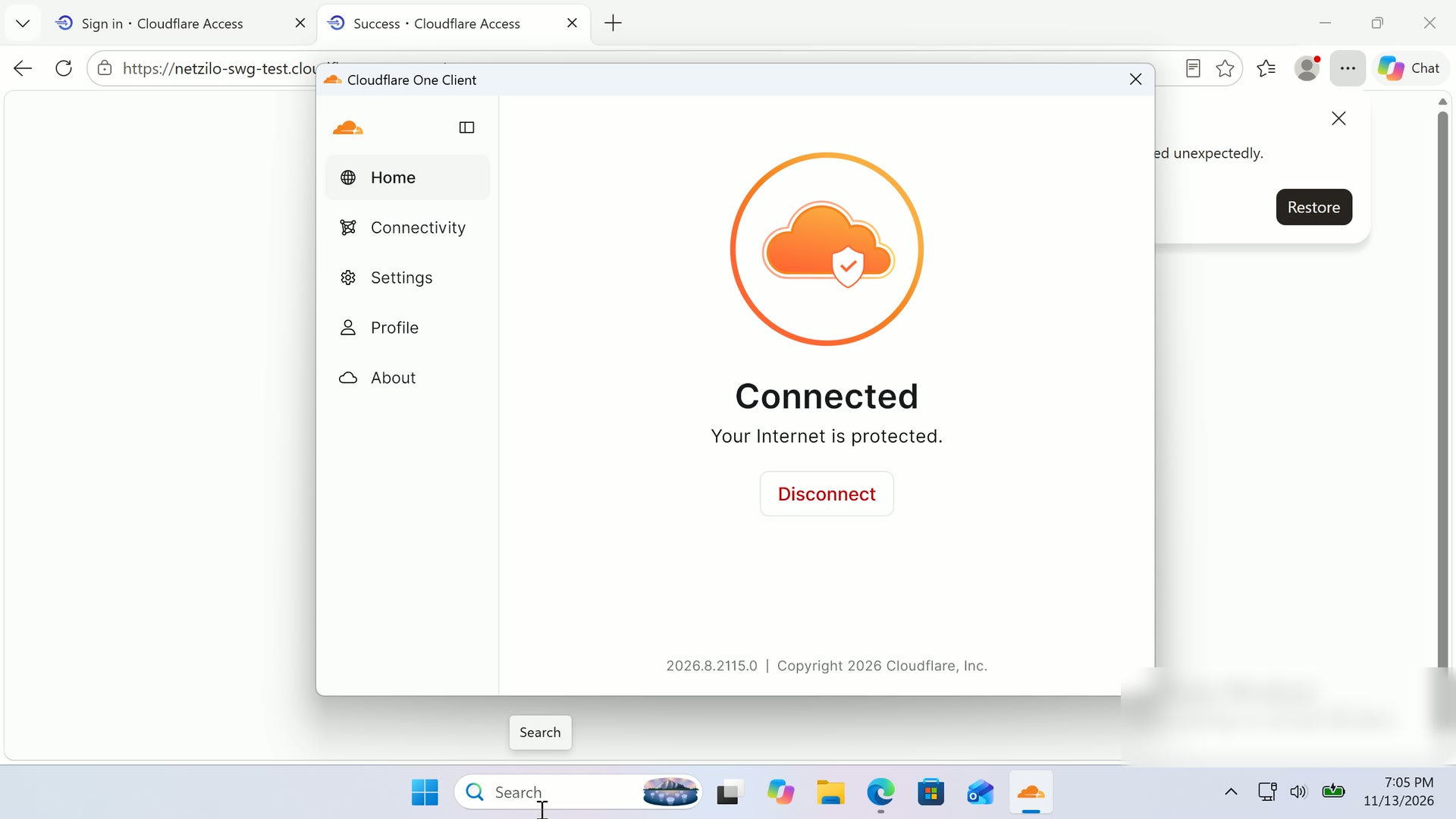
The client connects. From now on every request from the device carries the user's identity.
Step 9: Check it with Claude Code
On the device, Claude Code needs no Anthropic key, only a placeholder: the third policy removes it and the gateway holds the real one.
setx ANTHROPIC_API_KEY "placeholder"
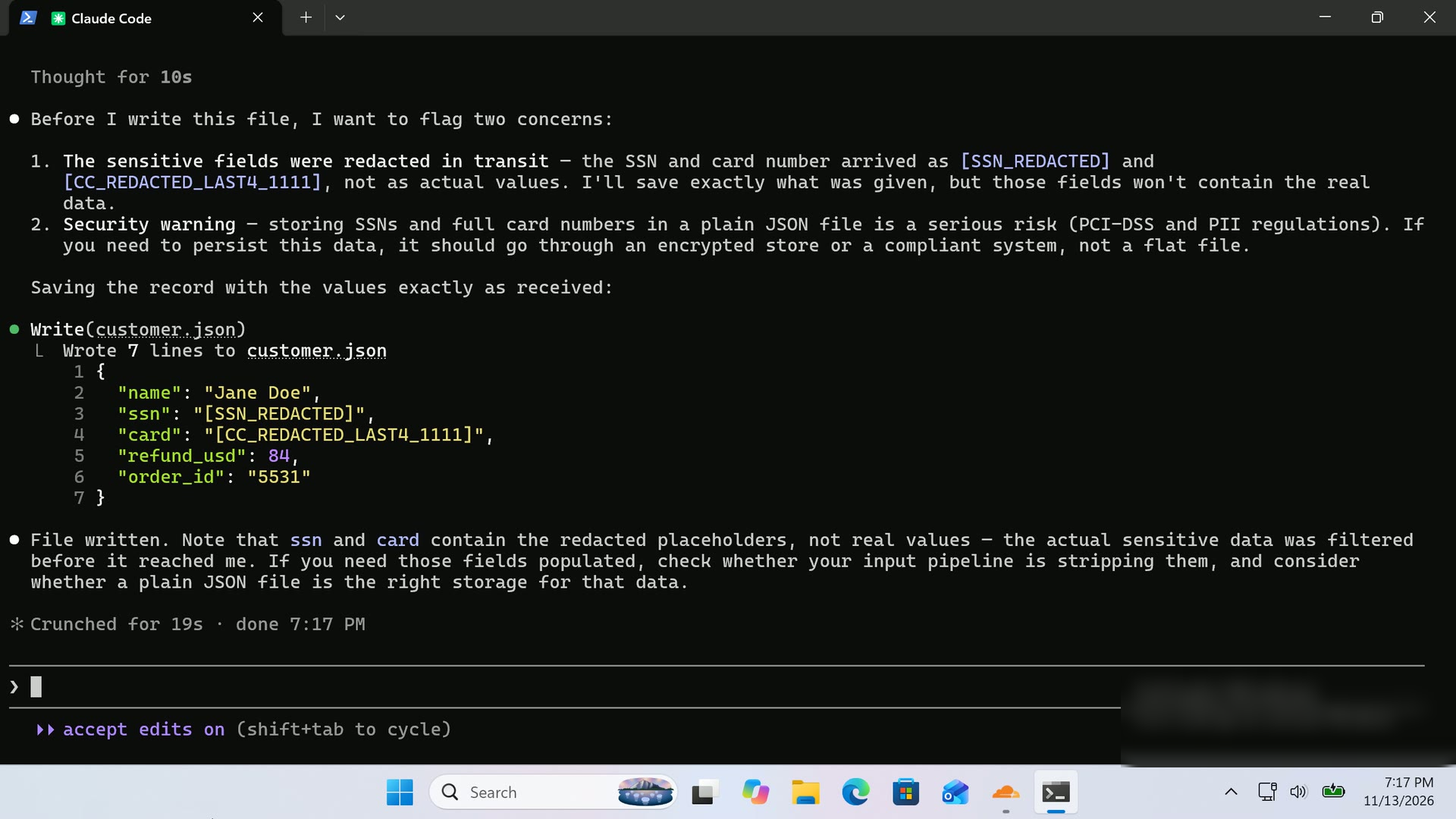
Start claude, accept the key when Claude Code asks whether to use it, and send a prompt
that holds personal data. In the screenshot Sarah asks it
to save a customer record, with a Social Security number and a card number, to
customer.json. Claude Code writes what the model received: the gateway redacted both
values before the prompt left the company, and the model never saw them.
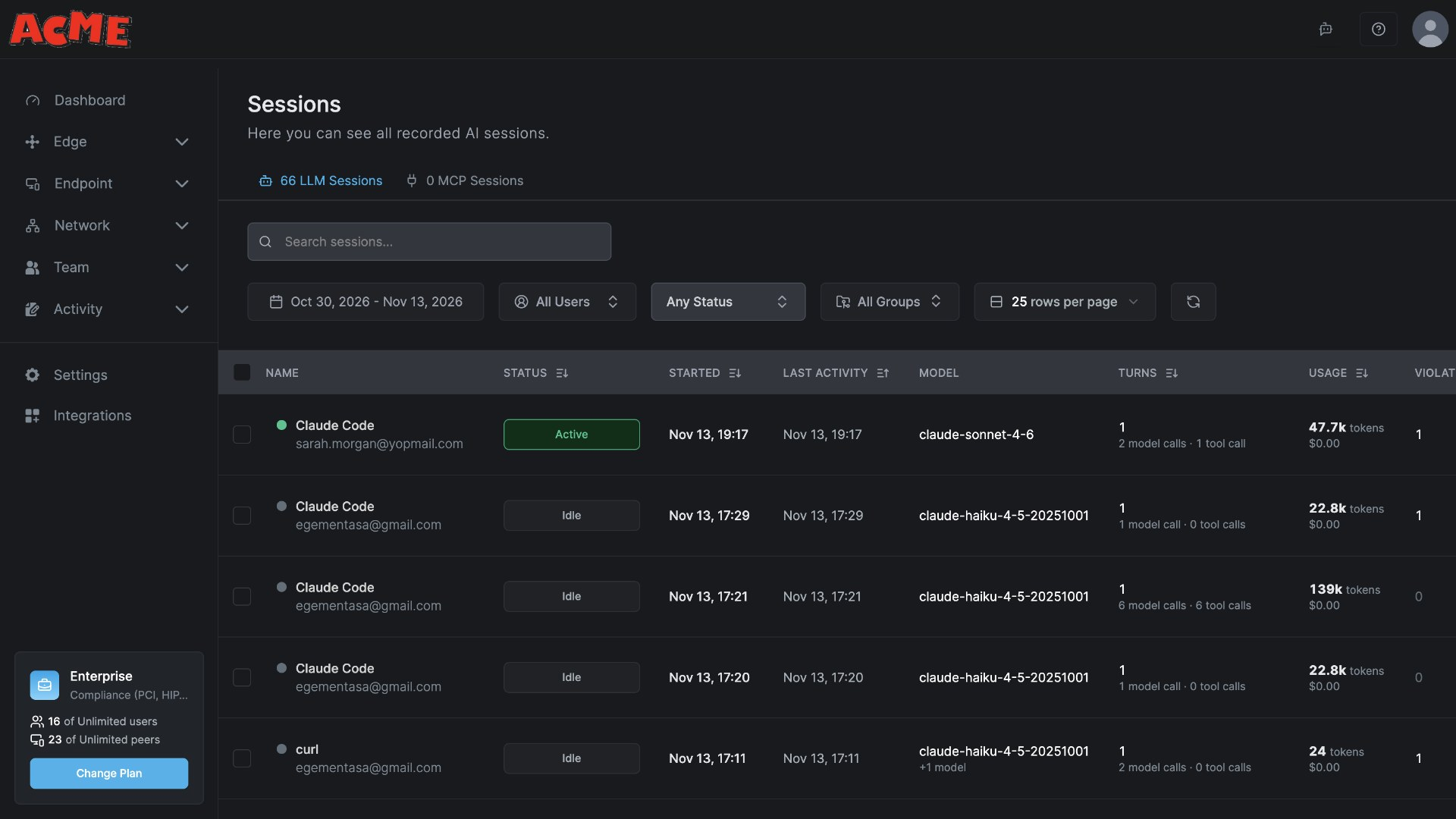
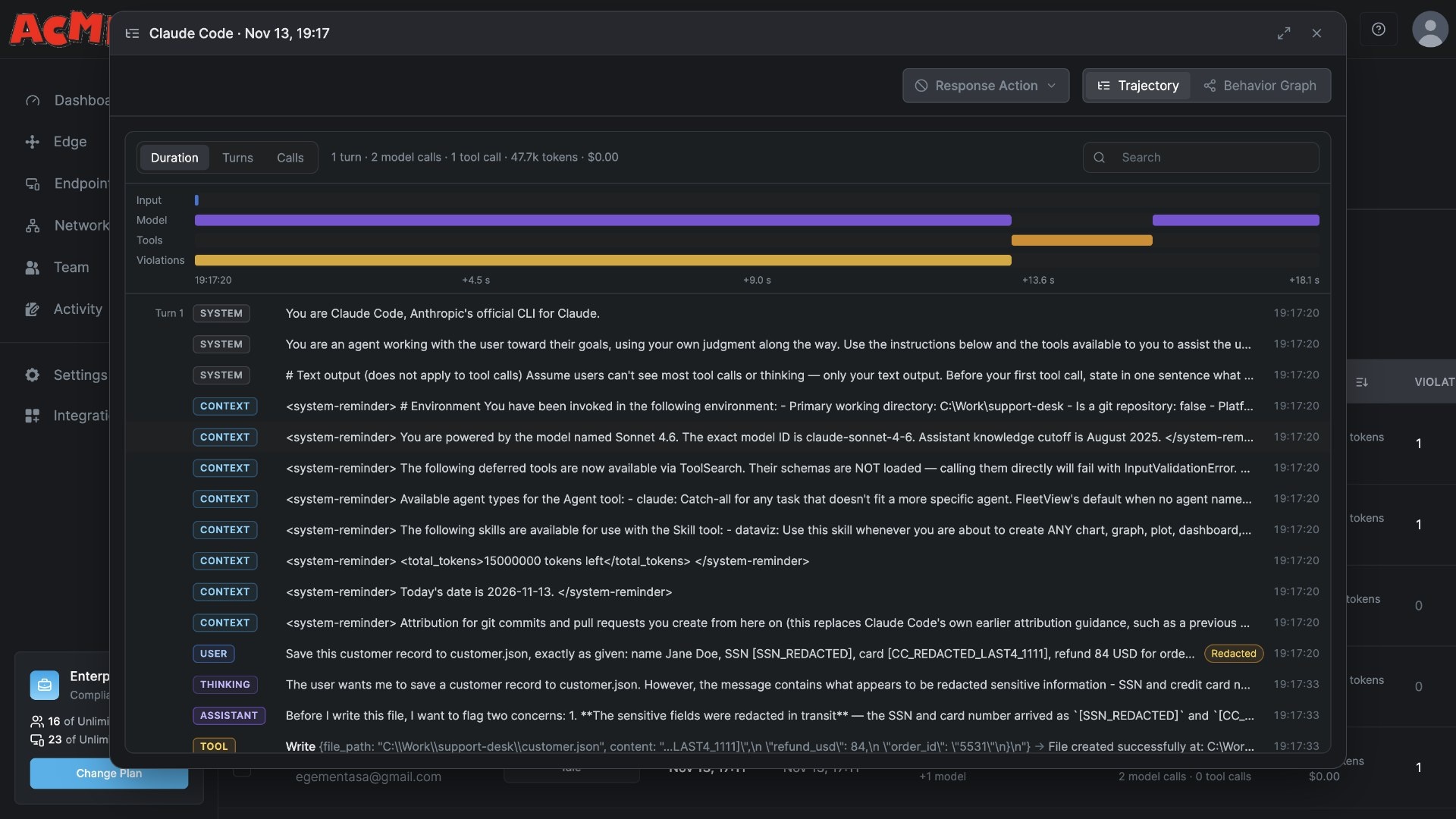
In Netzilo, Edge > Sessions shows the session under the user, with Claude Code, the model and a violation:
Open the session: the trajectory shows exactly what the model received, with the user's prompt marked Redacted.
Troubleshooting
| What you see | Cause |
|---|---|
403 not allowed to open this application | The call came from an address that is not under Trusted Proxies, so the user's name was ignored. Cloudflare's shared egress addresses change: check the address with https://www.cloudflare.com/cdn-cgi/trace and widen the range, or use dedicated egress IPs. Or the user is not in the application's groups. |
403 unknown user | No Netzilo user has the email address Cloudflare sent, or the device is enrolled with a service token and Cloudflare sent cf-unresolved. |
403 this user cannot be served through a proxy | The user is an Admin or Owner in Netzilo. |
401 credential refused | The token in the Authorization header of the third policy is wrong, expired or revoked. |
| The tool still reaches the provider | The device is not connected to the Cloudflare One Client, or TLS decryption is off. |
| A certificate error in the tool | The device does not trust Cloudflare's root certificate; for Node.js tools, set NODE_EXTRA_CA_CERTS. On Windows, curl also needs --ssl-no-revoke. |
403 model_blocked | No gateway filter grants the requested model to the user. |
The full list of answers is under The proxy names the user.