

Providers
A provider is a model vendor or a model server that the Netzilo AI Gateway can call, such as Anthropic, OpenAI, Azure OpenAI, AWS Bedrock or a self-hosted Ollama, vLLM or SGLang server. You define it once with the credential the gateway uses and the catalogue of models it serves. Your users never see the credential: the gateway holds it and calls the provider on their behalf.
A provider on its own gives nobody access. A gateway filter grants its models to the users of some groups, see Filters. The catalogue says which models exist; the filter says which of them a group may use.
You manage providers under Edge > Providers. Only administrators and owners see this page.
Edge > Providers is not the same list as Integrations > Artificial Intelligence. That page holds the AI provider the dashboard itself uses for the assistant, log analysis and threat analysis, see Artificial Intelligence. The two lists are independent: a key entered in one is not known to the other.
How it works
- You add a provider with its type, an optional endpoint, the credential and the models it serves.
- A gateway filter grants some or all of those models to the users of its groups.
- Every AI Gateway pulls the enabled providers, with their enabled models and keys, when it starts, about every 60 seconds, and after every change. It applies the difference to its upstream without a restart.
- A user's request names a model. The gateway checks that a filter grants that model to the user, then calls the provider with the stored credential.
Before you start
- An AI Gateway. Providers are served by the Netzilo AI Gateway, see AI Gateway.
- The credential for the provider: an API key for most types, or the fields listed under Credentials per provider type.
- Reachability. The endpoint must be reachable from the gateway host, not from your browser. Refresh, which lists a provider's models, runs on the management server, so the endpoint must also be reachable from there if you want to list models instead of typing them.
The Providers list
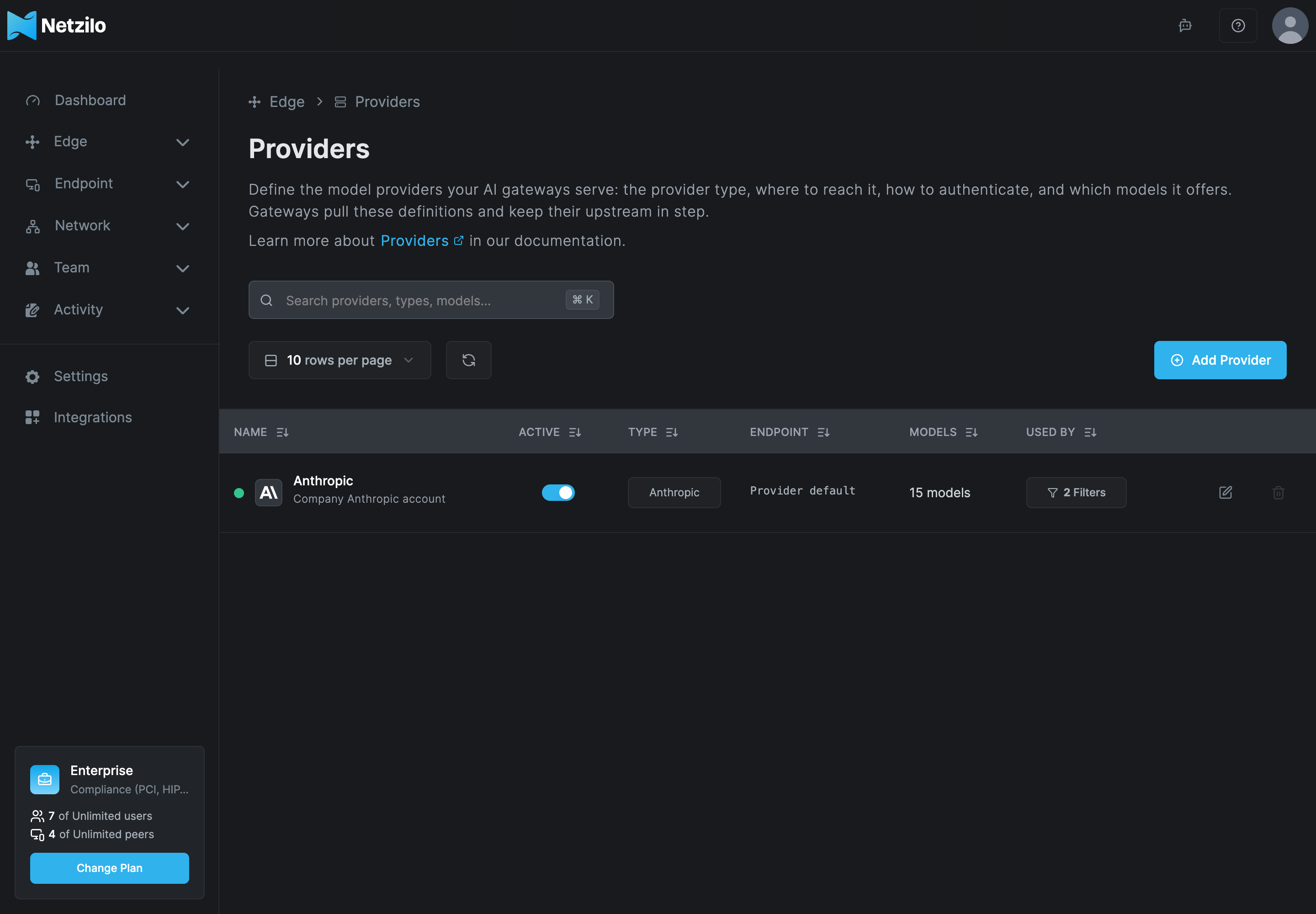
| Column | What it shows |
|---|---|
| Name | The provider's name and description. |
| Active | Whether the provider is enabled. A disabled provider is removed from every gateway. |
| Type | The provider type. |
| Endpoint | The endpoint you set, or Provider default for the vendor's own API. |
| Models | The number of enabled models in the catalogue. |
| Used by | The filters that grant models from this provider. |
Click a row to edit the provider. Search with Search providers, types, models....
Add a provider
Click Add Provider. The dialog has three tabs: Connection, Models and Name & Description. Continue walks through them and stays disabled until the connection is complete.
Step 1: Connection
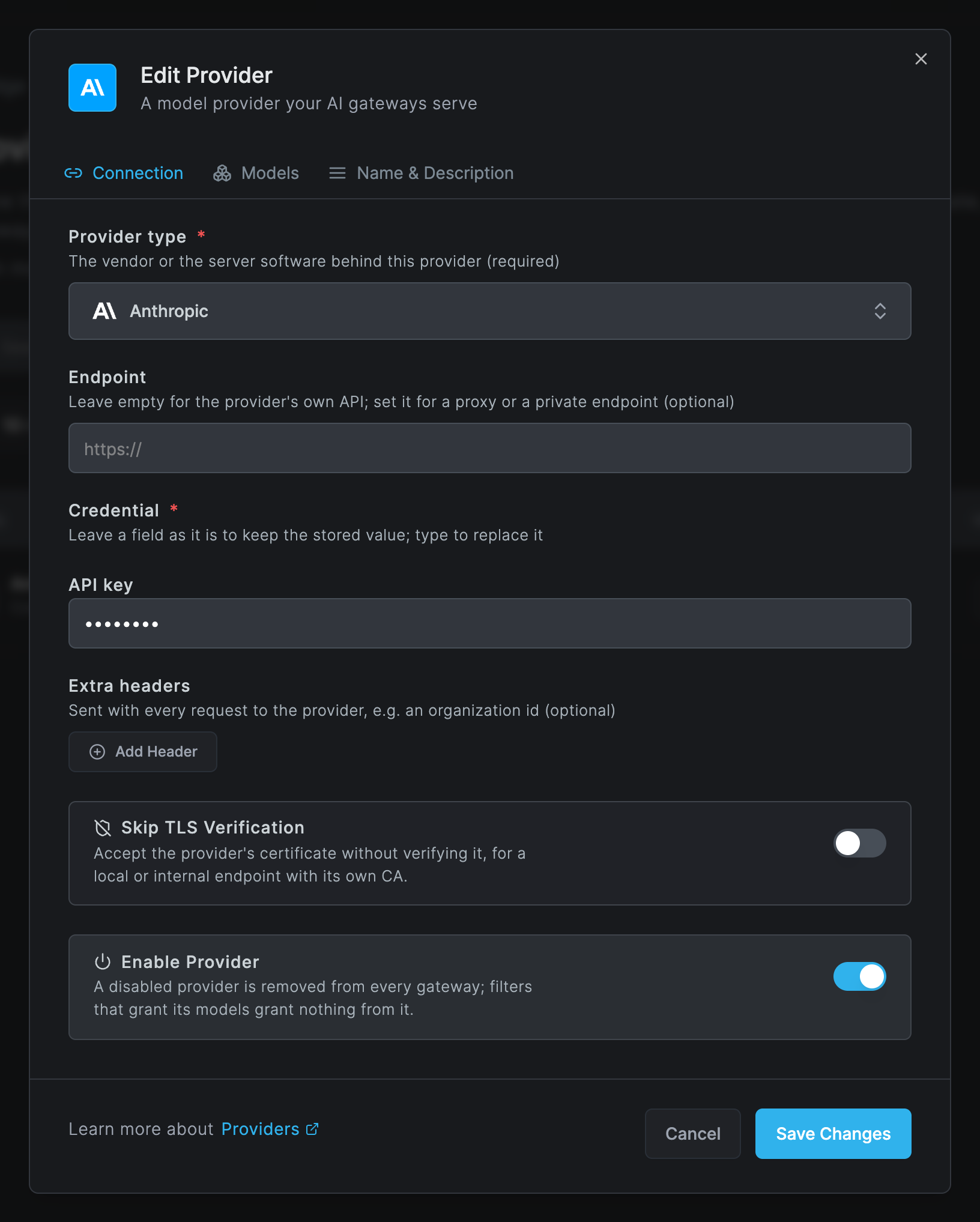
| Field | What to enter |
|---|---|
| Provider type | The vendor or the server software behind this provider. |
| Endpoint | Leave empty to use the vendor's own API. Set it for a proxy or a private endpoint, as an http:// or https:// URL. It is required for Ollama, vLLM and SGLang. |
| Credential | The fields the type needs, see the next table. The value is write-only: once saved, the dashboard shows it masked. When you edit a provider, leave a field as it is to keep the stored value, or type to replace it. If you change the provider type, the stored credential is discarded. |
| Extra headers | Headers sent with every request to the provider, for example an organization id. Optional. |
| Skip TLS Verification | Accept the provider's certificate without verifying it. Use it only for a local or internal endpoint with its own CA. |
| Enable Provider | A disabled provider is removed from every gateway. Filters that grant its models then grant nothing from it. |
Credentials per provider type
| Provider type | Credential fields |
|---|---|
| Azure OpenAI | Endpoint (https://<resource>.openai.azure.com), API key |
| Vertex AI | Project ID, Region (for example us-central1), Service account JSON |
| AWS Bedrock, AWS Bedrock Mantle | Access key, Secret key, Region (for example us-east-1) |
| Databricks | Workspace URL, API key |
| GitHub Copilot | App ID, Installation ID, Repository ID, Private key (PEM) |
| Ollama, vLLM, SGLang | none; the Endpoint is required instead |
| every other type | API key |
The other types are OpenAI, Anthropic, Cohere, DeepSeek, Mistral AI, OpenCode Go, OpenCode Zen, Groq, Parasail, ElevenLabs, Perplexity, Cerebras, Gemini, OpenRouter, Hugging Face, Nebius Token Factory, xAI, Replicate, Runway, Runware, Fireworks AI, Sarvam AI, Wafer and Typesafe.
Step 2: Models
The Models tab is the provider's catalogue: the models your gateways may serve from it.
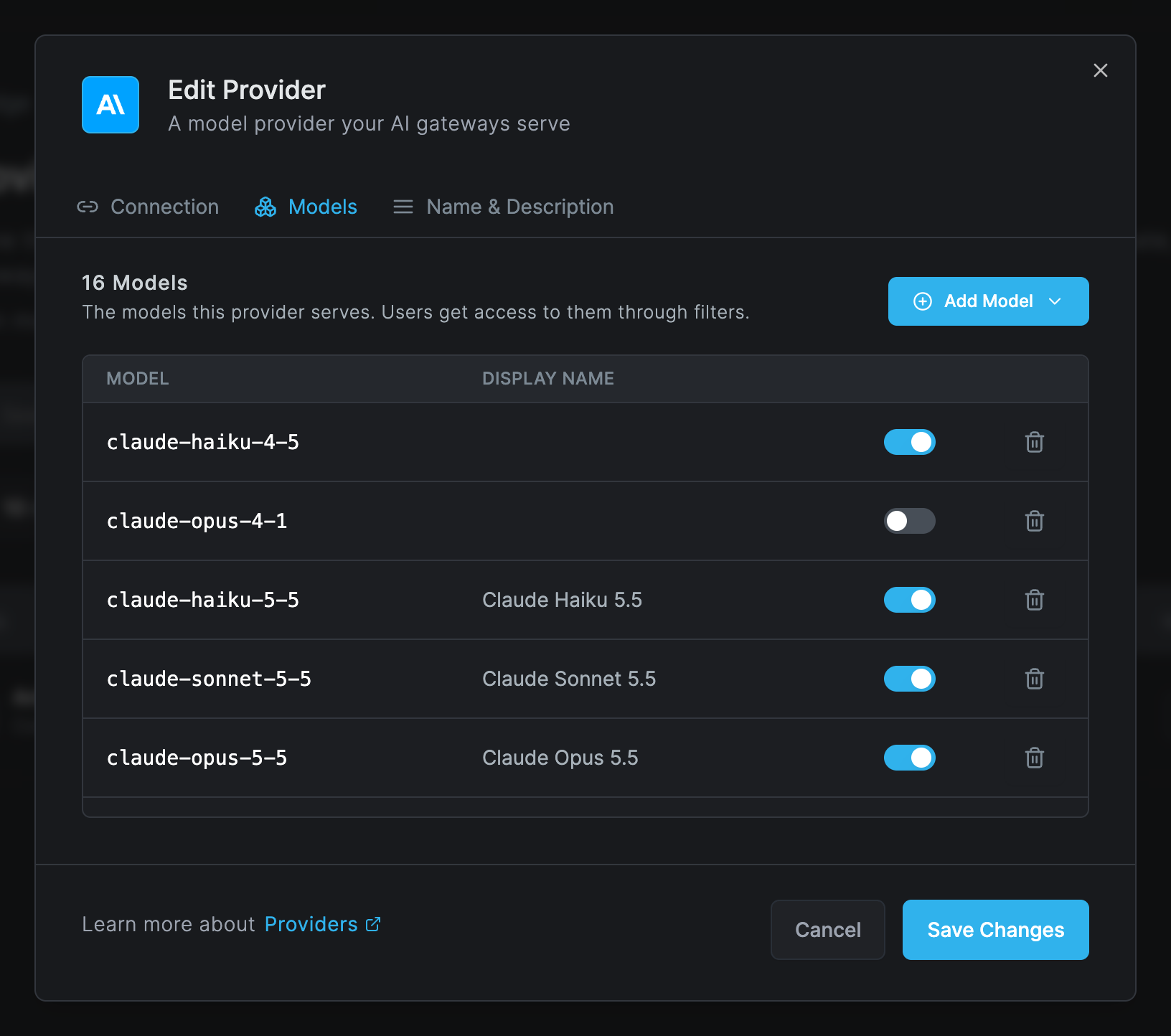
Click Add Model and choose:
- Refresh asks the provider for its model list. A picker titled Refresh Models lists what the provider reports. Tick the models you want and click Add (n). Models you already hold but the provider no longer lists are shown as Selected but not listed by the provider.
- Custom adds a model by name. Type the model name exactly as the provider expects it, with no spaces, and an optional display name. You can add several at once, separated by commas.
These types cannot list their models, so you type them with Custom: AWS Bedrock, AWS Bedrock Mantle, Vertex AI, GitHub Copilot, Replicate, Runway, Runware, Sarvam AI, Wafer, OpenCode Go and OpenCode Zen. For them the picker says This provider does not list its models.
Each model row has an enable switch. A disabled model stays in the catalogue but no gateway serves it. Removing a model from the catalogue also removes it from every filter that granted it by name.
Step 3: Name & Description
Enter a Name of the Provider, for example Anthropic production, and an optional
description. Names are unique in the account, without regard to case. Click Add Provider.
Creating, updating and deleting a provider are recorded in Activity > Events. The event never contains the credential.
Grant the models to users
A provider does nothing until a gateway filter grants its models:
- Go to Edge > Filters and open a filter of type Gateway, or create one.
- On the Models tab, click Browse Models. Pick single models, or All models of a provider, which also covers models you add to it later.
- Save the filter.
The details are on the Filters page.
Rotate a key
Edit the provider, type the new key in the credential field and click Save Changes. Gateways pick up the new key at their next refresh, within about a minute. Users keep working and their usage counters are kept.
Delete a provider
A provider cannot be deleted while a filter grants anything from it. The delete button is disabled and its tooltip names how many filters use it. Remove the provider's models from those filters first. Deleting a provider stops every gateway from serving its models.
Troubleshooting
Refresh lists nothing, or says Could not list the models. The key is wrong, the endpoint is not reachable from the management server, or the type cannot list its models. Read the error text: it says whether the provider rejected the credential, answered with an error, or returned no model list. You can always add the models with Custom.
Users get model X is not granted to this user. No gateway filter grants that model to the
user, the grant names another provider of the same type, or the model is disabled in the
catalogue. Check the user's gateway filters under Edge > Filters.
Users get no model is granted to this user. The user is in none of the groups a gateway
filter targets, or that filter grants no model.
Requests to one provider fail with a provider error through the gateway. The endpoint is not reachable from the gateway host, its certificate comes from a private CA (turn on Skip TLS Verification or install the CA on the gateway host), or the endpoint URL is wrong. The gateway's log shows the upstream error, see AI Gateway.
A deleted or disabled provider still shows models in the Workplace. The Workplace shows what the gateway answered at its last check, about every 30 seconds. Reload the page after a moment.
Costs look wrong. Cost is computed in US dollars from the gateway's built-in pricing catalogue at the time of the request. Self-hosted models cost 0. There is no custom price list.
Related Documentation
- Filters - grant a provider's models to the users of a group
- Limits - cap spend, tokens and requests per user
- AI Gateway - install and run the gateway that serves the providers
- Agentic Access - where users find the gateway address and their models
- AI Usage - spend and usage per user, model and provider
- Artificial Intelligence - the AI provider the dashboard itself uses